Dell XPS 13 2015 model without touchscreen launched in Germany

Dell XPS 13 2015 with out touchscreen has been launched in Germany with a price tag of 999 euro in Germany. The Dell XPS 13 2015 was launched at the consumers electronics show 2015 but was only made available with touchscreen and quad HD resolution for whopping 1399 euro. Not all of us use touchscreen on our laptops and the new model will allow the users to get Dell XPS 13 2015 at a cheaper price tag.

Dell XPS 13 2015 laptop without touchscreen

The non touchscreen model comes with full HD screen instead of quad HD one, packing 1920 x 1080 pixel instead of 3200 x 1800 pixels. Rest of the Dell XPS 13 2015 specifications have not been changed.

So you still get 13.3 inch screen, 4GB of RAM and 128GB SSD. If you want 256GB SSD and 8GB RAM, you will have to shell out 100 euro extra. Microsoft Windows 8.1 comes pre installed irrespective of model you get. Wireless LAN is handled by Dell Wireless 1560 WLAN ac module. The connections include USB 3.0, mini display port, SD card reader and a Noble Castle.
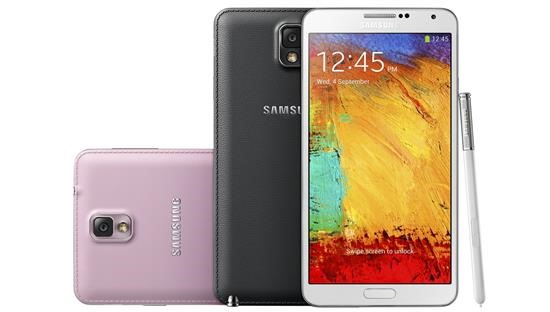
Download Galaxy Note 3 India Android 5 Lollipop update

Samsung is now pushing Android 5 Lollipop update in India for the Galaxy Note 3 SM-900 version. This is the official update and a leak or a beta version. It is interesting to see Samsung pushing this update ahead of Note 4.

Download Galaxy Note 3 India Android 5 Lollipop update

Installation instructions:

Download and extract (unzip) the firmware file
Download Odin v3.09
Extract Odin ZIP file
Open Odin v.3.09
Reboot Phone in Download Mode (press and hold Home + Power + Volume Down buttons) [i pressed volume up to start the firmware download process, volume down was for restart, did i press the right option ?]
Connect phone and wait until you get a blue sign in Odin
Add the firmware file to AP / PDA
Make sure re-partition is NOT ticked
Click the start button, sit back and wait few minutes

Fujitsu Stylistic V535 specifications, rugged Windows 8.1 Tablet with 4GB Memory

Fujitsu Stylistic V535 is a new a new rugged tablet for industrial use that is recently launched at the mobile world congress. Fujitsu Stylistic V535 specifications include an Intel Atom processor, Windows 8.1 Pro 64-bit version and 4 GB of memory. The tablet offers protection against dust, liquids and falls.

Fujitsu Stylistic V535 review

Fujitsu Stylistic V535 is a very sturdy tablet designed to be used in harsh environments. Powered by Intel Atom Z3795 quad core processor humming at 2.4 GHz, it packs GPS, GLONASS and LTE modules. However what caught our eye was this line written on its spec sheet which said that Fujitsu Stylistic V535 is operable at –10 degrees to plus 50 degrees.

Fujitsu Stylistic V535 comes with a docking station that allows the user it as PC replacement. This makes perfect sense as tablet runs windows 8.1 that is perfect for productivity and entertainment.

Fujitsu Stylistic V535 review

Amount of storage depends upon the model you purchase but it goes up to maximum of 128GB. Fujitsu Stylistic V535 measures 227.8 x 12.5 x 150.1 mm and weighs 540 grams.

There are two cameras on it – one in the back packing 8 megapixel camera and another one on the front with 2 MP shooter.

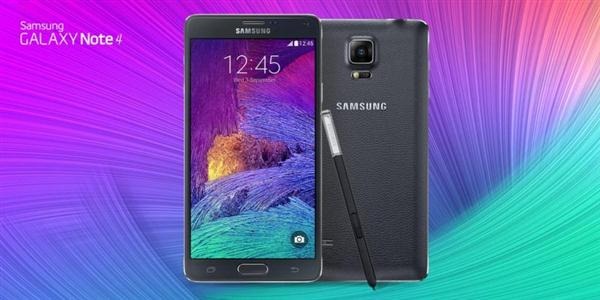
SM-N910F N910G N910H N910T N910P N910R4 N910W8 Rooting Instructions

We have rooting instructions for the Samsung Galaxy Note 4 SM-N910 series android phone. Go to Settings -> About device -> Model number if you are not sure about your device model.

SM-N910F SM-N910G SM-N910H SM-N910T SM-N910P SM-N910R4 SM-N910W8 SM-N910C SM-N910U SM-N910K SM-N910L SM-N910S SM-N9100 SM-N9106W SM-N9108V SM-N9109W root

This is only meant to be used on stock firmware with stock recovery. So make sure you are on stock firmware before proceeding.

SM-N910C N910U N910K N910L N910S N9100 N9106W N9108V N9109W rooting is also supported.

– Download and unzip the CF-Auto-Root-….zip file from bottom of this post.
– If you end up with a recovery.img and cache.img file, you’ve extracted twice. You need to end up with a .tar.md5 file – don’t extract that one
– (USB) Disconnect your phone from your computer
– Start Odin3-vX.X.exe
– Click the PDA button, and select CF-Auto-Root-….tar.md5
– Put your phone in download mode (turn off phone, then hold Vol Down + Home + Power to boot – if it asks you to press a button to continue, press the listed button, or run adb reboot download command)
– USB Connect the phone to your computer
– Make sure Repartition is NOT checked
– Click the Start button
– Wait for Android to boot
– Done

SM-N910F (International, Qualcomm): CF-Auto-Root-trlte-trltexx-smn910f.zip
SM-N910G (Asia, Qualcomm): CF-Auto-Root-trlte-trltedt-smn910g.zip
SM-N910H (Asia, Exynos): CF-Auto-Root-tre3g-tre3gxx-smn910h.zip
SM-N910T (T-Mobile USA, Qualcomm): CF-Auto-Root-trltetmo-trltetmo-smn910t.zip
SM-N910P (Sprint, Qualcomm): CF-Auto-Root-trltespr-trltespr-smn910p.zip
SM-N910R4 (US Cellular, Qualcomm): CF-Auto-Root-trlteusc-trlteusc-smn910r4.zip
SM-N910W8 (Canadia, Qualcomm): CF-Auto-Root-trltecan-trltecan-smn910w8.zip
SM-N910C (Thailand, Exynos): CF-Auto-Root-trelte-treltexx-smn910c.zip
SM-N910U (Hong Kong, Exynos): CF-Auto-Root-trhplte-trhpltexx-smn910u.zip
SM-N910K (Korea, Exynos): CF-Auto-Root-treltektt-treltektt-smn910k.zip
SM-N910L (Korea, Exynos): CF-Auto-Root-treltelgt-treltelgt-smn910l.zip
SM-N910S (Korea, Exynos): CF-Auto-Root-trelteskt-trelteskt-smn910s.zip
SM-N9100 (China, Qualcomm): CF-Auto-Root-trltechn-trlteduoszc-smn9100.zip
SM-N9106W (China, Qualcomm): CF-Auto-Root-trltechn-trlteduoszn-smn9106w.zip
SM-N9108V (China, Qualcomm): CF-Auto-Root-trltechn-trltezm-smn9108v.zip
SM-N9109W (China, Qualcomm): CF-Auto-Root-trltechn-trlteduosctc-smn9109w.zip

Galaxy Note 5 to feature dual edge display

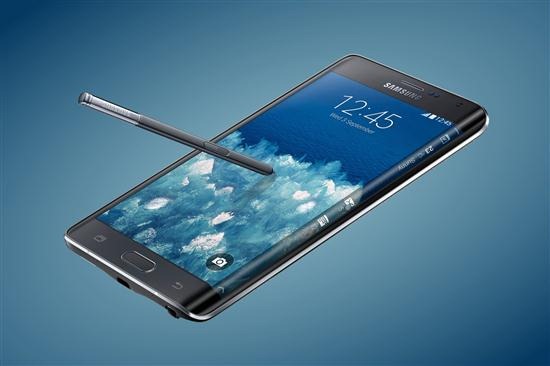
Samsung Galaxy S6 Edge features a dual edge display which makes it more functional than the single edge display of Galaxy Note 4 Edge. If the new report from koreaherald is to be believe, then Samsung might include the same dual edge display design in the Galaxy Note 5 Edge.

note 5 edge

This all depends if the Galaxy S6 Edge enjoys good sales. If it does not then Samsung might do away with the entire Edge range including Galaxy Note 4 Edge and S6 Edge.

It is being said that the Samsung Galaxy 4 Edge is not very successful like the regular Note 4. So only if the S6 Edge is successful, the company will be using the same design in Note 5 Edge.

HTC Desire 616 Proximity sensor problem and solution

Some HTC Desire 616 users have been facing proximity sensor related problem where the backlight turns off whenever one places or receives a call and comes back again in between few seconds of interval.

HTC Desire 616 Proximity sensor

Fortunately it is only a software issue and not a hardware one. To fix it, go to -> Settings -> Display -> Daydream. In daydream, select "While Docked" and then switch off the Daydream. This problem will be solved.

While this solution is a bit weird, it does solves the proximity sensor problem being faced by HTC Desire 616 users.

HP Spectre 13 x360 is a new Lenovo Yoga style convertible laptop

HP Spectre 13 x360 is a new convertible laptop with touch screen. It packs a lot of power and offer impressive specifications. Two models HP Spectre x360 13-4001ng and HP x360 13-4000ng were released today.

HP Spectre 13 x360 review

HP x360 13-4000ng features Intel Core i5 5200U 2.2 GHz processor, 4 gigabytes of memory and full HD 1920 x 1080 pixel resolution. The other model HP Spectre x360 13-4001ng has Intel Core i7 5500U 2.4 GHz processor, quad HD 2560 x 1440 pixel resolution and 8 GB of RAM. Both models pack 13.3 inch display, Intel HD Graphics 5500 integrated GPU, 256 GB SSD in small M.2 SSD format, three USB 3.0 ports, Mini Display Port, SD card reader and HDMI and touch panel.

HP x360 13-4000ng review

If the last year’s HP Pavilion x360 did not pack enough power for you, the HP Spectre 13 x360 promises to offer you plenty of power to get your job done. Also if the build quality of HP Pavilion x360 looked a bit kid-ish, you love this one’s exterior. HP Spectre 13 x360 itself is made ​​entirely of aluminum that feels fantastic in hand.

HP Spectre x360 13-4001ng review

HP promises a battery life of up to 10 hours which is amazing since it comes with a 3 cell battery with 56 Wh capacity. It weighs just 1.51 kilograms and has thickness of mere 16 mm. HP x360 13-4000ng price is 999 euro while the HP Spectre x360 13-4001ng will cost you 1299 euro.

MIUI for HTC Desire 616 now available

HTC sells its Android phones preloaded with lots of junkware. To make matters worse, it is not possible for an end user to uninstall theme. So how do you get rid of HTC’s unwanted applications. The best way is to flash MIUI firmware.

MIUI for HTC Desire 616

The Deisre 616 is a great budget phone but HTC has burnded it with their heavy skin which its drop frames and cause stutter. Here are the installation instructions on how to install custom HTC Desire 616 firmware.

1. First root your HTC desire 616 device.
2. Install the CWM / TWRP Recovery for Desire 616.
3. Backup your current ROM using cwm and MTK droid tools before making any changes to your mobile. (Important)
4. Download the ROM zip file from here.
5. Put the zip file in the SD card.
6. In CWM Recovery: Wipe cache, data, dalvik cache, system; Select Install Zip From SD card and Flash MIUI Zip File and reboot.