HTC One Max: Download Unlock Root, S Off, TWRP, CWM, Lock, Super-CID

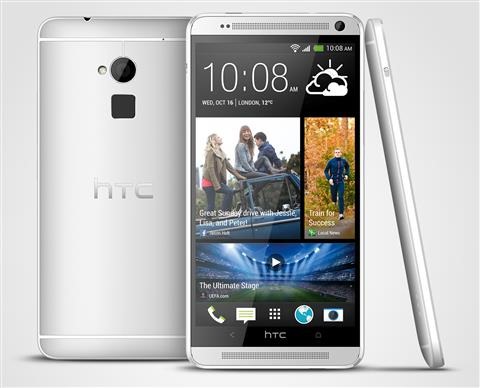
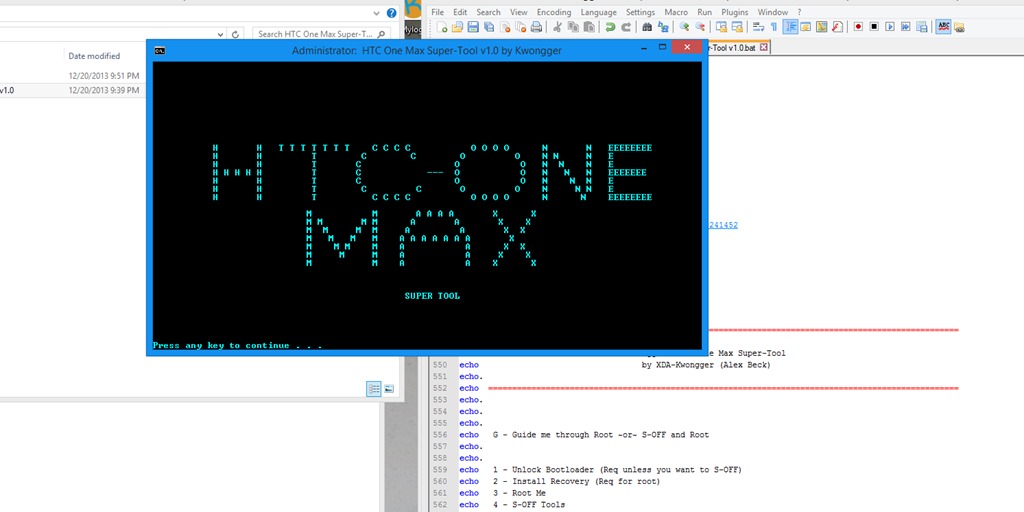
An XDA user has released an all in one tool that can Unlock, Root, S Off, TWRP, CWM, Lock and even Super-CID your HTC One Max – it is indeed the super tool. Just keep in mind that rooting void your phone’s warranty. The super tool works with all editions of HTC Max (including sprint and verizon variants).

HTC One Max Download Unlock Root, S Off, TWRP, CWM, Lock, Super-CID

Continue reading “HTC One Max: Download Unlock Root, S Off, TWRP, CWM, Lock, Super-CID”

Sony Vaio P and Windows 8.1 Drivers, Performance

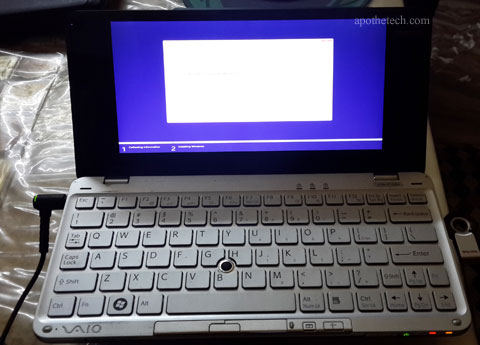
My Sony Vaio P is aging and I do not use it much. Today, I installed a new life into it by installing Windows 8.1. I downloaded the 32 bit version of Windows 8.1 and installed it using USB pen drive. Installation took around 45 minutes as Vaio P is a slow dog, thanks to its ultra slow Intel Atom Z520 processor (I’ve the base first generation model).

Sony Vaio P and Windows 8.1 Drivers, Performance

Continue reading “Sony Vaio P and Windows 8.1 Drivers, Performance”

Intel Atom C2750 Benchmark

We were able to get a review unit of Mini ITX motherboard, A1SAi-2750F equipped with Intel Atom C2750. It is the top end Intel Atom unit and runs at 2.4 GHz clock speed with 2.8 GHz turbo boost.

The C2750 is a 8 core processor with 8 threads and fully supports 64 bit architecture. In fact, the chipset can accept up to 64GB RAM.

Peripheral information.

Number of controllers: 1
Memory channels: 2
Supported memory: DDR3-1600, DDR3L-1600
DIMMs per channel: up to 2
ECC supported: Yes
PCI Express 2.0 interface (4 controllers)
SATA 3 controller
USB controller
Ethernet controller

It has 4 x 1 MB shared caches level 2 cache. TDP of Intel Atom C2750 is 20 watts. Here are its benchmark results.
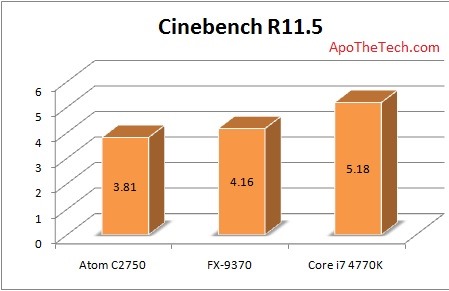
Intel Atom C2750 Benchmark

As you can see, the performance of the Atom processor is at par with the AMD FX-9370, which is a very powerful CPU. Here are SiSoftware Sandra results.
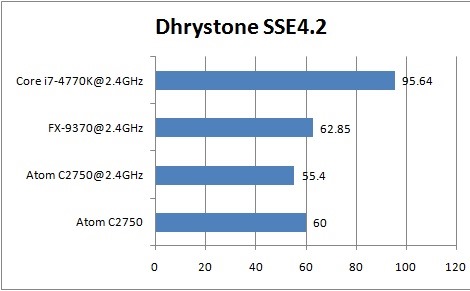
Intel Atom C2750Intel Atom C2750 review

Download, Install Omni For the Oppo N1

Omni has now been ported to the Oppo N1 Android phone. Make sure you do a backup of everything important you have on your phone because after installing it, data will be lost. You also need to have TWRP on your phone.

Download, Install Omni For the Oppo N1

Download it from here. Since there are no pre installed Google Apps, you should separately install them from here (no big deal if you do not need it).

You will have to flash it using TWRP – stock recovery would not work if you want to install custom ROMs. To do that, download the file and put it on your SD card. Get into recovery and select the file in TWRP and flash it.

Download CM on Oppo N1

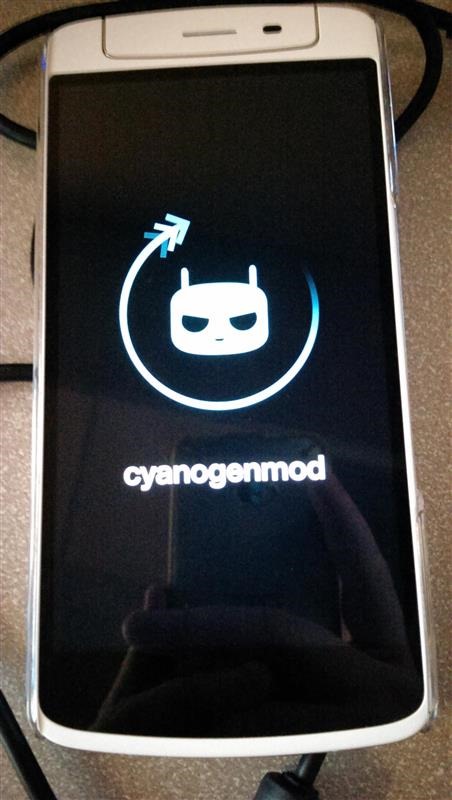
This tutorial will explain how to download CM and install it on your Oppo N1 Android phone. Before you proceed, make backup of anything important you have on your phone. After you done with that, make sure you have TWRP as your recovery. Stock recovery would not work.

Download CM on Oppo N1

Second, it is important to be on stock ROM. It does not matter if you are rooted or not. Now, download the fully flash able ZIP from here. Put it on your SD card and reboot to recovery and flash the ZIP from there.

You are not done yet. Reboot into TWRP and go to Advanced Wipe -> Wipe Dalvik Cache, Cache, and Data.