The Cocoon Grid-It offers something particularly unusual–instead of a series of pockets for your gear, this one offers a series of bungee straps instead, allowing you to simply strap down things like your AC adapter and the like instead of slipping it into pockets. Most everything from a set of headphones to a DVD case can fit into one of these straps, and you’ll have a variety of sizes on hand to ensure that most everything you need held down gets, in fact, held down.
The Ballistic Tough Jacket for the Blackberry PlayBook is a lot like most other Ballistic cases, especially those we’ve reviewed here previously. It offers up multi-layer protection, including an inner, flexible layer that surrounds your tablet and a much more rigid outer layer. Both layers include slots for your various ports to still be accessible, like your camera and volume controls, and the inner layer clips into the outer layer. Plus, the outer layer also includes a kickstand so you can use the tablet on a flat surface, like an easel.
Global notebook shipments will reach approximately 200 million in 2010. According to Acer chairman, JT Wang, nebtooks will account for 25% or 50 million of total netbook sales.
As the netbooks get more powerful everyday, more and more people are buying netbooks as they are much more mobile than carrying a back-breaking notebook.
I’ve always been a huge fan of Ubuntu due to their ease of use and virus-free environment. When we came to know that the Canonical has unveiled a special netbook edition specially tailored for the netbooks, I could not stop myself installing the it on my EEE.
Installation
The installation was pretty much seamless.
First download the image file from the ubuntu’s servers
Use the Disk Imager to ‘write’ the image file to your flash drive (should be atleast 1GB)
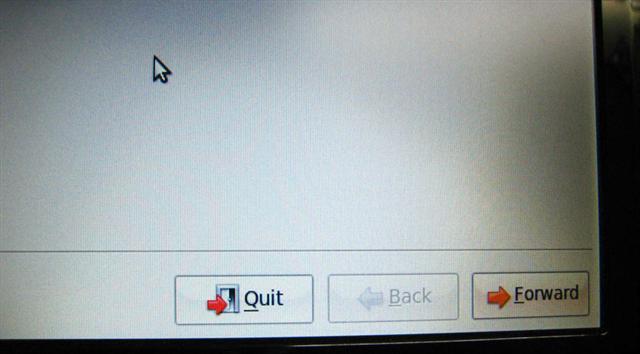
One much required improvement over the previous installations was the fact that the dialog boxes and windows were fully visible. You no longer have to do the ‘ctrl+f7’ key combo to move the windows around just to click on ‘Proceed’.
One thing to note is that although Ubuntu suggests that you install netbook edition on an Atom processor, but the installation also worked fine on an EEE 701 running Celeron processor.
Boot Time
Since the video speaks (and show) more than pictures and words, here is the video of EEE 1000HE booting the Ubuntu 9.04 Netbook Remix. It takes just 24 seconds to fully boot up. Earlier versionns like Ubuntu 8.10 used to take nearly 1 minute to fully boot up.
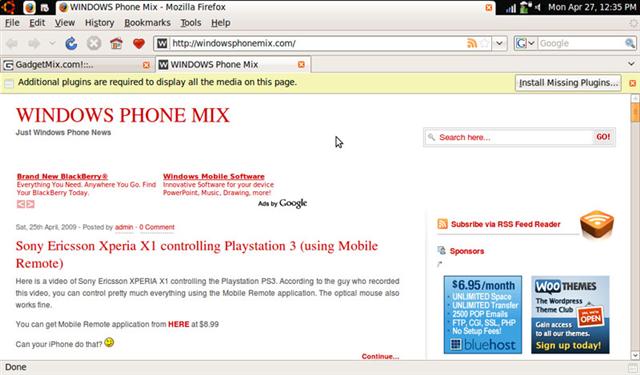
Since it is called netbook edition, it should provide great web experience to the user, right? Ubuntu 9.04 comes with the excellent Firefox browser. The browsing speeds have improved by miles when compared to previous versions.
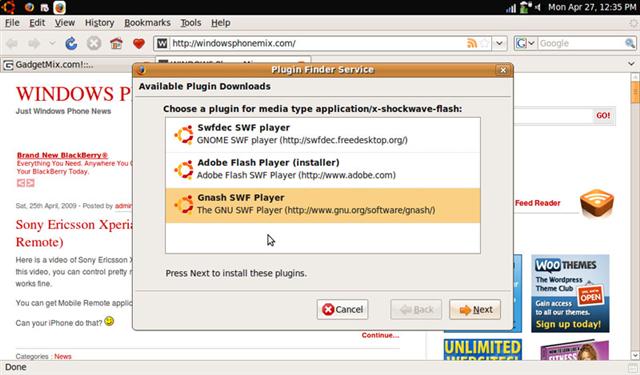
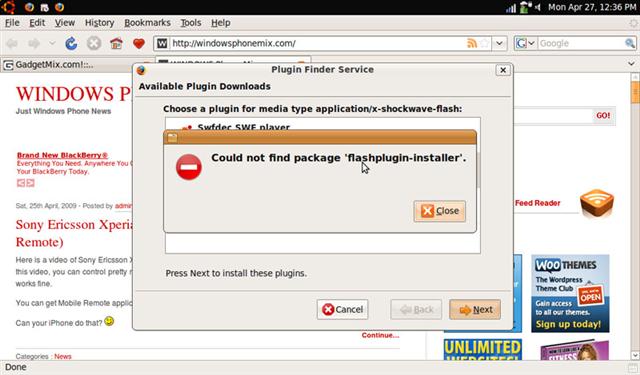
But, flash player has not been included! What were the folks at ubuntu thinking? Flash is widely used everywhere on web. You will see ‘install missing plugins’ bar on the top of the webpage, which uses flash anywhere in the website. Clicking that bar will display the list of plugins required to play flash. I tried all of them and firefox was unable to install any of them. This called for manual installation, something which would be little difficult for the normal user.
How can it say "installed" when it was not able to find the plugin?
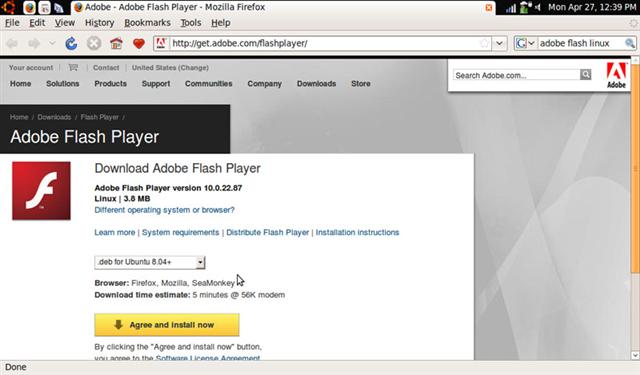
Anyway, these are the steps to install flash player:
Restart the browser and the flash should now work fine
For Instant Messaging, it comes with rock solid application called Pidgin, which supports a wide variety of IM services.
Applications
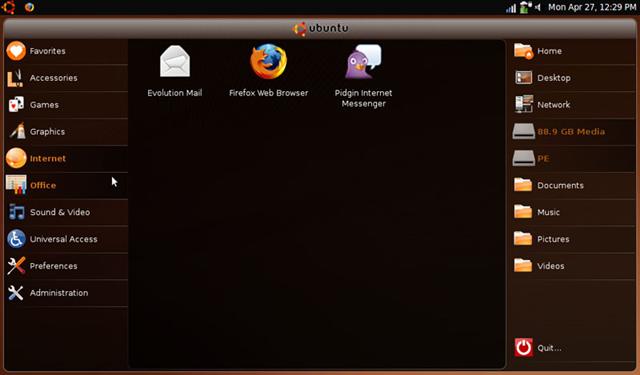
The Ubuntu 9.04 Nebtook Remix comes with an array of applications. Here is the screenshot of the netbook remix launcher.
It also comes with Openoffice suit and I did notice that it opened more quickly than the previous versions, which is nice to hear.
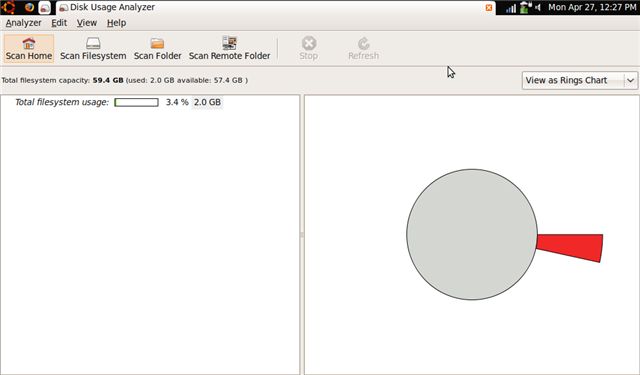
So, how much space does it takes?
It takes nearly 2GB. It should easily fit in an EEE 701 and you will still have ~1.8GB space for applications.
What was annoying?
Other than the lack of flash support, there were few other annoying problems too. The speaker volume was set half way. I spent nearly an hour figuring out what could be the reason about such low sound volume. Later on, I saw that you must click on small speaker icon and then adjust the volume from there. See the following screenshot:
After that, I wanted to try out its multimedia capabilities. The movie player application started and alerted me that there are no MP3 codecs. How could folks at ubuntu forget to bundle the MP3 codec? Anyway, the problem was quickly resolved as it itself prompted me to download the codecs.
Pros:
It is FREE
FREE support
Boots faster
Apps launch faster
Basic apps like web browser, email-client and office suit already bundled
Easily download hundreds of apps via package manager
Cons:
No codecs in movie player to play even basic stuff like MP3
We cannot ship codecs as they cost money. You can but them in the Canonical store. We cannot ship Flash as it is not open source software. You can choose to install it from the repos or go to Adobe. We did not overlook these items.
Couple of months back, we reviewed the Nova Navigator, touted as “India’s $100 PC.” But, it was a nettop and not a laptop or a netbook. As a result of that, Indian Government has decided to purchase 250,000 XO OLPCs. These machines will be distributed in nearly 1500 schools throughout the country.
OLPC launched a pivot program in India in the year 2007, where the OLPC gave away 20 XO in the Khairat-Dhangarwada village in the state of Maharashtra (India).
OLPC is an organization which sells low cost laptops to the governments of developing countries.
The XO laptop by OLPC does not come with any fan inside. However, it is dirt and moisture resistant which makes it ideal for use in dirty environments.
Remember the Skytone netbook that we mentioned a couple of days back? Some more details are come up about this Android-netbook. The netbook will be named Alpha 680 and will cost $250. It will run on an ARM processor and will weigh just 1.5 pounds which is even less than the EEE 701.
It uses the same chip that is being used in the iPhone too, the ARM 11. The skytone netbook is set to debut in month August or September this year.
Don’t you think that $250 is too much for the Android netbook? By spending a few more dollars, one can buy an Atom-powered netbook. But, the biggest asset that the Android-netbooks will have over the Atom powered netbooks will be better battery life.
Only time will tell, if the consumers will adopt netbooks running Android OS.
A number of companies are preparing to announce Nvidia ION powered models of their netbooks. The netbooks would now have a more powerful graphics engine. However, the big announcements would be made at Computex, the annual PC trade show in Taipei at the beginning of June.