Moto X 2014 Recovery and Rooting guide

Like other Motorola android phones it is very easy to install recovery into the Moto X as well as root it. Some one at XDA has made a one click recovery flasher that will allow you to gain root easily. This tool will push the Super SU update’s ZIP file to your phone’s internal storage.

Moto X 2014 Recovery and Rooting guide

After that you can simply flash the CWM beta and then SU.zip file to get root. When rebooting into fastboot, give it 30 seconds to a minute to allow fastboot drivers to properly install before hitting enter.

Instructions: download and unzip file on desktop. Open tool folder and click bat file. Start with option 1. Its ugly but it works great.

Samsung rolling out WP8.1 GDR1 update for Ativ S

The official WP 8.1.1 update for Ativ S released by Samsung. You need to be on official GDR3 to receive this update. To get it, open SamWP8 tools > Tweak > region to “000-AT”. Then check for updates on your phone (Settings > “Check for updates”).

New Update details:

SO 8.0.14157.200
Rev.Firm.: 2424.14.9.3
Rev.Hardw.:15.15.10
Soft.Radio:2424.14.9.3
Bootl.:14.09.3.16

If you’re currently on the dev preview you can flash an 8.0.3 build to get the update.

How to compress video for your Galaxy Note tablet

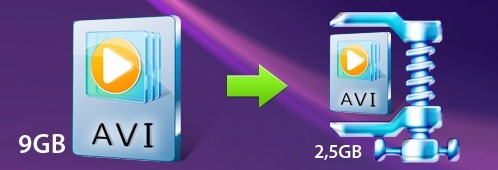
Samsung Galaxy Note are magnificent tablets and can pretty much play any video format out of the box. However not all videos that we play on the tablet are compressed which is where encoding of videos comes into play. Encoding a video may sound like a sci-fi topic to some but it is not difficult at all and with the Movavi video converter, it is actually a child’s play. Any one can compress a video using it.

If you compress, let us say a DVD file to an MP4 file you will save a lot of storage on your Galaxy Note tablet. To use the Movavi video converter http://www.movavi.com/support/how-to/video-compression.html you must first download it from its website and install it on your computer. Installation is very straight forward and you will be able to use it within few minutes. Click on the Add video button to browse and choose the files you want to compress for your Samsung Galaxy Note tablet. It must be noted that the Movavi video converter is capable of handling more than one video at a time. In fact it can batch process your entire uncompressed video collection so feel free to select one video.

How to compress video for your Galaxy Note tablet

Now you will be asked to select the video format you want to encode it. Since you are using a Samsung Note tablet, we suggest using MP4 format. Of course you can choose FLV, AVI or WMV too but for best results choose MP4. In the next steps you can set your desired output folder. It is in this folder the converted files will be saved after compression. If you do not select one, all the converted files will go into your computer’s default video folder.

The application lets you select bitrate too and lowering the bitrate will reduce the overall size of the converted file but will reduce the quality too. Similarly increasing the bitrate will increase the size and quality. After everything is set, feel free to start the conversion process by clicking on the Convert button. The algorithms used by Movavi video converter are very fine tuned which result in quick video conversion.

Very soon the conversion process will be complete and the output folder will open. This is the same folder that you selected as the destination folder in previous step. To transfer them to your tablet, connect it to the computer using USB cable and copy the converted video files into the Video folder.

Lenovo Yoga 3 Pro official, even more thinner and lighter

In a press event in London, Lenovo has officially unveiled the newest member of the Yoga family. Meet the Lenovo Yoga 3 Pro which is a truly remarkable ultrabook laptop with 13.3 inch IPS display packing 3K resolution and latest Intel Broadwell processor.

Lenovo Yoga 3 Pro specifications

The Lenovo Yoga 3 Pro comes with a special ability allowing users to rotate the device’s screen 360 degrees. Inside the Intel Core M 5Y70 powers it that is backed by Intel HD 5300 graphics with a base clock rate of 100 MHz that is capable of reaching 850 MHz.

lenovo yoga 3 pro review

The CPU is paired with 8 gigabytes of RAM, 512GB SSD, 2x USB 3.0 ports, video output and micro HDMI port. Connectivity options include Bluetooth 4.0 and 802.11ac modules. Its 44.8 Wh battery should provide at least 9 hours of battery life.

Lenovo Yoga 3 Pro specifications

The Lenovo Yoga 3 Pro comes with JBL stereo speakers that provide excellent sound quality. The ultrabook is also thinner (12.8 mm versus 15.5 mm) and lighter (1.19 kg vs 1.46 Kg) than its predecessor.

Lenovo Yoga 3 Pro Price

The price should be about $ 1349 for the 256GB version and $1599 for the 512GB variant. European prices are not yet known.

lenovo yoga 3 pro price

With the Lenovo Yoga 3 Pro comes with a new software suite called Harmony which tells applications to automatically adapt to the mode you are using. You can also customize some of its settings. Lenovo has not yet indicated a specific date for the availability of Yoga 3 Pro but we do know that it will come in three different colors, silver , orange and gold.

Why Apple laptops are so successful?

Back when the Apple released its very own laptop, it helped the company to get back on top in the computer world. And with the launch of Apple laptop, the Cupertino giant was able to gain an excellent share of laptop market share quite quickly. The company was able to separate itself from the rest of the herd by making a notebook that is not only visually very attractive but also packs necessary and fine-tuned software to get the job done. In fact, for a very long time, the company has been well appreciated by myriad graphic designers, geeks and other minded people.

The first laptops launched by the company were iBook and Powerbook and both stood apart from other laptop designs at that time. The Apple laptop outperformed windows PCs by a long margin as its Mac OS X operating system ran better even on the same hardware. The Apple laptops came with a built in trackball that made it different from the rest of the competition. No other laptop maker included this feature that was so tightly integrated with the software.

These Apple laptops were equipped with big displays but the computer giant was able to squeeze everything in to a smaller space than other computer manufactures. For instance their computer was less than 2.5 inches thick and was no bigger than a letter-size paper sheet. It weighed mere 6.8 pounds which made it considerably lighter than the laptops at that time. Prices of iBook and PowerBook are not cheap. You can find apple laptop prices in india at compare raja. By incorporating features other vendors did not include, the Apple iBook and PowerBook were able to outsell every single model.

Why Apple laptops are so successful

This helped the company to gain foot in the computer world. Here are few tips while choosing a new Apple laptop. First ask yourself the work that you are planning to do. While all laptops deliver stellar performance and battery life, some models are better optimized for doing specific jobs. Macbook Air laptops are great for those who do not need to cram every single bit of data into one computer. But if you are planning to cram a lot of data, then you should go for bigger models like Macbook Pro 15.6 inch models.

If you are into graphic designing, get a Macbook Pro. Graphics design work requires you to have a larger display so that you can work on an image without squinting your eyes. If you are planning to play games you will require a faster processor and HDD space to store all the game data. Games these days go into tera bytes so having a big hard disk is a plus.

Business users should go for the thin and light Apple Macbook Air. They are super light and have well defined feature set for a wide variety of applications. Macbook Airs are also recommended to those where portability is of biggest concern. If you are going to carry your laptop around whole day then it makes perfect sense to go for the thin and light Macbook Air laptop from Apple.

Riptide GP2 and Beach Buggy For windows phone coming in November

Folks at vector unit have confirmed that they have postponed the release of Riptide GP2 and Beach Buggy for windows phone. Both games will be making their way for the Microsoft mobile platform in November. 

Riptide is an excellent racing game for those who love water packed action and wonderful mechanics. It is definitely worth the wait though. Riptide GP2 is already available for the windows 8 tablets and PC.

The Riptide GP2 was set to release this month but vector unit said that they postponed it so that they can release it with their other games.

Riptide GP2 and Beach Buggy For windows phone

Asus T300FA specifications and hands-on review of Transformer Book

Our friends have finally got their hands on the new ASUS Transformer Book T300FA but since their blog is in Italian we thought of translating it. The ASUS Transformer Book T300FA is a 2-in-1 laptop that comes with new 4.5w Intel Core M-5Y10 processor that runs very cool even in a fan less computer.

Asus Transformer Book T300FA Review

The Asus T300FA has 12.5 inch display, thickness of 9.9mm and weight of 800 grams. If you attach the optional keyboard, it still weighs a very modest 1.6 kilograms.

Asus Transformer Book T300FA Review

The display has touch sensitive panel with HD resolution which has started to feel outdated even on cheap laptops including this one. The entire chassis is made of polycarbonate but it does not feel flimsy in any manner.

The tablet part comes with a micro USB port, HDMI output and a slot for micro SD card slot as well. If you attach the keyboard you gain 2x USB ports out of which one is v3.0

The Asus Transformer Book T300FA specifications include Intel Core M-5Y10 processor, 4 gigabytes of RAM, 32 / 64 GB flash storage, 500GB / 1 TB of hard disk storage (present in keyboard dock) – all this for a 599 euro price tag.

Concrete release date is not yet specified but we expect it to hit the market shelves by the end of this year.

Asus Transformer Book T300FA specifications

Asus Vivo Mini Specifications, find out latest price of this barebone PC

Asus is all set to launch its new mini PC in the month of November that features an Intel Haswell processor but what really caught our eye is the price tag of Asus Vivo Mini – just 149 dollars.

Sine Asus will be marketing it as barebone PC you will be able to Windows, Linux or hackintosh on it. And of course the downside of buying a bare bone PC is that you will have buy / torr*nt operating system for it along with memory, storage (HDD / SSD) and even wireless card.

Coming to its processor choice, you get the choose between the Intel Celeron 2957U haswell, i3 or i5. If you choose either of the last two, you will have to shell out more. Other Asus Vivo Mini specifications include 4x USB 3.0 ports, display port, HDMI, Ethernet, full + half size PCIe card slot, m SATA connector and support for up to 16GB RAM and 2x SODIMM slots.

The Vivo Mini measures 4.9″ x 4.9″ x 1.7″ and features a VESA mount-compatible design that lets you mount it to the back of monitor or TV.

asus vivo mini

There are so much more great options out there for bare bone PC’s, such as Zotac’s Nano CI320 bare bone for $130. And you can even get the variation with a 64GB SSD, Windows 8.1. preinstalled, and 802.11ac for $230. What I’m trying to say is, this Asus box is pretty worthless for what it is.

If you are a fan of Android mini concept, make sure to check out the INTV 19 CX-919 as well.

Lenovo IdeaPad Z50-75 specifications, thin and light gaming laptop

The Lenovo IdeaPad Z50-75 is a thin and light gaming laptop that has thickness of about 25mm and weight of little over 2 kilograms. The design of the Lenovo IdeaPad Z50-75 is nice with simple lines and soft touch finishes here and there. All in all it does not look like cheap at all especially when you take a look the Lenovo IdeaPad Z50-75 specifications.

Lenovo IdeaPad Z50-75 specifications

* 15.6 inch display with full HD resolution with optional 2k and 4k panels
* AMD quad core FX series APU
* 16 gigabytes of DDR3L RAM
* Hybrid storage with HDD capacity ranging up to 1TB
* AMD Radeon R7- M260DX GPU with 2 GB of RAM onboard
* 3x USB ports out of which one is v3.0
* LAN port connecting to Ethernet networks
* Audio jack for headphone and microphone
* And since it is a big laptop, Lenovo equipped it with an optical DVD drive.

Lenovo IdeaPad Z50-75 review

Our friends at Simona Menghini have told that the Lenovo IdeaPad Z50-75 will go on sale between the month of October and November for around 599 euro.