
I’ve just received the Nokia E71 for review. I’ll be publishing it’s full review in a day or two.

Stay Tuned! :)
I’ve just received the Nokia E71 for review. I’ll be publishing it’s full review in a day or two.
Stay Tuned! :)
Control your PDA Phone Edition with profiles automatically selected depending on your current location(Phone Cell / LAC), current time and calendar appointments.

The main features of this program are:
Some more screenshots of this awesome application: Continue reading “CommMgrPro version 2.1 for Windows Mobile: a Quick Look”
ME CRAZY!
Yesterday, I bought myself another EEE PC! I already had one, then one more? Well, I needed one for fun.

I’d $400 lying around. Just kidding. I needed one to do other stuff than programming. I thought once for Nokia N810 and iPod Touch too which were avaliable for the same price but didn’t go for them.
I just installed a 2GB RAM module on it and it is flying! :D
Blackberry owners, rejoice! Windows Live messenger has finally become available for Blackberry.

It uses push technology to keep you up with your emails. It lets you send and receive pictures just like the desktop version of the windows live messenger and many more features. Enough talking. If you own blackberry, download it from the below given link.

download: http://www.blackberry.com/devicesoftware/entry.do?code=wlm20
It is an invention which never could took off in the 80s. It was produced to prevent the body from harmful UV rays. Sadly, it never could become popular as it suffered from ‘oven effect’.

After SONY, here comes LG. Now, LG wants to be a part of netbook market with it’s LG X110.

Rumors are that it will have the following specifications:
One model is said be with HSDPA and one with it. One with HSDPA will cost ~$800 and one without it will cost ~$650
Wanted more mega-pixels? If yes, get the Panasonic DMC-FX150. It has got 14.7(!)MP camera with 3.6x optical zoom.
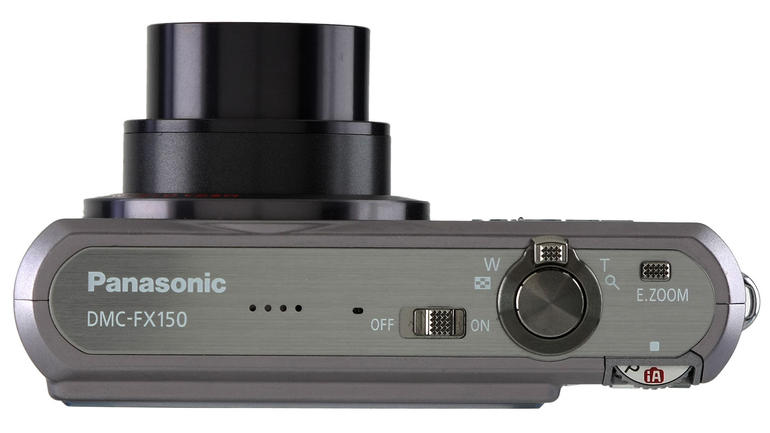
In future, they should bundle a 48 or 64GB SSD to store those BIG and I mean BIG pictures. But, is not the Mega-pixel war getting TOO MUCH?
Every week, a new EEE PC
ASUS has announced two more EEE PC models, 1000HD and 904HD. These are basically the ones with the HDD instead of the SSD

EEE PC 1000HD
EEE PC 904HD
Today, I’m going to start a new series here at ApoTheTech: “Freeware of the week”.
This time, I’ve selected Cleartemp.
Cleartemp is an application which lets you clear your cache, temp data, address history and many more in just one go. It saves a lot of time and keeps your device clean.


All you have to do is tick the required to-be-cleaned stuff and then go to “Tools”>”Clean”.
Cleartemp can be download from here
The Windows Live team has published an updated version of the Windows Live. Please note that it does not include Windows Live messenger. If you have Windows Live installed on your device, you will need to uninstall it first by going into Remove Programs and removing Windows Live from the list.
