Download CWM for Sony Xperia T

CWM recovery is now available for download for the Sony Xperia T. This android phone was quite popular in 2012 and some of us still have it. The CWM is a custom recovery for the Sony Xperia T and it will allow you to install third party custom ROMs on it.

Download CWM for Sony Xperia T

What does this means for end users? Well you can finally have that Android jelly bean 5 on your Xperia T – something Sony has not even planned for you. Here are the steps on how to download and install CWM on Sony Xpiera T. Before you follow the following steps, you must unlock the bootloader. You can do so by going to this link and follow the instructions.

Download recovery from http://goo.im/devs/tilal6991/recover…t/15102012.img
Download fastboot from here and get it into a place where you can run it – I’m not going to provide instructions how – guides are all over the place
Open a command window in the place where fastboot is
Copy the recovery.img to the fastboot folder
Type fastboot flash boot recovery.img
Type fastboot reboot
You will be in CWM.

Download HTC Desire S TWRP Custom Recovery

HTC Desire S is the most iconic and well built android phone produced by the Korean giant. The phone is still getting all the support thanks to the amazing folks at XDA developers who have just released TWRP custom recovery for it. TWRP custom recovery for HTC Desire S will allow user to perform all sorts of modifications on it such as ability to install custom android ROMs, including this one and perform mods.

Download HTC Desire S TWRP Custom Recovery

TWRP is like CWM but enables interaction using the HTC Desire S’s touch screen. You cannot do that in CWM and in that you have operate the device using volume up, volume down and power buttons.

Phone Pro User is only site that is offering download of the TWRP ROM for HTC Desire S a k a HTC Saga.

Logitech K380 M535 Specifications, compact keyboard and mouse

Logitech K380 is a compact wireless keyboard that operates via Bluetooth. Its small size and low weight make it ideal to carry from one place to another. Logitech M535 is a Bluetooth mouse. Charlotte Johs, vice president of Logitech peripherals for computers said at the launch that we are living n the age of creativity, where you can capture, edit and publish content anywhere and all devices.

Logitech K380 review

Logitech K380 Specifications

Both Logitech K380 and Logitech M535 are ideal for those who are planning to get themselves an android TV or windows TV box in near future as it will allow them to do input nicely. Both of these computer peripherals do not require user to use any additional software to work.

Logitech K380

K380 keyboard device provides comfort and utility that allows the desktop and control the computer and other devices such as a tablet or your smartphone at the same time. In fact it can connect up to three devices and you can switch between using the built in Easy Switch button. The keyboard will recognize the attached device and automatically activate the corresponding functions and shortcuts.

The Logitech K380 is powered by two AAA batteries that the company claims will last two years. It will be made available in blue and gray colors at a price of 45.90 euros. 

Logitech M535 review

Logitech M535 Specs: Operates over Bluetooth 3.0

As for the mouse, the Logitech M535 is compatible with almost any computing device, and supports navigation button programmable control with the palm of your hand, allowing you to switch between applications, desktops, drag and drop images, play gesture slide with three fingers allows full control on a Mac system and use the Task View of Windows 10. The mouse moves reliably on almost any surface.

Logitech M535 reviews

The Logitech M535 Mouse will be available for a suggested retail price of 45.90 euros. Its package will include a AA battery and user documentation. It measures 2.4 in (61.1 mm) x 3.96 in (100.5 mm) x 1.3 in (33.0 mm) and weighs about 82 grams.

Samsung Galaxy Note 5 Rooted Firmware lets you underclock overclock

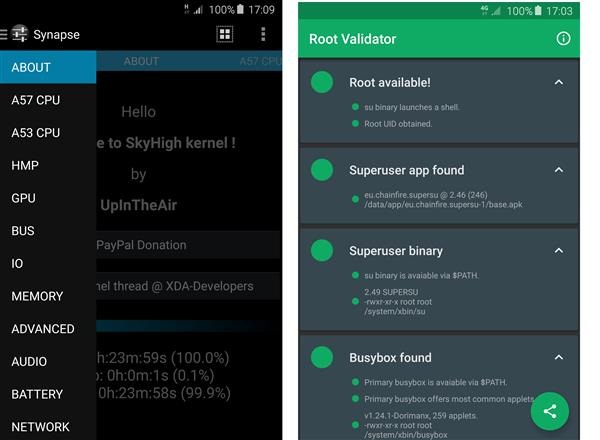
A new ROM on xda developers has surfaced that lets you attain root by flashing a pre rooted firmware. It is based on official Samsung Galaxy Note 5 source N920CXXU1AOGE and is compiled with Google ARM Toolchain GCC 4.9. It roots the system automatically and installs busybox as well. Of course this voids the warranty as it bumps knox counter to ‘1’. It also lets you overclock underclock Galaxy Note 5 as it install a custom kernel that lets you do it. It works only on the SM-N920 variant of Galaxy Note 5.
Samsung Galaxy Note 5 Rooted Firmware

* SELinux PERMISSIVE  (for Titanium Backup and other apps to work correctly)
* adb insecure
* init.d script support (drop in script & set permissions to 755 or 777 and reboot)
* Possible Screen Mirroring / AllShare Cast fix
* Secure storage = false (should prevent WIFI settings & passwords wiping on flash)
* Synapse app support for many kernel configurations 

Samsung Galaxy Note 5 Rooted Firmware: The Features

Reduced logging
exFAT FS support
NTFS R/W support with app
CIFS support (not tested)
Frandom
mount partitions NOATIME and NODIRATIME by default
Entropy tweaks
CLEANCACHE & ZCACHE
Microsoft X-BOX gamepad controller in-built module
Much more – check source commits & Synapse

Galaxy Note 5 Kernel features lets you underclock overclock it

A57 CPU
CPU temperature
A57 big Cores Frequency Scaling
live frequency
MAX: 2400 MHz (stock 2100 MHz is default)
MIN: 500 MHz (stock 800 MHz is default)
HPM voltage control
A57 big Cores voltage control
CPU governors
interactive (default)
on-demand
conservative
userspace
performance
CPU governor tunables

A53 CPU
A53 LITTLE Cores Frequency Scaling
live frequency
MAX: 1500 MHz (stock/default)
MIN: 200 MHz (stock 400 MHz is default)
HPM voltage control
A53 LITTLE Cores voltage control
CPU governors
interactive (default)
on-demand
conservative
userspace
performance
CPU governor tunables

HMP
Up thresholds
Down thresholds

GPU
GPU stats
Current clock freq
Live Frequency Utilization (load)
Time in state
GPU power policy control
coarse_demand (default)
demand
always_on
GPU frequency scaling
Max freq control (stock 772 MHz is default)
Min freq control (stock 266 MHz is default)
GPU Governor
Default
Interactive (default)
Static
Booster (more graphic and benchmark performance)
GPU Interactive Governor tunables
highspeed clock
highspeed load
highspeed delay
HPM voltage control margin
GPU voltage control

BUS
Memory Bus HPM voltage control
Memory Bus voltage control
Internal Bus voltage control
ISP (Image Signal Processor) voltage control

IO
I/O Schedulers

DEADLINE
CFQ (default)
NOOP
Storage read-ahead (256 KB)
General IO tuneable
Add random
IO stats
Rotational
No merges
RQ Affinity
I/O scheduler tunables

MEMORY
Memory state
Total
Free
Low Memory Killer Profiles
Low
Medium
Custom (recommend)
Default (default)
Aggressive
Exterminate
Low Memory Killer minfree tuning (OOM LMK)
Kernel SamePage Merging (KSM)
KSM stats
Pages to scan
Deferred timer
Virtual Memory
Dirty Background Ratio
Dirty Ratio
Drop caches (Clear VFS cache after boot)
Laptop Mode
Swapiness

ADVANCED
Entropy (max 4096)
Gentle Fair Sleepers control (disabled)
Arch Power control (enabled)
randomize_va_space control

AUDIO
(Sound Control by AndreiLux)
Jack media volume control
L/R channel volume
mono mixer
Speaker volume control
Earpiece volume
Main Equalizer
Advanced Stereo Equalizer

NETWORK
TCP congestion control
All available enabled.
Default = westwood+
Screen mirror/allshare cast fix control (enabled)
Clean WIFI Lease
TCP/IP network security
3G DNS speed & security tweak
Google
OpenDNS
Comodo, Level3
Norton_DNS
Smart_Viper

SECURITY
KNOX control
NO_ACTION (default)
Disabled
Enabled
SELinux
Live status

BATTERY
Battery info
Battery SCALING calibration (fuel gauge reset)

FS (File System)
Display FS Type
FS Controls
remount System r/w r/o
remount RootFS r/w r/o
Scrolling cache control
Optimise Databases (SQLite3)
Wipe options
cache reboot
dalvik-cache reboot
cache & dalvik-cache reboot
Clean up
clipboard cache
/data/tombstones
/data/anr logs
/data/dropbox logs
lost+found

BACKUP & RESTORE
Name – Restore – Delete – Backup
profiles
kernel image

LOGS
LogCat
dmesg
last_kmsg

REBOOT
Reboot device
Recovery Mode
Download Mode
Power Off
Clear Synapse Data & Reboot
Restart Synapse

Rooted firmware: Installation instructions

Uninstall any CPU control apps, tweaks and init.d scripts etc.
Recommend: Disable or remove KNOX (you can disable with Synapse once kernel is flashed)
Install Synapse app from Google Play.
Device Settings:
Enable Developer Options > OEM UNLOCK
If flashing from previous SkyHigh kernel > Device settings > Applications > Synapse > Force Stop > clear data
If not installed > Install SuperSU from Google Play: Boot into Download Mode & connect to PC and Flash SkyHigh kernel with Odin 3.10.6 in [AP].
After boot:
a) wait at least 120 secs to stabilize
b) Open Synapse
c) Tap "Understood"
d) Tap the "" to apply new defaults
IMPORTANT: Synapse > FS > [Wipe Cache & Dalvik-Cache Reboot] !! (maybe help with reboot issue during call)

Download links:

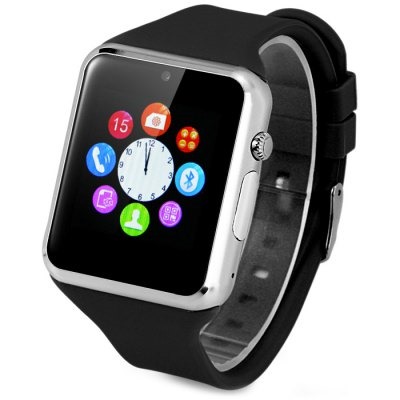
Zgpax S79 Review, a cheap functional smartwatch for Android phone

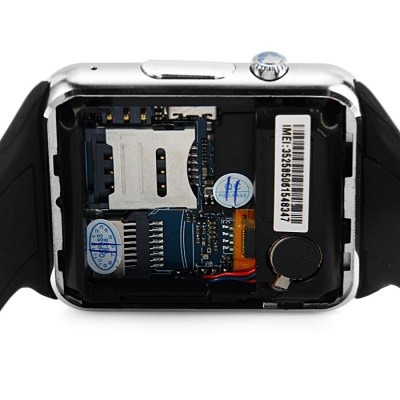
Zgpax S79 is a smartwatch that also packs a SIM card slot allowing one to use it as standalone phone. So with it, if you do not pair it with your phone, you can use it as a phone that can make and receive calls, send and receive messages and so on. It has built in microphone that talk into the smartwatch to talk to other recipient.

Zgpax S79 Review (2)

Zgpax S79 Review: The Specifications

You get a 1.54 inch display packing 240 x 240 pixel resolution that shows crystal clear text and high definition pictures. When paired with an android or iPhone, it syncs your phone book, call log, messages and music from your phone, allowing one to access them over Bluetooth. So no need to take the phone out of your pocket to access those. You can purchase Zgpax S79 from gearbest.com for $27.54.

Zgpax S79 Review (1)

The Zgpax S79 has a built in camera that lets you freely take pictures and even record videos. That said, if you are serious about photography, consider using the remote camera function on the Zgpax S79 to remotely use the smartphone’s camera. It works with 850/900/1800/1900MHz networks.

Zgpax S79 Review: Other Functions

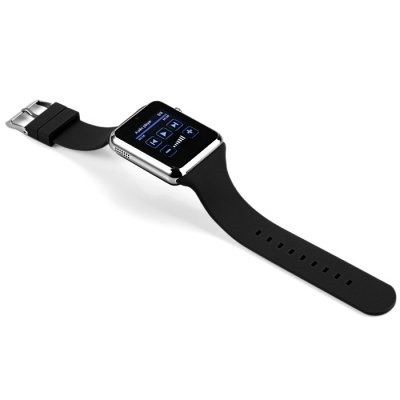
Some excellent other functions are Sound recorder, alarm, calendar and calculator. The casing is made of stainless steel and its band is manufactured using high quality rubber that is super comfortable to wear. Voice recording function also present that records super high quality voice.

Zgpax S79 Review (4)

Other great functions include pedometer and sedentary reminder that lets you develop better health habits. Pedometer on the S79 lets you monitor the steps and count the distance. Sedentary reminder monitors your sleep and also tells you when to take rest.

Zgpax S79 Review (3)

Last great function is the anti lost feature that alerts you when your phone is not in its range. This way you will never leave phone behind.

Oukitel A28 smartwatch review

Oukitel A28 is an affordable smartwatch that packs a lot of power and functions. Powered by the MediaTek MTK2502 processor, it operates over Bluetooth 4.0 giving stronger compatibility with Galaxy Note android phones and iPhone devices. It doubles as heart rate monitor and actually packs the same sensor that is being used in much-more expensive Apple Watch. This allows you to check your heart rate on the move.

Oukitel A28 review (3)

Since Oukitel A28 is a smartwatch, it syncs SMS, contacts, call log including missed and dialed calls from your phone to the watch. All this is done over Bluetooth, so no need to install any additional software or wires. You can buy Oukitel A28 from gearbest.com for just $56.

Oukitel A28 review (4)

The Oukitel A28 doubles as Pedometer / Sleep monitoring / Sedentary reminder, allowing you to efficiently monitor sleep and reminds you to take rest if you are over working. It has a camera onboard but if you wish to take higher quality pictures, consider using the remote camera function which lets you control your phone’s camera to take pictures. These pictures can be stored on onboard storage or micro SD a k a TF card slot.

Oukitel A28 review (1)

In similar fashion, you can use its remote music function, which streams music stored on your phone to Oukitel A28. Another excellent feature is ability to fetch notifications so you are always informed of your new emails, facebook, twitter, skype, wechat notifications.

Oukitel A28 review (2)

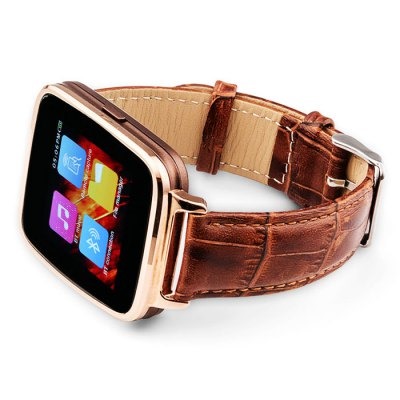
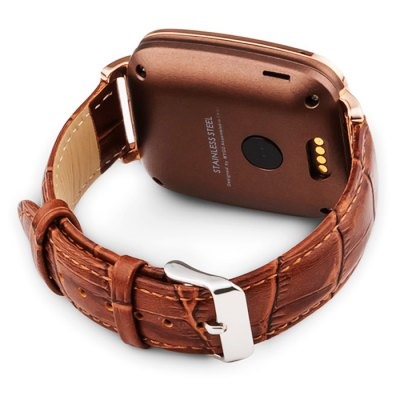
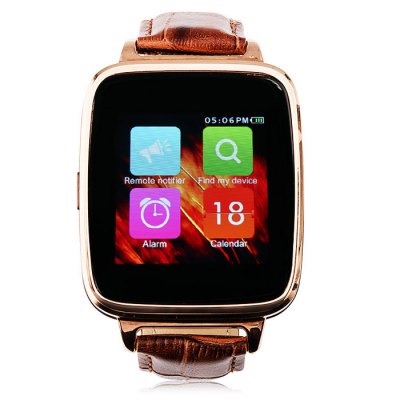
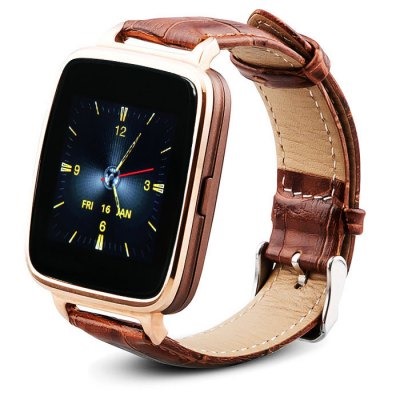
The display on the Oukitel A28 is really amazing. It features IPS technology that looks great from all angles. Measuring 1.54 inches, it has 240 x 240 pixel resolution and it looks stunning in person. The band material is made of genuine leather and case material is manufactured using stainless steel. There are two colors to choose from – brown and black with brown being my favorite.

Battery life is stellar on it – higher than what you find on typical smartwatches. I was able to get 3 days of moderate use. Of course your mileage may vary depending on your usage. Consider switching it off at night to prevent battery drain during night.

Trekstor SurfTab duo W2 specifications, a decent laptop hybrid with metal casing

Trekstor unveiled a hybrid laptop SurfTab Duo W2, which boasts Intel Core M, 11.6 “screen and Windows 10. The Trekstor SurfTab duo W2 is not just another cheap windows tablet since it is priced between 600 – 700 euro (2,530 zlotys). This is chiefly because Trekstor SurfTab duo W2 specifications are great and can do job of a mainstream laptop.

Trekstor SurfTab duo W2 specs review

Trekstor SurfTab duo W2 specifications include Intel Core M-5Y10 dual core processor clocked at 800 Mhz – 2 GHz, 4MB cache, Integrated Intel HD Graphics 5300 (clocked at 100 – 800 MHz), 4GB DDR3L 1600 MHz RAM and 64GB of SSD storage expandable via micro SD card reader.

You get two USB ports, one on the tablet and another on its dock, HDMI, micro USB port, dual-band wireless module working in a standard ac, Bluetooth 4.0, a 5 megapixel main camera and 2MP front camera for video calling, GPS receiver and 11.6 inch WUXGA display with IPS technology for wide viewing angles and high contrast – all enclosed in a metal housing.

Download M 195 Android TV box Firmware

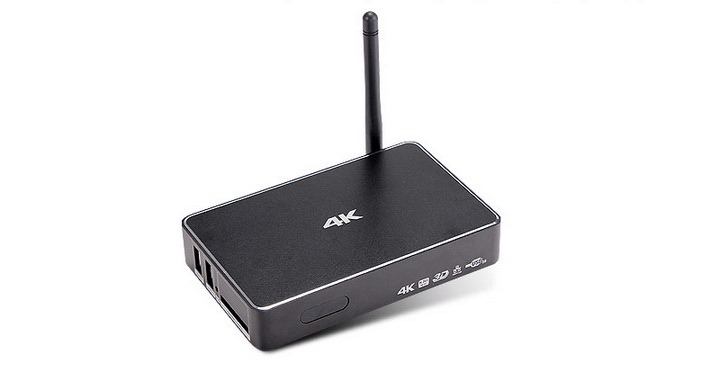
A new firmware for the M 195 android TV is now available and you can use this firmware to perform factory reset and get new features. This M-195 features Realtek 1195 dual core ARM Cortex-A7 processor that integrates a Mali-400 GPU with 1GB RAM, 8GB  of storage, WiFi b / g / n and Bluetooth 4.0 with external antenna. You can buy it for 55 euro from most Chinese e-commerce websites.

Download M 195 Android TV box Firmware

Continue reading “Download M 195 Android TV box Firmware”

DS152 Mini PC Specifications, comes with Intel Z3735F and five USB ports

One of the weaknesses of any mini PC is lack of enough USB ports and the new DS152 is keen on rectifying this problem. DS152 features five USB ports  – it has two on left side, two on right and one on the back. It features a slim line design which otherwise has typical mini PC specifications.

DS152-miniPC-WIntel

DS152 specifications include Intel Atom Z3735F quad core 64 bit processor, 2 gigabytes of memory, 16 / 32 GB of eMMC flash storage, WiFi b / g / n and Bluetooth 4.0. Coming to connectivity, you get USB ports, one micro USB, micro SD card reader, 3.5mm audio jack, HDMI port and a 10/100 RJ45 connector. It runs Windows operating system.

DS152-miniPC

Interestingly, the DS152 Mini PC also features a 800 mAh internal battery which should provide at least one hour of runtime when not being on AC adapter. You can buy the 16GB version for 130 dollars.