Toshiba XG3 PX04P BG1 specifications and speed

Toshiba Corporation has announced three new families of SSDs with PCIe interface using the protocol NVMe (Non-Volatile Memory Express). All are imed at various applications including high performance portable storage, tablets, computers 2 in 1 and server applications and mass storage. The top SSD models are able to deliver speeds of up to 3250 MB / s. Let us take a look at Toshiba XG3, PX04P, BG1 one by one.

Toshiba XG3 reviews

Toshiba XG3 for high performance laptops

It is available in M.2 2280 that supports up to four PCIe 3.1 lanes and bandwidth delivering six times higher than usual SATA 3 format (in this case reaches 2516 MB / s read and 1572 MB / s write speeds). This XG3 family is equipped with QSBC (Quadruple Swing-By Code) technology which is owned by Toshiba and it ensures maximum energy efficiency. You can see their specific technical features in the table shown below.

Toshiba XG3 review

Toshiba PX04P is for servers and mass storage

Toshiba PX04P reviews

This family of SSDs has several technologies specifically designed for servers where the device is one 24 x 7. Therefore Toshiba has layed particular emphasis on energy efficiency without neglecting performance since it assumes that these SSDs will be used in critical environments. That said, it does not disappoint on the performance front, offering up to 3250 MB / s read and 2464 MB / s writing.

Toshiba PX04P review

Toshiba BG1 is for ultrabooks and tablets

Toshiba BG1 review

The BG1 is the world’s smallest (16 x 20 mm) solid state drive. In the table below, you can find its technical specifications. As you can see, there are three models: M.2 Type 1620, 2230 and 2280.

Toshiba BG1 reviews

So far,Toshiba has not disclosed the prices but we have been told that they will be launched in October this year.
Galaxy Note 5, S6+ Edge US Canada Release Date

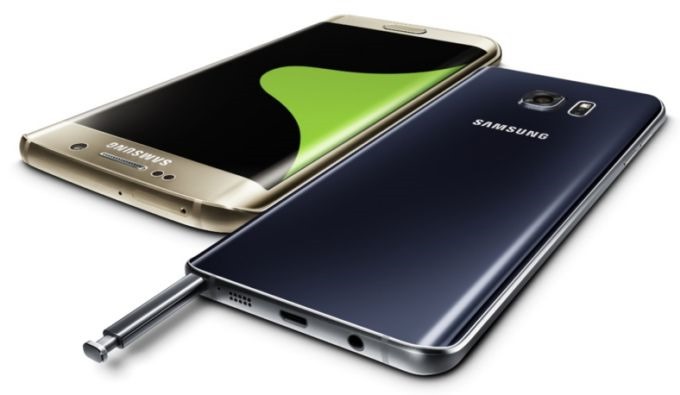
Samsung has updated its family of premium smart phones with two new models, especially for those who like large displays. Samsung Galaxy Note 5 and Galaxy S6 Edge + both have a AMOLED 5.7 inch (2560 x 1440 pixels, with 518 PPI) screen. Under their glass and aluminum shells, you will find Samsung-built Exynos 7420 octa-core 64-bit processor backed by 4GB RAM, 32 or 64 GB of storage and Android 5.1 operating system. Samsung Galaxy Note and Galaxy S6 Edge + USA and Canada release dates are given below.

Galaxy Note 5, S6  Edge US Canada Release Date

Continue reading “Galaxy Note 5, S6+ Edge US Canada Release Date”

Delete Windows 10 Windows.old $Windows.~BT $Windows.~WS in Three Steps

So you have installed Windows 10 by installing the upgrade over Windows 7 or Windows 8 and now you are wondering how to delete Windows.Old, $Windows.~BT and $Windows.~WS in Windows 10. These three folders occupy nearly 20-22 GB of your storage and that is bug you a lot if you are on a SSD drive smaller storage capacities.

Delete Windows 10 Windows.old Windows.~BT Windows.~WS

First thing, it is safe to delete them IF you are not planning to roll back. Here are three commands to delete Windows.old in windows 10. Start up command prompt using administrative rights and copy-paste them in cmd prompt (Ctrl + C from here and Ctrl + V on command prompt).

Continue reading “Delete Windows 10 Windows.old $Windows.~BT $Windows.~WS in Three Steps”

Note 2 N7100 Android 4.4.2 Official ROM Download

If you have installed a lot of custom ROMs in the past on your Samsung Galaxy Note 2 N7100, you might be thinking of rolling back to official firmwares to resell your device or to start afresh. Here is the link to download official Galaxy Note 2 android 4.4.2 ROM. 

download official Galaxy Note 2 android 4.4.2 ROM

Download Note 2 N7100 Android 4.4.2 Official ROM Installation instructions

Extract (unzip) the firmware file
Download Odin v3.10.6
Extract Odin ZIP file
Open Odin v.3.10.6
Reboot Phone in Download Mode (press and hold Home + Power + Volume Down buttons)
Connect phone and wait until you get a blue sign in Odin
Add the firmware file to AP / PDA
Make sure re-partition is NOT ticked
Click the start button, sit back and wait few minutes

This ROM will install the stock bootloader, remove root access and all files stored in the internal storage.

Zopo Speed 7 vs Galaxy Note vs Galaxy S6

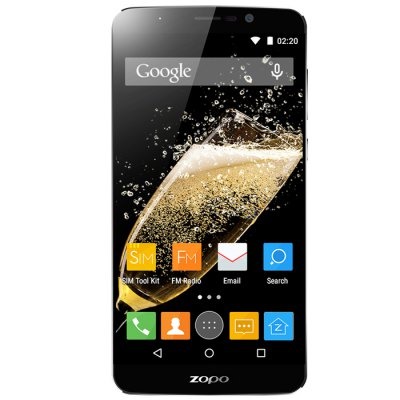
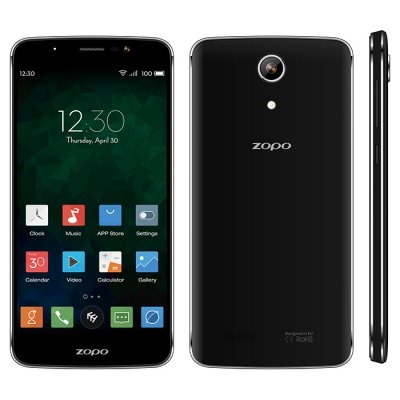
Zopo Speed 7 is the latest android phone that promises to bring flagship specifications for under 200 dollars. The phone looks as premium as Galaxy S6 and packs massive 13 megapixel camera shooter for taking breath taking pictures. This phone comes unlocked and thus you do not have to enroll yourself into any sort of contract to buy one. Zopo Speed 7 specs include 5 inch display that pack full HD 1920 x 1080 pixel resolution, Mediatek MT6753 quad core processor, 5MP front facing camera and 13.2 MP rear camera.

201507141535268498

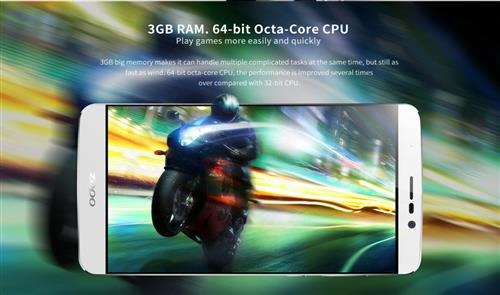
None of the Samsung Galaxy Note series pack dual SIM functionality but the Zopo Speed 7 does and that too, at half of its cost. Moreover it is unlocked for worldwide use so you can use it in any country and any continent. You can buy the Zopo Speed 7 for $199 from gearbest.com. For this price, you are getting octa core processor that is backed by 3 gigabytes of memory that launches applications and games quickly.

1436830759216-P-2834368

This ensures that you do not get drop-frames while playing higher quality games like Need For Speed and Fast and Furious that take the processor to its limits. The internal storage is easily expandable too. All you need to do is slice in that micro SD card to expand its internal storage.

1436830759511-P-2834368

The Zopo Speed 7 packs 4G LTE too which is also present on Galaxy Note 4 and Galaxy S6 but both of those lack dual SIM functionality. This ensures you are able to browse the web and do downloads at broadband speeds. If you are into bigger screens, then it is worth checking out the bigger brother, Zopo Speed 7 Plus which packs identical specs like its smaller siblings but has 5.5 inch display. Find the entire Zopo phone range at gearbest.com

LG 118 is a great smartwatch for Galaxy Note

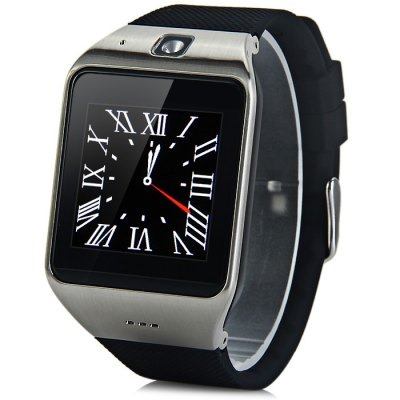
LG 118 is a smartwatch that does not cost too much and comes from a manufacture that is popular in making computer peripherals and smartphones from quite some time. Priced at 34.99 dollars, the LG 118 looks great and does the job of a watch and much more. It packs NFC technology that lets you pair your smartphone with just one knock.

1436479274841-P-2762652

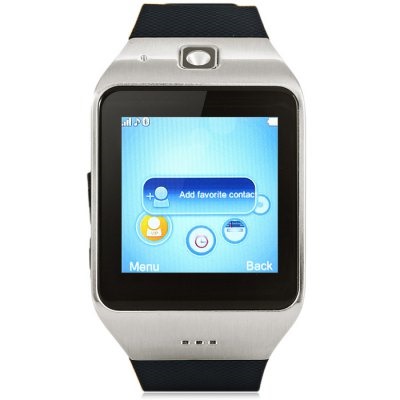
LG 118 packs a SIM card that lets you use it as separate phone and you can dial directly from your watch. You can even send and receive messages on it. If you do not want to use it as a phone, you can use the LG 118 to extend the functionality of your phone. You can sync your phonebook, call log, messages and music from your Galaxy Note or another smartphone to your watch.

1436479275509-P-2762652

LG 118 has a nice 1.54 inch touch screen display packing 240 x 240 pixels that is ensures picture quality is high. It comes with sleep monitoring which is a nifty little function that monitors your sleep quality while you are sleeping. Talking about health, you can use it to monitor your health and let you complete your fitness goals. Find the latest deals on LG 118 at gearbest.com.

1436479275279-P-2762652

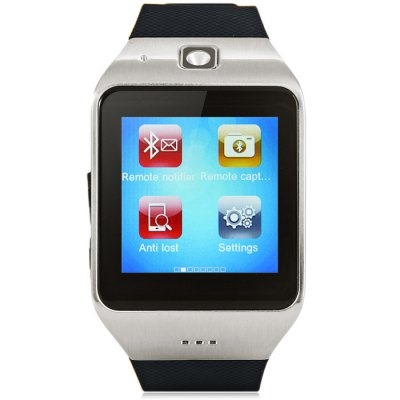
Other functions included are sound recorder, alarm, calendar and calculator. The material of the LG 118 is high quality and is made of rubber that is super soft and comfortable to wear. There is built in camera that lets you take pictures on the move but if you are interested in taking higher quality pictures, then consider using its remote control phone camera feature to control your smartphone’s camera.

There is a nice anti lost phone where you get a notification in case your phone goes out of 10 meter range. This will ensure that you will never leave your phone behind.