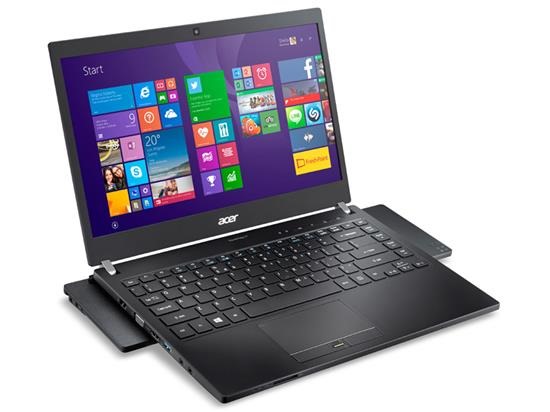
Acer TravelMate P645-S is a rugged business laptop with broadwell processors

Acer TravelMate P645-S has been launched in USA which will be much welcomed by businessmen looking for thin and light broadwell powered laptop. The lid, palm rest and bottom of Acer TravelMate P645-S is made of carbon fiber which allowed the manufacture to keep the overall weight light.

Acer TravelMate P645-S specifications

Continue reading “Acer TravelMate P645-S is a rugged business laptop with broadwell processors”

Download Android 5 lollipop for Galaxy Note 10.1 2014 LTE version

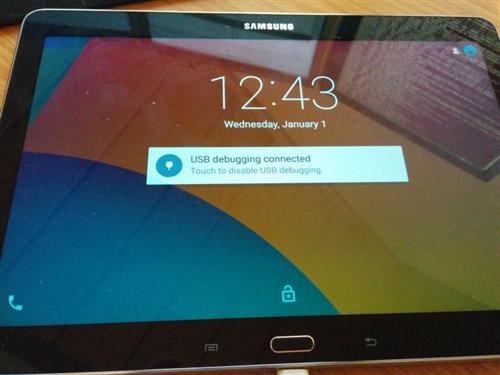
Samsung may take a while to release Android 5 Lollipop for the Galaxy Note 10.1 2014 LTE version but the folks at XDA have released a ROM that brings all the lollipop features and build to it. To install it, you must have TWRP on Note 10.1 2014 and then reboot into recovery. Go into wipe menu. Select "Advanced Wipe". Check Dalvik Cache, System, Cache and Data.

Download Android 5 lollipop for Galaxy Note 10.1 2014 LTE

Then go into install Flash aosp-2015XXXX-lt03lte.zip, followed by GAPPS.zip and then SuperSU.zip to get root. Reboot and copy SuperSu and Gapps zip to /sdcard/OpenDelta/FlashAfterUpdate so that they are automatically applied after OTA update. In case Internal Storage not shown, type the following commands in AWB:

su
restorecon -FR /data/media/0

If you are looking for plain touch wiz free experience, then we suggest trying the Cyananogen Mod 12.1 on Note 10.1 2014 which is also great for general use.

CM12 for Moto E 2015 available for download

Latest version of Cyanogen Mod a k a CM12 is now available for download courtesy of XDA. Of course to flash the cyanogenmod for Moto E 2015, you will need its custom recovery. We recommend TWRP for Moto E 2015 which is more user friendly.

cyanogenmod 12 moto e 2015 download

Here is what is working out of box:

* GPU accelerated graphics
* Camera preview (but not picture taking)
* WiFi
* RIL
* QSEECOM keystore
* GPS
* Accelerometer (and auto-rotation)
* Adaptive brightness
* Audio
* Media codecs
* Camera

The only thing that can give you some problems is wifi which is a bit slow in detecting networks and then connecting to them. You can download it from here. To flash it onto your Moto E 2015, simply put it onto the micro SD card slot or internal storage. Boot into TWRP and flash it from there.

Download Moto E Android 5.1.1 update

A new firmware has emerged on xda developers that allows Motorola Moto R users to download Lollipop android 5.1.1 update on their devices. This ROM is known as Flex OS and it boats amazingly utilities like flex control, animation control and myriad other tweaking apps to help you get the most of your device. Make sure you have Moto E custom recovery pre installed as only then you can install a custom firmware.

Download Moto E Android 5.1.1 update

Here is its feature list:

* FlexControl – All the tweaks and features at one place
* Animation Control – Toast animations, Listview animations and system transitions.
* HeadsUp Customizations just like Cm11
* Slim DSLV
* Navigation Bar Tweaks – On/Off Toggle, Dimensions
* Navigation Buttons Tint
* Slim Advanced IME Features
* Statusbar Network Speed Meter
* Screen Sound Enable/Disable Toggle
* Camera Switch Sound Enable/Disable Toggle
* OmniSwitch – Use omniswitch alongside stock android recent apps or use it as primary.
* Recents FAB Button – Positions (Top left, Top right, Top center, Bottom left, Bottom right, Bottom center)
* LCD Density Adjuster
* Volume Steps
* Hide superuser icon in statusbar
* Double tap to sleep on navigation bar and status bar
* Instant reboot from power menu
* App Circle Sidebar
* Captive Portal – If disabled, a connection to google servers is not required in order to detect data connection.
* CyanogenMod Theme Engine
* Statusbar Clock Customization
* Volume Steps
* Inbuilt File Manager from OmniROM
* Quick pulldown
* More Material
* Battery icon customization

To flash it, first download the ROM and place it in your internal / external SD card. Then boot into recovery and wipe system, cache, data. Make sure you make a backup to avoid hassle. Then flash Flex OS ROM Package and then gapps.