Review of Spigen Slim Armor, Tough Armor for Apple iPhone 6

Spigen has churned out two Apple iPhone 6 cases called Spigen Slim Armor and Tough Armor. Priced at 30 and 35 dollars, both of these cases are very similar to each other. The Spigen is offering special “S” versions of each as well that add slot for insertion of plastic card that doubles as kickstand.

The new Air Cushion Technology corners reduce the thickness of the case while providing extreme protection for your iPhone 6. The 4-Point Rear Guard protects the polycarbonate back plate by lifting the back plate above the surface.

Apple iPhone 6 Case Slim Armor features

* Matte/Glossy TPU + Matte Polycarbonate = Dual Layer Protection
* Advanced Shock Absorption Technology: Web Pattern TPU case
* Drop Protection with AIR CUSHION Corners
* Lay on the table design: 0.6mm lip for optimal screen protection
* Slim, lightweight and form-fitted
* Raised Rear TPU for back panel protection
* Compatible with Beats by Dre headphones
* Compatible with Apple iPhone 6 (4.7”) Only – 2014

Apple iPhone 6 Case Slim Armor review

Apple iPhone 6 Case Tough Armor features

* Matte TPU + Matte Polycarbonate = Dual Protection
* Extreme protection from drops and scratches
* Air Cushion Corners & Spider Web Pattern Shock Absorption
* Lay on the table design: 0.6mm lip for optimal screen protection
* Slimmer but more protective than other protective cases on the market
* 4-point Rear Guard for back panel protection
* Compatible with Beats by Dre headphones
* Compatible with Apple iPhone 6 (4.7”) Only – 2014

Apple iPhone 6 Case Tough Armor review

Asus Vivo Mini Specifications, find out latest price of this barebone PC

Asus is all set to launch its new mini PC in the month of November that features an Intel Haswell processor but what really caught our eye is the price tag of Asus Vivo Mini – just 149 dollars.

Sine Asus will be marketing it as barebone PC you will be able to Windows, Linux or hackintosh on it. And of course the downside of buying a bare bone PC is that you will have buy / torr*nt operating system for it along with memory, storage (HDD / SSD) and even wireless card.

Coming to its processor choice, you get the choose between the Intel Celeron 2957U haswell, i3 or i5. If you choose either of the last two, you will have to shell out more. Other Asus Vivo Mini specifications include 4x USB 3.0 ports, display port, HDMI, Ethernet, full + half size PCIe card slot, m SATA connector and support for up to 16GB RAM and 2x SODIMM slots.

The Vivo Mini measures 4.9″ x 4.9″ x 1.7″ and features a VESA mount-compatible design that lets you mount it to the back of monitor or TV.

asus vivo mini

There are so much more great options out there for bare bone PC’s, such as Zotac’s Nano CI320 bare bone for $130. And you can even get the variation with a 64GB SSD, Windows 8.1. preinstalled, and 802.11ac for $230. What I’m trying to say is, this Asus box is pretty worthless for what it is.

If you are a fan of Android mini concept, make sure to check out the INTV 19 CX-919 as well.

Lenovo IdeaPad Z50-75 specifications, thin and light gaming laptop

The Lenovo IdeaPad Z50-75 is a thin and light gaming laptop that has thickness of about 25mm and weight of little over 2 kilograms. The design of the Lenovo IdeaPad Z50-75 is nice with simple lines and soft touch finishes here and there. All in all it does not look like cheap at all especially when you take a look the Lenovo IdeaPad Z50-75 specifications.

Lenovo IdeaPad Z50-75 specifications

* 15.6 inch display with full HD resolution with optional 2k and 4k panels
* AMD quad core FX series APU
* 16 gigabytes of DDR3L RAM
* Hybrid storage with HDD capacity ranging up to 1TB
* AMD Radeon R7- M260DX GPU with 2 GB of RAM onboard
* 3x USB ports out of which one is v3.0
* LAN port connecting to Ethernet networks
* Audio jack for headphone and microphone
* And since it is a big laptop, Lenovo equipped it with an optical DVD drive.

Lenovo IdeaPad Z50-75 review

Our friends at Simona Menghini have told that the Lenovo IdeaPad Z50-75 will go on sale between the month of October and November for around 599 euro.

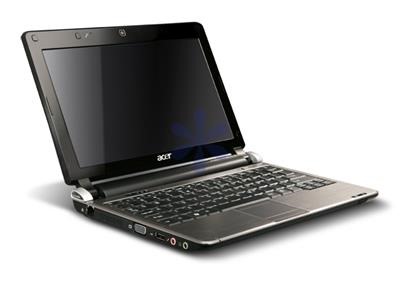
Acer Aspire D250 BIOS Recovery, recover it from brick

Something went wrong with your Aspire D250 BIOS? Download the latest BIOS from support.acer.com and follow these instructions to recover Acer Aspire D250 from brick state.

1. First format an USB stick with FAT, if this option is not available use a smaller USB stick (eg 1Gig)

2. Download the latest BIOS, and put both FLASHIT.EXE and the BIOS file in the root directory of the stick. Do NOT rename the BIOS file, it should be KAV60.fd

3. Now connect the USB stick to the AA1. Turn the AA1 off, DISCONNECT the battery but leaving the AC adapter connected. Press Fn+Esc, keep it pressed and press the power button to turn the AA1 on.

4. Release Fn+Esc after a few seconds. Press power button if it begins to blink, otherwise do nothing. The AA1 will now initiate the BIOS flash, do not interrupt it under any circumstances. The AA1 will reboot shortly after. Wait patiently.

Acer Aspire D250 BIOS

The BIOS has been flashed and all settings reset to default.

Moto G 4G: Download official Android 4.4.4 CM11

As all of you know CM11 team has been working day and night for bringing the latest Cyanogen Mod to the Moto G 4G android phone and thanks to folks at XDA it is finally here. Flashing instructions are given below.

1. First get the latest build from this link.

2. Now make sure you have the boot loader unlocked because without that we cannot proceed. Then ensure you have either CWM or TWRP recovery on board as it is not possible to flash a ROM with a custom recovery.

3. Now copy the ROM onto the SD card and reboot into recovery. Flash the ROM from recovery and wait for sometime for the system to settle down.

cm11 moto g 4g

Since this is an ongoing project some bugs do exist. The one we have come across is the low RAM bug where after 24hours an unknown process will take up a good amount of your ram and eat it until you factory reset/flash clean. Another minor bug is that sometimes the Moto G would not connect to certain router securities.

Moto G 2014 2nd generation and Gyroscope

We have an exciting news for all the new and potential Moto G users. According to users on XDA the Motorola Moto G 2014 2nd generation model does in fact comes with a built in gyroscope. This means all Google camera features like photo sphere, lens blur, panorama works for this device.

So there is no need for Motorola to push an update to enjoy the features. Just download Google’s camera from play store to enjoy enhanced camera experience. This also makes the phone compatible with Google cardboard.

So yes Moto G 2014 plays just fine with virtual reality applications just like high end Android phones in the market. When I was buying the the phone I did not pay too much attention to it. It’s also great because it works with several games that make use of gyroscope feature of Moto G 2014.

Moto G 2014 2nd generation Gyroscope

I have also noticed that it works great with most of the vr apps available for android and that too with good FPS.