Download Official Debloated LG G2 ROM: AT&T LG G2 debloat

Download Official Debloated LG G2 ROM

Folks at xda have churned out a debloated, bloat free version of the official lollipop ROM for the LG G2. This ROM is only for the d800 aka AT&T version of LG G2. The ROM contains no extra mods and no customization. The idea of this was to create an official debloated LG G2 ROM for the AT&T users.

The only bug is that when one tries to add a ringtone using setting menu, settings crashes. Use 3rd party program to set sound.

To flash it, you will need latest version of TWRP for ATT LG G2. Here is the process on how to do it.

1) First, you need any version of TWRP installed and working:
I’d recommend using Autorec to get initial TWRP running.
This is the link for KK: http://forum.xda-developers.com/show….php?t=2715496
There is also an apk for lollipop, this is much preferred! (Google is your friend.)
You can use any number of other methods to get some version of TWRP installed and running.
2) Once you have a working TWRP, simply flash this zip to upgrade to latest version which is v3.0.2-1
If you flash the image directly, the panel detection script will not run!
(This is only important if you have a jdi LCD panel.)

Now installation of the ROM:

Do a full wipe in TWRP custom recovery. Download the ROM from following link and put it into internal storage. Go back to TWRP and flash the ZIP file. Zip is not signed and you may see a warning so just ignore and flash it. This zip flashes everything you need for the ROM to work correctly.

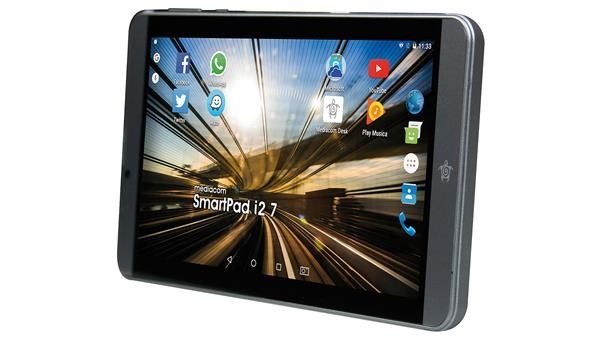
Mediacom SmartPad i2 7, 8, 10 released in Europe: SmartPad i2 7, 8, 10 Specifications detailed

Mediacom SmartPad i2 7, 8, 10 Specifications

Mediacom has churned out an entirely new series of tablets today. Called the i2, there are three models in this range each coming with 7”, 8” and 10” display respectively. The Mediacom i2 7 comes in black and gold, i2 8 got only black color option while the i2 10 will be offered in gold and black colors. All of them run android 6 marshmallow operating system.

Continue reading “Mediacom SmartPad i2 7, 8, 10 released in Europe: SmartPad i2 7, 8, 10 Specifications detailed”

Download TWRP for Moto G Turbo: Moto G Custom Recovery – how to flash custom ROMs on Moto G Turbo

Download TWRP for Moto G Turbo

If you want to download and flash custom ROMs on to your Moto G Turbo from Motorola, you will need to flash something called TWRP. The TWRP is apparently that will open doors for custom firmwares and all sorts of hacks that were not allowed previously.

Continue reading “Download TWRP for Moto G Turbo: Moto G Custom Recovery – how to flash custom ROMs on Moto G Turbo”

Download stock recovery for Moto G4 Plus

Stock recovery for Moto G4 Plus can be downloaded from here. Stock recovery for the Moto G4 Plus can be required for a variety of reasons. The first and foremost is to claim the warranty which will not be honoured if you are hacked the Moto G4 Plus by installing its custom recovery like Moto G4 Plus TWRP recovery.

stock recovery for Moto G4 Plus

Right now, the only way to get stock recovery on to the Moto G4 Plus is by flashing the stock firmware. The process is explained below.

1) Download the correct firmware for your device from http://www.filefactory.com/folder/c6cdedc45a775d27
2) Download adb and fastboot from https://drive.google.com/file/d/0B5j…ew?usp=sharing
3) Extract the firmware into the folder containing abd and fastboot.
4) Reboot the phone into Bootloader (power off, then press the power and volume down buttons simultaneously).
5) Execute these commands and make sure you receive an ‘OKAY’ after each command.

mfastboot oem fb_mode_set
mfastboot flash partition gpt.bin
mfastboot flash bootloader bootloader.img
mfastboot flash logo logo.bin
mfastboot flash boot boot.img
mfastboot flash recovery recovery.img
mfastboot flash dsp adspso.bin
mfastboot flash oem oem.img
mfastboot flash system system.img_sparsechunk.0
mfastboot flash system system.img_sparsechunk.1
mfastboot flash system system.img_sparsechunk.2
mfastboot flash system system.img_sparsechunk.3
mfastboot flash system system.img_sparsechunk.4
mfastboot flash system system.img_sparsechunk.5
mfastboot flash system system.img_sparsechunk.6
mfastboot flash system system.img_sparsechunk.7
mfastboot flash modem NON-HLOS.bin
mfastboot erase modemst1
mfastboot erase modemst2
mfastboot flash fsg fsg.mbn
mfastboot erase cache
mfastboot erase userdata
mfastboot erase customize
mfastboot erase clogo
mfastboot oem fb_mode_clear
mfastboot reboot

6) your phone has now returned to stock with stock TWRP. Keep in mind all data is lost during this procedure – except for the data on your micro SD card so make sure you have done the necessary backups before going ahead.

Buying the best laptop – a beginner’s guide

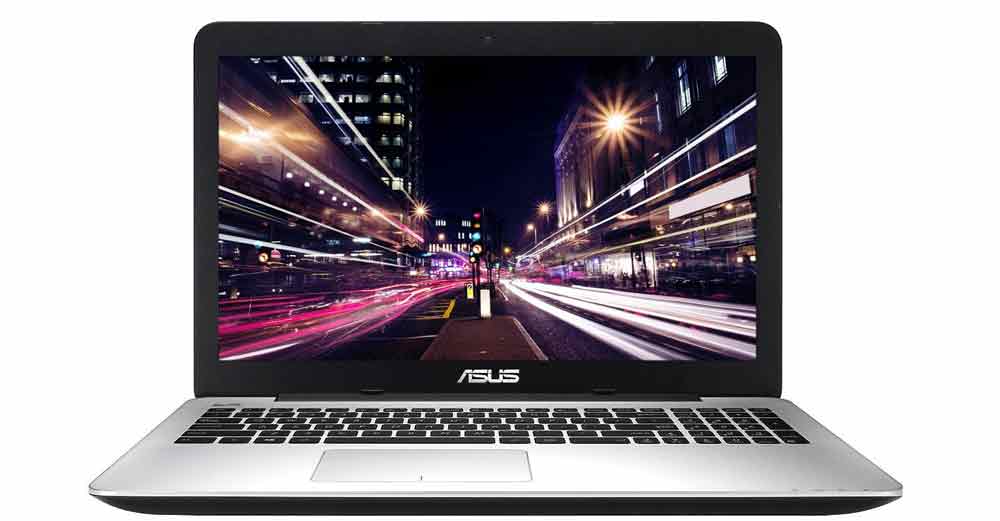
As the laptop continues to evolve, categories like ultrabook and netbook can be confusing to the newcomer.  Add to this the continuing development of hybrids like the tablet, and browsing sites to choose the best laptop can become a challenging task for the uninitiated.  As with most computing technology, the way to identify the best laptop for your needs is to learn a bit about the most important features of these devices.  Here we look at some of the core features and functions to look at when shopping around for your first ultrabook or laptop.

Buying the best laptop

Continue reading “Buying the best laptop – a beginner’s guide”

How to recycle your old gaming laptop in UK

So you have just bought a shiny new gaming laptop. Great but what do you plan to do with the old gaming laptop that you bought seven years back in UK? The simplest thing you can do is throwing it into the trash can and forget that it ever existed. However you can do something that will benefit environment and you too. How to recycle your old gaming laptop in UK?

gaming laptop uk

Continue reading “How to recycle your old gaming laptop in UK”