Download Note 5 TWRP to flash custom firmware and hacks

TWRP is now available for download for the Samsung Galaxy Note 5 that allows users to download and flash custom firmware and various kinds of hacks onto the phone. TWRP is a custom recovery that replaces the stock recovery on Note 5. Stock recovery does not allow user to flash any modifications or custom firmware.

Download Note 5 TWRP

TWRP is made by developers at XDA and is free to download. You can download it from following link and flash it using ODIN.

Only after successful install of TWRP on the Note 5, any kind of third party installation is possible. Keep in mind that this will not give you root on the phone.
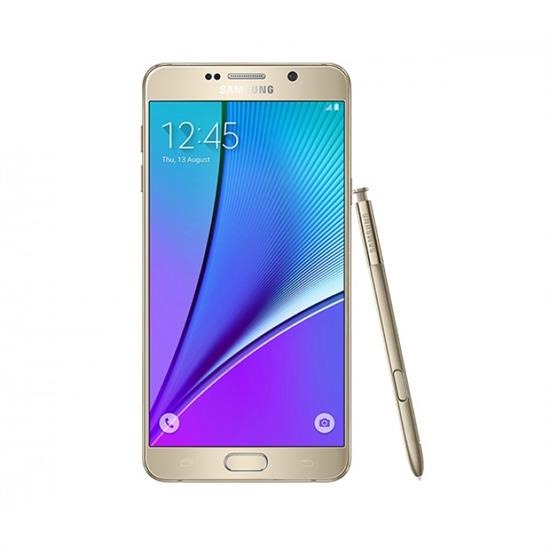
Download Galaxy Note 5 Deodexed ROM

Deodexed ROM for the Samsung Galaxy Note 5 is available for download. This ROM is based on the system dump that was released few days back. This Galaxy Note 5 Deodexed ROM is said to work with Xposed just fine. Xposed finally running great on N920I and 920C with a stock rom.

Download Galaxy Note 5 Deodexed ROM

Developer says that you can flash it with CWM recovery and wipe cache / dalvik after flashing. To obtain root, you need to flash a Note 5 custom kernel.

A lot of people have been waiting for deodexed firmware that was based on the stock ROM and it is finally here. It is pretty much a bug less ROM but developer notes that tuiService crashes after boot which is just a minor issue and should not interface with normal usage.

Android 5 Available for Download for Xperia ZL

AOSPA which is a clean and basic ROM is now available for Sony Xperia ZL android phone. This android ROM is based on Android 5 lollipop firmware. Before you flash it, you must bootloader unlock your Xperia ZL. Android 5 brings many new features to this aging Sony android phone. It is pity that this phone, which was once considered Sony’s flagship is not being supported anymore.

Download Sony Xperia ZL Android 5 firmware

Download Sony Xperia ZL Android 5 firmware: Installation Procedure

1. Extract the boot.img from the zip file.
2. Reboot device into bootloader, then flash the boot.img: “fastboot flash boot boot.img”.
3. Boot into recovery.
4. Make a backup just in case, then wipe the device (factory reset and wipe system).
5. Flash the ROM zip.
6. Flash GAPPS (5.1 remember!).
7. Flash SuperSU to attain root, no need to follow separate root instructions.

HTC Desire S gets Android Jellybean 5, at least un officially, courtesy of XDA

It is hard to believe but it is true. XDA developers has released cyanogen mod 12.1 ROM for the HTC Desire S which is basically Android Jelly bean 5 for. Installation instructions are as follows. Just make sure you have custom recovery for HTC Desire S onboard and have unlocked it through HTC Dev page.

Download HTC Desire S Android Jellybean 5

Download the latest version of ROM from here and gapps from here. Put the files on SD card; Reboot to recovery; Do factory reset (ie. format /system, /data, /cache, /sd-ext and /sdcard/.android_secure); Flash cm-12.1-YYYYMMDD-UNOFFICIAL-saga.zip; Flash gapps zip; Remember to flash boot.img via fastboot if you have S-ON; Reboot and enjoy android 5 on your HTC Desire S.

In case your phone does not boot, then you can install using ADB. You can get it by installing android SDK platform tools. Reboot into booatloader, open CMD and navigate to the location you extracted your boot.img and type:

fastboot flash boot boot.img

Download CWM for Sony Xperia T

CWM recovery is now available for download for the Sony Xperia T. This android phone was quite popular in 2012 and some of us still have it. The CWM is a custom recovery for the Sony Xperia T and it will allow you to install third party custom ROMs on it.

Download CWM for Sony Xperia T

What does this means for end users? Well you can finally have that Android jelly bean 5 on your Xperia T – something Sony has not even planned for you. Here are the steps on how to download and install CWM on Sony Xpiera T. Before you follow the following steps, you must unlock the bootloader. You can do so by going to this link and follow the instructions.

Download recovery from http://goo.im/devs/tilal6991/recover…t/15102012.img
Download fastboot from here and get it into a place where you can run it – I’m not going to provide instructions how – guides are all over the place
Open a command window in the place where fastboot is
Copy the recovery.img to the fastboot folder
Type fastboot flash boot recovery.img
Type fastboot reboot
You will be in CWM.

Download HTC Desire S TWRP Custom Recovery

HTC Desire S is the most iconic and well built android phone produced by the Korean giant. The phone is still getting all the support thanks to the amazing folks at XDA developers who have just released TWRP custom recovery for it. TWRP custom recovery for HTC Desire S will allow user to perform all sorts of modifications on it such as ability to install custom android ROMs, including this one and perform mods.

Download HTC Desire S TWRP Custom Recovery

TWRP is like CWM but enables interaction using the HTC Desire S’s touch screen. You cannot do that in CWM and in that you have operate the device using volume up, volume down and power buttons.

Phone Pro User is only site that is offering download of the TWRP ROM for HTC Desire S a k a HTC Saga.