Galaxy Note 4 camera ported to S4

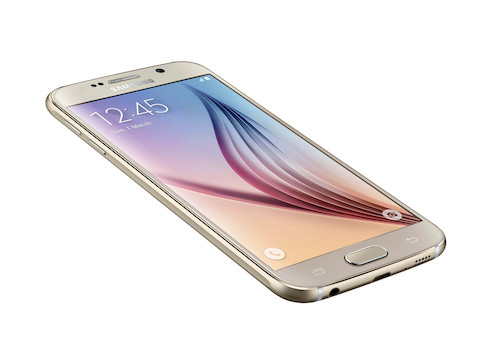
The Samsung Galaxy Note 4 camera has been ported to the Galaxy S4 and it brings a lot of new features to the two year old phone. However some functions like selective focus and selfie mode with front camera do not work due to hardware restrictions. Fortunately, camera, Video Recording, front cam all main features are working. HDR also works.

Samsung Galaxy Note 4 camera S4

Install Galaxy Note 4 camera on Galaxy S4

1. Download Note 4 camera from here https://mega.co.nz/#!ulp0STrZ!pAbIhx…nGJPQzYd_KrbUo
2. Flash via recovery
3. Wait until it optimize around 10 apps
4. Open the camera and you’ll see that it’s crash. Reopen it.
5. Tap on Mode, slide down and open "Manage mode"
6. Unselect "Shot and More" and "Selective Focus"
7. Enjoy your new camera.

So now you can enjoy Note 4 camera along with Note 4 launcher and settings on your S4.

MSI Cubi is the smallest PC with Broadwell processor

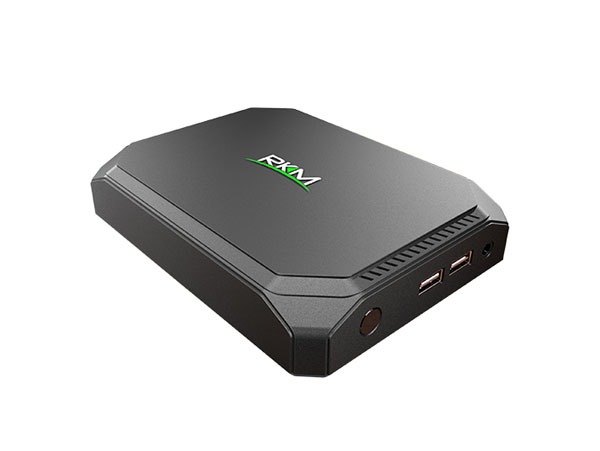
At the CEBIT 2015 tech event, MSI has launched Cubi, a mini PC with broadwell processor and windows 8 operating system. It is the smallest PC ever created by a Taiwanese manufacture. MSI did not include the Cubi in its wind box range that was powered by either Intel or AMD processors. The company will be making the MSI Cubi available by the end of March with an unknown price tag.

MSI Cubi review

Continue reading “MSI Cubi is the smallest PC with Broadwell processor”

Galaxy S6 and S6 Edge: Protect any app with fingerprint reader

An XDA developer member has released an application called Finger Security that allows you to protect apps of your choice with your fingerprint. This will allow you to further increase the security by a long margin as a fingerprint reader can be used for so many purposes. The best part is that you do not have to root Galaxy S6 in order to use Finger Security app which is great as no one would want to void warranty of their new phone.

galaxy s6
Continue reading “Galaxy S6 and S6 Edge: Protect any app with fingerprint reader”

Download Official Samsung Galaxy S6 Wallpapers

We all love downloading wallpapers of top end and unreleased smartphones. Samsung has bundled a couple of new wallpapers with their Galaxy S6 and Galaxy S6 Edge phones. To us they are a bit ho-hum because we seen them doing better in the past.

official galaxy s6 wallpapers download

The one shown on the left is a Galaxy S6 and on the right is the S6 Edge. The one on the S6 Edge looks better. You can download both of them from the link given at the bottom at the post and decide which one looks better on your smartphone.

Make sure to clear the clutter off your homescreen so they look just like the wallpapers shown above. We personally like clear homescreens as they show off the wallpapers better.

Download official AOSP 5.1 for Grand Duos

Android Open Source Project community has released AOSP 5.1 firmware for the Samsung Galaxy Grand Duos dual SIM smartphone. Almost everything except FM radio works out of the box including dual SIM functionality. AOSP firmwares are great for those who despise the heavy touchwiz interface that Samsung slapped onto a mid range device.

Download official AOSP 5.1 for Grand Duos

AOSP 5.1 ROM for Galaxy Grand Duos (I9082/I9082L). What is working?

Wi-Fi
RIL (Calls, SMS, Mobile Data)
Dual SIM
Sensors (Accelerometer, Compass, Light, Proximity, etc.)
Camera
Video (playback & recording)
Audio (playback & recording)
GPS

And here are the installation instructions:
If you were on CM 10.1 or a stock ROM prior to 4.2, upgrade to stock 4.2 first.
Install ClockworkMod recovery with SELinux support (.tar) (.zip). Older CWM will result in a "status 7" error.
Reboot into recovery
Wipe data if coming from stock or other ROMs (You may get a "status 7" error if you fail to wipe.)
Install the ROM.