HTC U11 Oreo custom ROM: Download Android 8 Oreo for HTC U11

HTC U11 is an awesome phone but you can make it even better by installing the latest custom Android 8 Oreo ROM on it. The best part is that so far users have not reported any issues which means it is great as a daily driver. Only install this custom Oreo ROM if official Oreo is available for your device. If not, just flash the Radio, DSP & Bluetooth zip via HTC U11 custom recovery.

HTC U11 Oreo custom ROM

How to install it?

Download ROM. Boot to Recovery (Volume down + Power > Bootloader > Recovery) – START IN READ ONLY MODE
Nandroid backup your entire stock system IMAGE & boot.img to your External SD Card
Reboot to recovery and swipe to allow modifications
Copy the latest LeeDrOiD_ROM.zip to your External SD Card
Optional wipe: Boot to Twrp > Select Wipe > Select Format Data > Type yes when prompted
In TWRP select install, locate and select the LeeDrOiD ROM zip on your external SD & follow the prompts.

The ROM comes with a custom kernel too which lets you do the following:

Button Backlight notification’s (tunable)
Fingerprint double tap to sleep (tunable)
Chromatic battery charging led
Fading notification led
Sqeeze 2 Peek
Squeeze 2 Sleep
Squeeze 2 Wake

Here are the features of the ROM:

Current Base: HTC Europe 2.33.401.10
November 2017 Security Patches
Android 8.0.0
HTC Sense 9.5
Optional Root with the latest SuperSU thanks to @Chainfire – Optional!
Ability to run un-rooted & retain all customization! – + SafeteyNet Pass!
Option to Root with Magisk! -+ SafeteyNet Pass! (Android Pay and PoGo can be used)
International base with Sprint, US Unlocked & DUGL support!
Massive Locales/Language list
Optional Encryption!
Partially De-odexed
Zip-aligned for improved performance
Partitions trimmed for improved performance
init.d & su.d support
All tamper props reset on boot
Persistent ADB
Disable error reporting & hrdump
Stripped HTC logging & feedback
BusyBox, SQlite3, Bash & Nano shell
Package Signature Checking Disabled
Performance, battery life & memory improvements
HTC U11+ Smart Display
100% working SystemUI Tuner!
Android Logo font pack
LeeDrOiD wallpapers
System clean-up’s
Additional HTC Widgets
HTC Gallery & Photo Editor
HTC Music
Custom LeeDrOiD Locales & Language support.

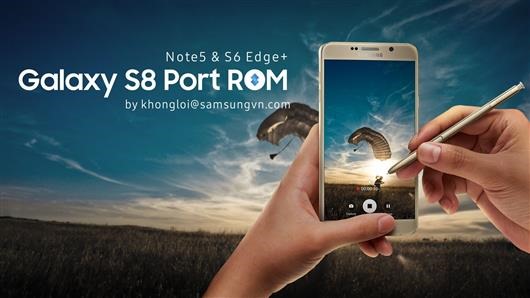
Galaxy S8+ ROM for Note 5: S8 Plus ROM ported to Samsung Note 5

download Galaxy S8  ROM for Note 5

An XDA developer user has ported entire ROM of Samsung Galaxy S8+ to Note 5. Supported Note 5 models include N920T/W8, N920CIG, N920CD, N920SKL and N9208. Despite being a third party firmware, everything is working as expected. This is the latest Android Nougat firmware with all security patches. The developer has added in his own mods too that include:

* AOD brightness control (2 state)
* Show/hide Power Menu on Lockscreen
* Enable/Disable Safe Volume Notification
* Show/hide Keyboard Switching Notification Icon
* Battery options
* Some features include enable/disable fingerprint wakeup, persistent notification, notification reply directy on lockscreen
* more features will come later
* virtual button option

CSC/OMC collection has been updated and modded for XXV, ATT, TMB, INS, TEL, RWC, XID, KTC, ITV, PHN, DBT, PAK, TUR, BRI, XME, XEF, THL and BTU.

How to install the ROM:

Download ROM, Kernel, OMC-CSC
– Prepare yourself to not get lost of available aroma options.
– Know well your operator CSC/OMC code. Boot into Note 5 TWRP.
– Install ROM
– Install CSC/OMC and choose right one
– Then install Kernel (because aroma do not support file larger than 2GB).
– Full wipe required.
– If you see kernel is not seandroid enforcing, it is normal because I use new selinux stuffs. Nothing to worry.

Download Android 7 Nougat for Galaxy Note 10.1 N8000 N8013 2012

Download Android 7 Nougat for Galaxy Note 10.1 N8000 N8013 2012

Android 7 Nougat is available for the Samsung Galaxy Note 10.1 N8000 / N8013 2012 model. This is the latest version of android and it is great to see such old tablet running it just fine. This is brought to you by the Lineage OS team that designed it to increase performance and reliability over stock android. However, since the android 7 nougat is still in alpha stage, do not install it if you want a stable ROM.

So how to install this ROM on your tablet?

First make sure you have CWM recovery or N8000 TWRP installed on your Samsung Galaxy Note 10.1. Then, download the ROM from here and gapps; wipe everything; put the ROM on micro SD card and install the ROM. Make sure to flash gapps immediately after installing the ROM. Do not reboot before installing gapps.

So what is not working. The stock camera application isn’t working but if you install Google Camera from playstore, you should not have any problems. Cursor is by default shown when S-pen is in use. You can easily disable it by going into Settings > Inputs. Also, keyboard does not work: enable hardware keyboard in settings. SElinux is set to permissive.

Download HTC U11 custom recovery: TWRP for HTC U11 available for download

We have great news for HTC U11 users. TWRP custom recovery is available for download which means now you will be able to flash custom ROMs on it. If you do not have custom recovery, there is no way to install a third party ROM or even install system level hacks. You will also need custom recovery on your HTC U11 if you want to overclock or underclock it as it lets you install custom kernels that lets you do it. The only thing that is not working on HTC U11 is encrypted backups so do use them.

HTC U11 twrp custom recovery

How to download and install TWRP on HTC U11?

First, you will need to download and install ADB drivers and platform tools from the Android SDK on your computer. Get the TWRP for U11 from here and rename IMG file to twrp.img. Then on your phone, go to Settings > About and tap on the build number seven times to enable developer settings. Then go into developer options and turn on USB debugging.

After that, on your computer, fire up command prompt and type in the following commands.

adb reboot download
fastboot flash recovery twrp.img
fastboot reboot

That is it. If you did everything correctly, TWRP custom recovery should now be installed on your HTC U11 android phone.

Best mini laptop of 2018: Top 10 mini laptops 2018 – Best mini laptop with long battery

Which is the best mini laptop of 2018?

The experts have spoken and have enlisted the best mini laptop and netbook of the year 2017 all of which are cheap and reliable.

Let true laptop experts find the best mini laptop of 2018 for you. Mini Laptops also knows as Netbooks were supposed to be dead in 2010 but they are still going strong thanks to their cheap price tags and portability factor. Back then Asus was the most dedicated netbook manufacture and that fact holds true even now as they were ones behind this year’s hotseller, the Asus T102 which is shown below. Any way here is the list of best mini laptop netbook of 2018. Mini laptops are popular for their all day battery life, compact size and light weight chassis. These devices can be put into small briefcase bags or even carried by hand. That is why even our team prefer using the best netbook instead of a beefy laptop.
best mini laptop 2017

When looking for best mini laptop of 2017, there are several things to keep in mind to ensure you don’t have to suffer buyer’s remorse later. The first and foremost thing is screen size and resolution. A best mini laptop should have full HD resolution. Full HD mini laptops can be a little expensive so if you are budget, you will normally find most mini laptops with HD resolution which is either 1366×768 or 1280×800. This is fine for doing casual web surfing. But a full HD ultrabook laptop really helps in making you work with more data at a time. Also, the images and text look much more crisp.

Next thing to look for is storage. If you are in market for a cheap and fast mini laptop, then you should go for these new eMMC powered mini laptops. This new storage standard is like a cheaper version of SSD that stores data in flash. This allows manufactures to make thin, light mini laptops that are super easy to carry around. Storage is expendable via memory slots. But if you want a lot of storage out of box, then getting mini laptop with hard disk is a better idea. This is slower but gets you a lot of storage to play with.

Lenovo Yoga 710

The compact, powerful Lenovo Yoga 710 puts everything you need right in your hands—at work, at home, virtually anywhere. This HP notebook is the perfect size to take on the go packing touchscreen with full HD resolution allowing you see more and work with more content at a time. It is incredibly powerful packing ultra-low voltage Intel i5 processor with whopping 4MB cache for smooth multi tasking experience. Storage comes in form of 128GB SSD that is backed by 8GB RAM to for excellent end-user experience. This is the most powerful and best mini laptop of 2018.

Lenovo Yoga 710
* 11.6″ Full HD multitouch 1920 x 1080 screen with IPS technology, 360° flip-and-fold design
* Intel 7th generation Core i5-7Y54 with 4M Cache, goes up to 3.20 GHz
* 8GB DDR3, 128GB solid state drive (SSD), Intel HD Graphics 615
* Weighs 2.29 lbs. and measures 0.6″ thin

Lenovo ThinkPad Yoga 11E

Thinkpad laptops have legendary reputation in terms of build quality and reliable performance. This Lenovo laptop computer is a great value in mobile computing. Its bright, 11.6-inch HD resolution screen showcases movies and games in brilliant color. Its fast 128GB SSD is paired to a 4GB RAM that keeps it running smooth at all times. The storage is flash type so applications and system software loads near instantly.  The screen packs touchscreen letting you interact with your fingers directly. Easily the best mini laptop of 2018. If you’re looking to use a laptop for many years to come, there is nothing more reliable in the market other than the Thinkpad.
Lenovo Thinkpad Yoga 2-in-1

# 11.6″ 2-in-1 Convertible HD Touchscreen Premium Laptop, best in class build quality
# Intel Core M-5Y10C Dual-Core Processor
# 128GB SSD, 4GB DDR3 Memory

Lenovo Ideapad 110S

The 11.6-inch Lenovo 110S fits the bill if you’re looking for a budget-friendly laptop that can easily handle a range of everyday computing tasks. This Lenovo laptop is also preloaded with Microsoft Office 2016 to make it easy for you to get things done according to your schedule. Tweaked and made especially for windows 10, the Lenovo Ideapad 110S is has dual core Intel Celeron CPU onboard for brisk performance and all day battery life. It is thin, attractive and easy to carry around anywhere you go.
lenovo

# 11.6 Inch Energy Efficient LED Backlight HD Display
# Intel Celeron dual-core N3060 processor
# 2GB RAM, 32GB eMMC Flash Storage, expandable via micro SD card slot

Lenovo N22

The compact 11.6″ HD display makes enjoying entertainment easy when traveling, and with full-size keyboard and superb connectivity you can stay productive wherever you are. Enjoy more and work harder anywhere you go thanks to the lightweight design and powerful performance of the stylish Lenovo N22. The keyboard is water-resistant so no need to worry if you accidently spill some water on it. It won’t short circuit the laptop.

Lenovo N22

# 11.6-inch High Performance Laptop, TrueLife 1366 x 768 HD LED-backlit Anti-Glare Display
# Intel Celeron N3050 1.6GHz processor with dual cores
# 4GB DDR3 RAM, 32GB Flash eMMC Storage, Rotatable Webcam, Water-Resistant Keyboard, Windows 10 Pro, 0.88″ Thin, 2.8lbs Weight

Asus T102HA

This netbook features a eye-catching and useful detachable keyboard. The keyboard while small is easy to type on thanks to finger-friendly chiclet layout. Moreover, the screen packs touch panel and a quad core processor that promises incredible 11 hour battery life.
Asus T102HA

# 2 in 1 Touchscreen Laptop
# Intel Atom Quad Core x5-Z8350 Processor
# 128GB Solid State storage, pen and keyboard included, 4GB RAM for fast and efficient performance

Dell i3162-0000BLU

Built with everyday use in mind, it’s perfect for both work and play. You get the performance of the Intel Celeron processor, and it’s full of features such as a large clickable touchpad, HD web camera, and the built-in ports and connectivity you need. It looks very attractive in person and is well-designed too.
Dell i3162-0000BLU

# 11.6-inch 1366×768 pixel display
# Intel Celeron N3050 processor
# 2GB RAM, 32GB eMMC flash storage, expandable memory card slot, Windows 10

HP Pavilion x2

Ultra-portable and incredibly affordable, the HP Pavilion x2 transforms from a tablet to a notebook in a snap. With the power of Windows 10 you need for work, and the tablet you want to stay entertained, it goes with you everywhere at a price that’s just right.
HP Pavilion X2

# 10.1″ diagonal WXGA IPS screen with 1280×800 resolution
# Intel Atom X5-Z8350 quad core CPU
# 2GB RAM, 32GB eMMC

Dell i3168-0027RED

The Dell Inspiron i3168 is a compact, travel-friendly touchscreen mini laptop designed for those who are always on the go. While it packs the power, fast storage and battery life of a much larger machine, this highly portable laptop is ready to move.
Dell i3168-0027RED

# 11.6″ HD 2-In-1 Laptop+Tablet, 1366×768 pixels, touchscreen display
# Intel Celeron N3060
# 2GB RAM, 32GB SSD

ASUS E200HA

Everyday computing has never looked better than the Asus X205TA. Combining ultra-portability with a unique design, the 11.6” display is held within a thin and lightweight body that is also the home to a well designing, near-full size keyboard. It’s light enough to pick up while on the run, and powerful enough to last all day so you can finish your daily tasks.
Asus VivoBook E200HA

# 1.6-inch HD LED Backlight Display
# Intel Atom Z8350 1.44GHz Processor, quad cores
# 2GB DDR3 Memory, 32GB Hard Drive, Wifi, Bluetooth, and Windows 10 Pre-installed and 1 year Office 365

Dell Inspiron 11.6

The 11.6” Dell Inspiron touchscreen mini laptop features a capacitive 10-point touchscreen in a sleek, stylish design with a metallic exterior finish. Backed by a powerful Intel processor, long battery life and a very comfortable keyboard, it delivers the smart performance of a laptop, while also providing the touch conveniences of best tablet. It’s the best mini laptop of 2018 with convertible design.
dell

Intel Pentium N3710 1.6 GHz Processor (2 MB Cache)
4 GB DDR3 RAM, 500 GB 5400 rpm Hard Drive
11.6-Inch Convertible touchscreen laptop, 8 hours of battery life, Windows 10 Home 64-bit

HP Stream 11-y010nr

Whether you’re playing catch-up at work or just enjoying a casual afternoon at the local coffee shop, the HP Stream 11-y010nr is made to enhance your everyday computing experience. Its 11.6” screen has been given anti glare coating to let you work in all sorts of environments – bright or dim. Its Celeron processor is great for doing office tasks, some light photoshop and more. Battery life is more 7-8 hours on single charge. Top mini laptop of 2018.
HP Stream 11-y010nr

Intel Celeron N3050 processor, integrated graphics
4 GB RAM, 32GB eMMC storage, microSD card slot
11.6-Inch Screen, 1366×768 pixels, Free Office 365 Personal for one year

Download IronKernel for SM-N950F/FD/N and SM-G95XF/FD/N

Download Iron kernel for Galaxy Note 8

Custom kernel for the Samsung Galaxy Note 8 is now available. It is for the SM-N950F/FD/N and SM-G95XF/FD/N variants. If your variant is not listed, try this custom kernel that can be used to overclock / underclock note 8. Flashing custom kernel will make your device lose its warranty and knox will display 0x1. Here are the features of this kernel.

Here is how to install the kernel on Galaxy Note 8

0. Have a working recovery and encryption removed!
1. Download kernel from here and copy it to your sd card
2. Boot into twrp recovery mode (press bixby + volume up + power)
3. Flash kernel
4. Flash any other file which affects ramdisk (Magisk or SuperSU)
5. Reboot

Features of the Iron kernel for Galaxy Note 8

– Build with latest 6.4.1 GNU GCC toolchain
– Build with BQK6 kernel source code
– Latest Linux version 4.4.104, is always up to date
– Performance and Batterylife improved
– Choose between different CPU governors: performance, powersave, userspace, ondemand, interactiv (default), conservative, schedutil
– Includes latest BQK6 ramdisk
– I/O schedulers: CFQ (Default), No-op, Deadline, BFQ
– NTFS enabled
– TCP (Network) control: Bic (default), Reno, cdg, cubic, dctcp, Westwood, Highspeed, Hybla, HTCP, Vegas, Veno, Scalable, LP, Yeah, Illinois, Lia, Olia, Wvegas, balia
– Selinux is set to permissive
– Supports Private Mode
– F2fs on /data partition
– Init.d support
– All samsung security related configs disabled (as knox, tima, restrict rooting)
– Boeffla wakelock control

Root Snapdragon Note 8: Samsung Galaxy Note 8 Rooting instructions for Qualcomm Snapdragon phone

Galaxy Note 8

Qualcomm Snapdragon version of Samsung Galaxy Note 8 can now be rooted. These instructions come from the awesome XDA developers. This method will not trip the Knox counter so the warranty of your android phone will not get void. It is only for the Snapdragon variant and will not work on the Exynos or Chinese models. The root method is pretty much straight forward since the developer has done most of the hard work for you. All you need to do is follow the steps given below. Make sure you have followed all the pre-requisites. One thing to keep in mind though is to make entire backup of the internal as rooting procedure will delete everything stored on it.

Pre-requisites for rooting Samsung Galaxy Note 8

– Note 8 Pre-Rooted System.tar/PIT File Zip https://www.androidfilehost.com/?fid=745849072291693824
– Note 8 PART 2 Firmware Zip https://androidfilehost.com/?fid=745849072291692665
– ODIN app https://www.androidfilehost.com/?fid=745849072291680035
– A PC and ready to use Download Mode.

Part 1

1) Unzip the SamFAIL Note 8 Pre-Rooted System.tar and PIT File to your PC.
2) Have Comsey ODIN up and ready. Place your Note 8 into Download Mode and Connect to PC
3) In the AP slot, select the Pre-Rooted system.tar.
root galaxy note 8 snapdragon
4) Now go to the PIT tab(Click OK or close on the warning box) and click and navigate to the PIT file you also just downloaded and select it.
5) On the OPTIONS tab, you will select the following: Auto Reboot, F. Reset Time, NAND ERASE ALL, and Re-Partition.
6) Once you have everything in place and the correct options selected, press START.
7) ODIN will say FAIL at the end of the flash and the phone will have rebooted to upload mode saying "Unknow Error". Don’t fret however, the system should have still been written!
8) You will have to get the phone back into Download mode( Hold Power, VOL- and bixby together and the phone will reboot to download mode and tell you its in emergency mode. THIS IS NORMAL.) and then proceed to Part 2 Instructions!

Part 2 instructions:

1) Download and Extract the SamFAIL Note 8 Part 2 Firmware Zip to your PC
2) Click Reset in Comsey ODIN or close it out and re-open it so it is COMPLETELY cleared out
3) Now select the firmware. BL goes in BL, AP goes in AP, CP goes in CP, dont press start yet!
4) Now, this time we ARE NOT SELECTING A PIT FILE, We should just select Auto Reboot and F. Reset Time. DO NOT DO NAND ERASE ALL OR YOU WILL HAVE TO START OVER.
5) Once you got the partitions in place and the right options selected, Press Start!
7) Once phone boots up, Setup your device as normal and proceed to the SuperSU app. It may ask you to update the SU Binary. Select Normal method and let it do its thing. Follow its instructions then SU should say it was Successful in updating and it needs to reboot(You may have to do it multiple times. I believe its 2 or 3 times then its good) ENJOY SamFAIL ROOT!

ECS Liva Plus ZE with RS232 connectivity for industrial equipment

The manufacturer specializing in mini PCs and motherboards, ECS has announced the launch of the new addition to its catalog, the new ECS Liva Plus ZE, a mini PC that stands out for incorporating two RS232 ports to make it compatible with old and industrial devices, and equipped of a high power in small format to be able to supply any type of need that the user may have.

Continue reading “ECS Liva Plus ZE with RS232 connectivity for industrial equipment”

Intel Z390 motherboard spotted in SiSoft Sandra benchmark

Intel-Z390-motherboard

Z390 Express Socket LGA1151 manufactured by SuperMicro has been spotted on SiSoft Sandra benchmark. It is surprising to find indications of this chipset since its launch is scheduled for the second half of 2018, which indicates that Intel may be trying to accelerate its launch. According to the manufacturer’s official launch schedule, the Z390 Express chipset should be launched in the second half of next year, and would come after the H370 Express, B360 Express and H310 Express chipset that will arrive in the first half of 2018. This is the reason why it is strange to see already signs that there are already motherboards with the Z390 chipset, and not only because it seems too early because we should have seen something from the others before, since they will be launched to the market beforehand. 

The Intel Z390 Express chipset adds some improvements to the existing platform (Z370) but nothing particularly substantial. Things like a programmable quad-core DSP audio processor or the SoundWire audio interface are fine, but they can not be considered important. There are other things that do have something more important, such as the integrated USB 3.1 controller, the WLAN controller 802.11ac integrated – yes, with an external PHY, SDIO controller for card readers also integrated, or compatibility with the new controller Thunderbolt 3.0 “Titan Ridge”. They are improvements to the platform that have more or less weight, but as we said nothing that has a real weight on the platform.

We’ll see anyway what happens in the end. Since the manufacturer of the plate is SuperMicro, a manufacturer that usually focuses on OEM and industrial systems rather than the general public, it is quite possible that it was simply an oversight by an Intel engineer who was doing the first tests and forgot to uncheck the option to upload the benchmark result directly to the database after the test.