Apple iMac: Bluelounge Jimi Review

Apple hide the USB on the back of iMac computer to keep the looks clean and clutter free. It worked for most except for those who use USB drives often and find it inconvenient to attach and detach them. Now there is a accessory called Bluelounge Jimi that extends the USB port in such a way that you no longer have to go to the back of iMac to attach / detach your USB flash drive.

Bluelounge Jimi Review

Made of tough black plastic, it is exclusively designed for the iMac slim aluminum unibody model (released November 2012) or later. It works with all 4 USB ports of 21” and 3 of 4 ports available on 27” iMac.

How To use Bluelounge Jimi

Plug Jimi into a USB port at the back of your iMac.
Align the bottom of the “J” straight down.
Snap it into the air vent at the bottom of the iMac.

Its flexible body allows you to plug into a port of your choice on your iMac. Costs 15 dollars.

Verdict – Never again will you have to crane and reach around to access the USB port behind your computer. Jimi makes it easy.

Acer Travelmate B115 and Aspire E3-111 Specifications, Fanless and Touchscreen Laptops

Acer Travelmate B115 and Aspire E3-111 are two laptops that the company is working on right now and would be releasing in about a week. Interestingly their specifications have already been leaked by Acer itself on their official website including high resolution pictures.

Folks at notebooksnews were first to discover these two laptops and they say that both will come with similar specifications and the only difference between them is the use of Celeron in E3 and Pentium in B115.

Acer Travelmate B115 Specifications

11.6 inch display
1366×768 pixel resolution
Intel Celeron N2830 processor clocked at 2.16 GHz
4GB RAM
500 gigabytes hard disk drive
LAN, Wi-Fi
SD card reader, 2x USB 2.0, 1x USB 3.0 ports
HDMI, VGA
1.3 kg weight

Aspire E3-111 Specifications

11.6 inch display
1366×768 pixel resolution
4 gigabytes of RAM
500GB HDD
Intel Pentium N3520
LAN, Wi-Fi
SD card reader, 2x USB 2.0, 1x USB 3.0 ports
HDMI, VGA
1.3 kg weight

Acer-TravelMate-B115-Aspire-E3-111-specifications

Price of either is EUR 330 or USD 450.

Acer Iconia B1-730 HD Specifications, With Intel Atom Z2560

The Acer Iconia B1-730 is the latest 7 inch tablet from Taiwanese giant. The tablet is already up for pre order on Amazon Germany which tell us more about Acer Iconia B1-730 HD specifications and they surely are a bump from its predecessor.

Acer Iconia B1-730 HD Specifications

Acer Iconia B1-730 HD Specifications

* 7 inch IPS display
* 1280×800 pixel resolution
* Intel Atom Z2560 processor clocked at 1.6GHz
* 16GB flash storage
* 1 gigabyte of RAM
* Bluetooth 3.0, 802.11n Wi-Fi
* 3700 mAh battery
* 320 grams
*Android 4.3 operating system

The listed price is EUR 139 which is quite cheap. Visually the B1-730 is going to be same as B1-720 and the changes are going to be seen under the shell only. An Austrian trader has already listed it for May 7 2014.

The official Acer store already has listed it along with its cover.

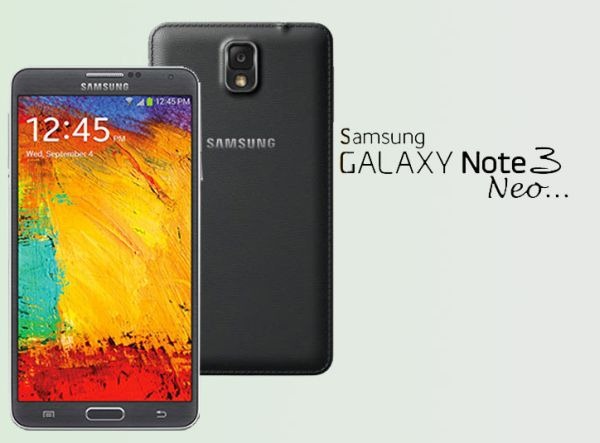
Download Note 3 Neo Stock ROM SM N750 N7505

If you install non-Samsung supported stuff on your phone like TWRP or custom ROMs, you might to go back to Galaxy Note 3 Neo’s stock ROM for some reason, say for warranty purpose.

Guide to download and install Samsung Galaxy Note 3 Neo stock firmware / ROM easily

First download the official firmware from here (N750) or N7505. You will also need a copy of ODIN that can be downloaded from here.

Extract Firmware zip file that you downloaded earlier from above link. This will give you a .tar.md5 file along with some other files. Extract ODIN too.

Put your Galaxy Note 3 Neo SM-N750 / N7505 in Download Mode by pressing and holding down the Home & Volume Down button together while pressing the Power button.

Start ODIN and connect your phone. Click the AP button and select .tar.md5 file. Make sure only Auto Reboot and F. Reset Time check boxes are selected.

Download Note 3 Neo Stock ROM SM N750

Click on start button to start flashing process. Wait for it to complete. In the end you will get a pass message which confirms that everything went ok.

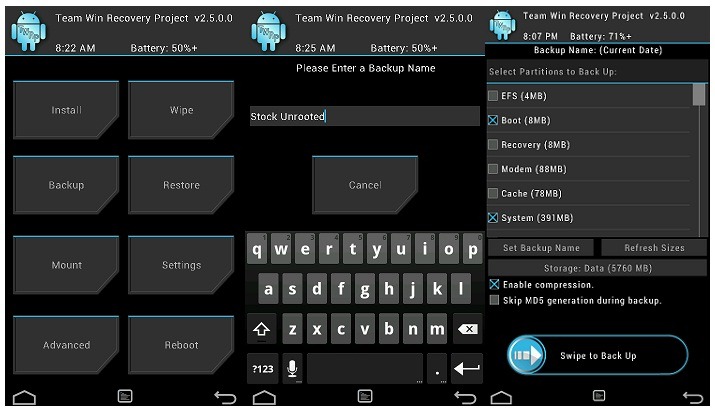
Download TWRP CWM for Galaxy Note 3 NEO and Installation instructions

TWRP an alternative to CWM is now available for the Samsung Galaxy Note 3 Neo smartphone. The TWRP for Galaxy Note 3 Neo will allow you to install custom firmware, root your phone and a lot of other great things. TWRP stands for Team Win Recovery Project and it is completely open source which is why it is available for so many phones.

Installing process is not as simple as one for Nexus 5.

To install it you will need a copy of ODIN, a desktop application that lets you flash the TWRP on to your phone. Get it from here and put it somewhere, say like your desktop and uncompress it.

twrp galaxy note 3 neo

Then download the TWRP file from here and put it into the folder of ODIN. Put your Note 3 Neo in download mode (volume down + home button for few seconds together) and connect it to your computer. Start ODIN and select PDA, select the tar file and click Start.

Asus K013 K011 K010 Specifications, new budget tablets

Asus is on the verge of launching a trio of Android tablets in the market, namely Asus K013, K011 and K010. All of them were discovered on the Bluetooth and WiFi certification websites.

Unfortunately the listing does not include a lot of details such as the processor being used in them and so on.

Asus K013 specifications

* 7 inch
* 1280 x 800 pixel IPS display
* 1GB of RAM
* Android 4.4
* Front and rear cameras

Asus K011 specifications

* 8 inch, 1280 x 800 pixel IPS display
* 1GB of RAM, Android 4.4 operating system
* Front and rear cameras

Asus K010 specifications

* 10.1 inch, 1280 x 800 pixel IPS display
* 1GB of RAM, Android 4.4
* Front and rear cameras

Asus K013 K011 K010 Specifications

There is some speculation that it will be sold under MemoPad brand. Asus sells the MemoPad with single core CPU and we really hope the company will step up with their new tablets.