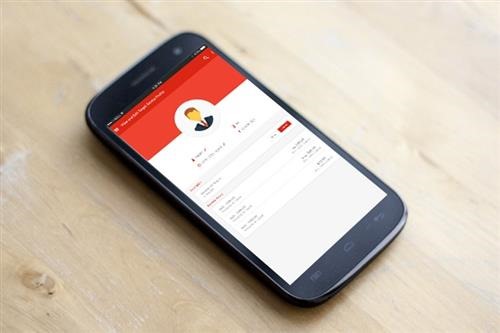
XNSPY is a mobile monitoring application designed for parents to help them in watching over their children. How is a mobile app to do that? With the basic principle that children in 2015 carry a representation of their lives through their smartphones. And by not participating in that aspect of their lives, parents miss out on a wonderful opportunity to be more proactive in new age upbringing. Smartphones are like windows to their lives. So what does XNSPY do? Provide them access to that window, of course.
Features and Offerings
In our experience, parental controls seem to largely be one-function systems whereby parents can either only block certain content from appearing on the child’s devices or place certain censors for targeted activities. XNSPY works a little differently. They’ve got around 30 features, all of which record a particular activity on the child’s phone. You can choose which activities to record. For example, the monitoring app will give you the ability to:
· Record and listen to phone calls
· Read text messages
· Read calendar entries
· Take live screenshots
· Monitor Kik, WhatsApp, Viber, Skype and Line
· Take a look at the list of installed apps
· Track GPS locations

There are many more offerings to choose from, but parents can decide what they want to record and what they don’t. All of the collected data is uploaded onto the control panel, which is a web portal that only the parent can sign into. This means that all monitoring activities are completely remote.
The Download Experience
The download experience, we’ll admit, is a little bit tricky. You’ve got to go to their official website, chose a subscription plan (more on that later), and then purchase it. You then receive a download URL which you have to type in manually onto the child’s phone. You then have to follow a few steps before the app becomes fully functional on your child’s device. You are able to download the control panel app from the Play Store. But we do think it would’ve been much easier if the entire software was available to download off the app store. It would eliminate a few steps and just save a bit more time.
Price and Packaging
On the bright side, parents have a lot of subscriptions to choose from. Depending on your needs, you can pick a monthly plan, a quarterly plan, or an annual subscription. You can also pick either a basic version of XNSPY or a premium one. Obviously, the premium one will buy you more features and give you a fuller monitoring experience. But if you simply want to test the waters, the basic one is not so bad either. Overall, it is a sensible investment because it begins at a meager $8.33, which is not so bad.
Results
Final word? The app is actually pretty useful. It records and uploads data in real time and is pretty accurate. But what we liked best was the fact that the website has an active Customer Support which is always ready to answer questions and help you out. Which makes the customer experience vastly enhanced. XNSPY for parents is definitely worth a try.