Download TWRP GT-I9195 and GT-I9190 Galaxy S4 Mini

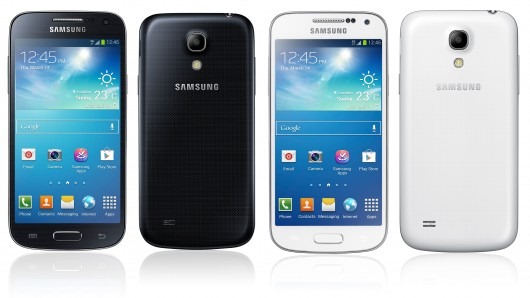
TWRP full form of team win recovery project has been released for Samsung galaxy s4 mini. This feature will allow you to install custom ROMs; perform root on your S4 mini and so on. Since it has two models GT-I9195 and GT-I9190, make sure to install the right one for right variant.

Flash it using ODIN on your computer.

galaxy s4 mini twrp download

All of those builds are stable and work perfectly. To flash it put your S4 Mini in download mode (volume down + home button simultaneously); connect to computer and flash using ODIN.

Nvidia Mocha Specifications: 7.9 inch iPad mini clone with Retina display and 2048 x 1536 pixels

An unknown tablet called Nvidia Mocha has made its appearance on GFXbench website. It has absolute high end specifications and runs Android operating system that make it a perfect contender for Apple iPad Mini with retina display. It is not currently known whether Nvidia will offer this model publically or will allow manufactures to sell it under different name as it did in the case of Nvidia Shield.

Nvidia Tegra K1 Review

GFXbench benchmark website reveals that Mocha got 1773 frames (28.7 FPS) in 1080p Manhatten off screen test. Apple iPad Mini retina model on the other hand got 803 frames (13 FPS) in the same test.

In Manhatten test, Mocha got 1020 frames (16.5 FPS) while the iPad Mini retina got 544 Frames (8.8 FPS).

In 1080p t-rex off screen, Nvidia got 3308 frames (59.1 FPS) while the Apple tablet got 1464 frames (26.1 FPS).

Nvidia-Mocha

Nvidia Mocha Specifications

7.9 inch display with resolution of 2048×1536 pixels
Aspect ratio 4:3
Nvidia Tegra K1 quad core processor clocked at 2.1 GHz
2 gigabytes of RAM
7 megapixel camera
4.8 MP webcam
Bluetooth, Wi-Fi, GPS
Android 4.4.2 kit Kat operating system

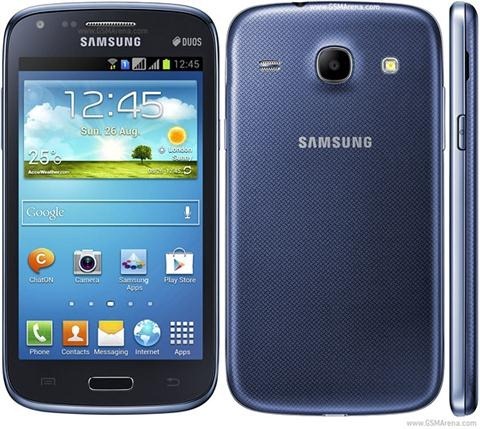
Download Galaxy Core Stock ROM Firmware

So you have done all sorts of hacks and modifications on your Samsung galaxy Core and now you want to flash and download the stock firmware to get the warranty back. Or you simple want to go back to stock because you are tired of customizing your phone.

Here is a step by step process where you will download the official ROM on Galaxy Core

Here are the requirements, the things you need before you start.

a. ODIN 3.07
b. Samsung USB Drivers download link
c. Stock firmware
download from post 2
d. Official USB cable

Now carefully follow these steps.

1. Install USB drivers on your computer
2. Re boot your computer 
3. Download the ODIN 3.07 from here and save it on PC. Extract its contents to Desktop.
4. Download the firmware from here and save it on your computer. Extract the update file on your Desktop.
5. Now, turn off your Samsung Galaxy Core
6. Boot your Galaxy Core into the Download mode by pressing [ Volume down + Menu + power ] buttons simultaneously.
7. Now your phone will boot into download mode. You will see a “WARNING”. No need to panic.
8. Press “VOLUME UP” button to enter into download mode
9. Now open “ODIN 3.07.exe” on desktop and connect your phone to computer using stock USB cable.
10. When the connection is established with odin, you will be notified with the “added” message that will be displayed in the Odin interface. Also the ID:COM section should be colored on yellow or blue.
11. Click on PDA button and select the .tar file you extracted earlier.
12. Click on “START” button to initiate the flashing process. It will take 10 minutes to flash the firmware

galaxy core download stock rom
13. Your phone will reboot automatically.

Free Windows 8.1 On Onda V975i and V819i

Both Onda V975i and V819i come with Android operating systems but according to the latest reports the company will be releasing an update that will allow the users to run Windows 8.1 OS on it.

It is totally possible to run either of the operating systems on it as both Onda V975i and V819i run on x86 architecture which are supported by Windows 8 and Android OS. 

Onda V819i

Display: 8-inch display with a resolution IPS WXGA (1280 x 800 pixels),
Processor: 4-core, 64-bit Intel Atom Bay Trail-T
RAM: 2 GB,
NAND Memory: 16 GB + micro SD slot,
Camera: 2-megapixel,
Camera: 5-megapixel
Communication: WiFi, Bluetooth 4.0, USB port,
Battery: lack of data,
System: Google Android 4.2.2 Jelly Bean with ONDA UI 2.0.

Onda V975i

Display: 9.7-inch display with a resolution IPS WQXGA (2048 x 1536 pixels)
Processor: 4-core, 64-bit Intel Atom Bay Trail-T
RAM: 2 GB,
NAND Memory: 32 GB + micro SD slot,
Camera: 2-megapixel,
Camera: 5-megapixel
Communication: WiFi, Bluetooth 4.0, USB port,
Battery: lack of data,
Thickness: 8.5 mm
Weight: 495 g
System: Google Android 4.2.2 Jelly Bean with ONDA UI 2.0.

Windows 8.1 On Onda V975i and V819i

The upgrade will come in the month of May. The reason is that Intel is giving away free processors to tablets based on Intel bay trail t-series.

Review OWC Mercury Elite Pro Dual for Apple Mac

If your Mac computer comes with a Thunderbolt port and you have been looking forward to extend the storage capacity you might want to check out the OWC Mercury Elite Pro Dual that features RAID capabilities and come with 2TB – 10TB capacities.

The OWC Mercury Elite Pro Dual can feature as excellent back up solution or to storage those massive media files. It also looks very much like the last generation Apple Mac Pro although it is available in black only and Apple sold the Pro in only silver color.

OWC Mercury Elite Pro Dual

There are three user selectable RAID settings – RAID 0, 1, SPAN and Independent.

OWC Mercury Elite Pro Dual raid settings

The Elite Pro Dual is the perfect solution for any backup, audio/video, photography, or data management needs. Preconfigured, plug and play ready in RAID 0 high-performance mode, you can easily change among its RAID 0, 1, span, and independent modes for the best combination of speed, capacity, and redundancy to meet your workflow needs.

OWC Mercury Elite Pro Dual review

The package includes cables as no one should have to spend extra time and money obtaining needed cables. It comes with high-quality USB 3.0 and Thunderbolt cables right in the box. Costs $430-$950.

Huawei Ascend W1 Finally Gets Windows Phone 8.1

Even though Windows Phone 8.1 developer preview was released earlier last month, Huawei Ascend W1 were not able to update to the new OS because of firmware / driver issues. In fact, there was enough of a chance that it would brick phones for MS to stop its deployment till the problem could be fixed.

Huawei Ascend W1

An XDA user has made a tutorial on how to get WP8.1 on the Huawei Ascend W1. All the steps are mentioned in this XDA thread. Basically you will need to install Qualcomm driver, followed by its I/O driver and support tool. After that you will be putting custom bootloader onboard to get WP8.1 up and running.

The developer was kind enough to make an easy-to-use video as well.