
The MediaTek MT8389 is being used in a lot of Chinese tablets, and so is the new Allwinner A31s. First, let us see how MediaTek MT8389 and AllWinner A31S compare.

Continue reading “MediaTek MT8389 vs AllWinner A31S Benchmark, Performance Review”
The MediaTek MT8389 is being used in a lot of Chinese tablets, and so is the new Allwinner A31s. First, let us see how MediaTek MT8389 and AllWinner A31S compare.
Continue reading “MediaTek MT8389 vs AllWinner A31S Benchmark, Performance Review”
Dell has introduced a 28 inch 4K monitor for just USD 699. Called the P2815Q, it is the cheapest 4K monitor till date.
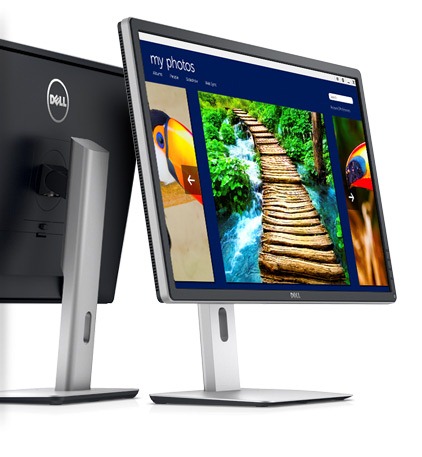
So, why is the price of Dell P2815Q so low? The reason is it uses TN display which does not gives you viewing angles as, let us say, an IPS screen. Another thing to note – the screen refresh rate is 30 Hz at its native resolution. To get 60 Hz, you must use 1920×1080.
4K means it has 3840 x 2160 pixels, which will give you an amazing workspace to work on. The screen of P2815Q can be twisted 90 degrees, so that one can use it both landscape or portrait mode. Dell offers some other Ultra HD monitors that includes 32 and 28 inch models (that retail for USD 3500 and 1300 respectively).
The Dell P2815Q will available for purchase on January 23 2014.
Kurio has launched 4G tablet called 7x and a smartphone for kids. The phone is pretty basic, and is designed for both kids and parents who want to monitor and control activities of their kids.
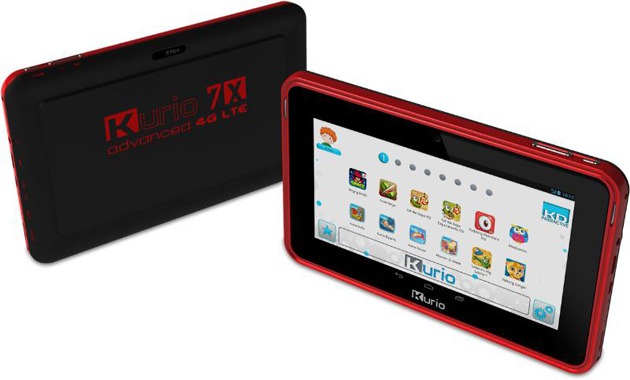
Kurio 7x 4G LTE tablet Specs include Android 4.2 operating system, 8 user profiles, 8 inch display, WVGA resolution, 1 GB of RAM, 4 GB of flash storage and support for the LTE – only Verizon network is supported though.
The tablet comes with a protective bumper case as well. Kurio has installed a software that lets parents manage contact list and ability to manage calls and messages. Parents can also view message and call logs.
Pricing information is not available but we will know that when the company will launch it this summer.
Huawei has churned out 7D-501 tablet, which features 7 inch full HD display (1920×1080 pixel resolution). While its pricing information is not yet available, we know it would retail under EUR 200.

FNF has released Ifive Mini3 second generation in 2014, and the major change is the use of retina display to make it competitive with the iPad Mini Retina. The new model has 2048×1536 pixels packed in its 7.9 inch display. To make things merrier, it runs Android 4.4 KitKat.

Nexus 5 is an amazing phone, and you get regular updates on it, but you can have so much more fun with it. For instance, you can download and install the latest AOKP KitKat ROM on it. Installation is straight forward and simple.

1. If coming from another ROM or another major AOKP version, wipe data in recovery
2. Make sure you’re using the latest CWM or TWRP (recommended).
3. Download the ROM from here and flash ROM by placing it in root folder and then going into recovery.
4. Flash Google Apps (GAPPS). Download it from here and flash it in recovery.
5. Reboot
That is it. You can successfully downloaded and install AOKP on your Nexus 5 Android phone.