Vaio S13 Kabylake-R laptop launched in USA for 1200 dollars

Vaio S13 2018 specifications

The new Vaio S13 with the 8th generation Intel Core series processor has been launched in USA in various SKUs with a price starting at 1200 dollars. This was not launched in Europe. The Vaio S13 specifications include 13.3 inch full HD screen with 1920×1080 pixel resolution, Intel Kabylake-R (kabylake refresh) processor and 17.7mm thinness and 1kg weight. Communication and ports selection includes three USB 3.0 ports, one HDMI and one VGA, 3.5mm audio jack, 802.11ac WiFi, Bluetooth 4.1, RJ-45 (Ethernet), SD card reader to expand storage, backlit keyboard and battery which should guarantee battery life of about 8.5 hours.

Continue reading “Vaio S13 Kabylake-R laptop launched in USA for 1200 dollars”

Paradox Soul game is available on Steam: chilling fight for exploration and survival

download Paradox Soul game

Paradox Soul is now available on Steam. It is a 2D explorative action-shooter hybrid where you play Dr Alli Rose who is a research scientist who stumbles across a peculiar test facility, determined to unravel the mystery and take on whatever evil is in her path. In the game, you shoot, cover and dash your way through this nightmarish Metroidvania game.

Continue reading “Paradox Soul game is available on Steam: chilling fight for exploration and survival”

Train Crisis Launches on Steam Today: classic train strategy game is enhanced with better visuals and adapted controls

Train Crisis steam download

Train Crisis is a puzzle strategy game where you have to guide trains with different color each towards their corresponding destination. The game is set in 4 distinct historical contexts such as the Industrial Revolution, the Far West, the Modern Era and the Future. It contains 168 levels and it brights with stylized 3D visuals. The direction of the trains can be modified by changing junctions, timing traffic lights, avoiding traps in tunnels, and blowing up barriers. The full price of Train Crisis is 4.99 dollars but you can get it now for at 15 percent discount.

Continue reading “Train Crisis Launches on Steam Today: classic train strategy game is enhanced with better visuals and adapted controls”

Desolate game launched on Steam, brings alternate history of Soviet Union

keyartlogo

Desolate is a open world FPS survival horror game where you unite with upto 4 players or act as lone world to prove your mettle. In the game, you explore the island to investigate its secrets. On your way, you find notes and diaries from the island’s previous settlers to uncover its dark past. The game play about fighting for your life against monsters, supernatural threats, and even nature itself.

On your path to survival, you unlock new abilities and train them to increase your chances. You customize your volunteer with new clothes and armor as well. If you like exploring new things, you can simply explore the island and you will find something new everytime you look around.

The price of Desolate is 19.99 dollars and you can download/buy the game on 8th February from here. This is an early access game and marked as incomplete on Steam.

Recommended requirements to play the game on your computer:

OS: 64-Bit Windows 7/8/10
Processor: Intel Core i5 Intel Core i5/i7 3.0 GHz or AMD analogue
Memory: 8 GB RAM
Graphics: NVIDIA GeForce GTX 760 or AMD
DirectX: Version 11
Network: Broadband Internet connection
Storage: 10 GB available space
Sound Card: DirectX®-compatible

Download Android 8 for Galaxy Note 1 N7000

Download Android 8 for Galaxy Note 1 N7000

Lineage OS 15.1 is available for the Samsung Galaxy Note N7000 which in other words is Android 8.1. The ROM is in alpha stage though but all main functions are working. Being an alpha ROM, there will be bugs.

How to install Android 8 for Galaxy Note 1 N7000:

1. Copy Rom + Google Apps to your sdcard. If you do not have TWRP installed, you need to get it installed first before installing any custom ROM including this one. flash PhilZ-cwm6-XXLT6-XSA-5.06.1.tar.md5 to get cwm recovery by using odin
2. Boot into recovery
3. Factory Reset + Format the /system partition
4. Flash the Rom and Gapps.
5. Reboot

If you want root, follow these steps:

1. Go to Settings-System-About phone and tip 7 times on Build number to enable the Developer options
2. Go to Settings-Developer options-Root access and set it to Apps and ADB

List of bugs:

* If you get asked to instal/fix root/supersu in the recovery select no!
* Some glitches on screen rotation and in screenshots
* Whatsapp videocalls broken
* Usb dialog not working. you can enable mtp mode in the developer settings
* Video playback mostly broken (camera recordings/playback is working)
* With gapps installed there are many fc in the first start wizard. skip every setup part and reboot the device after you see the homescreen.
setup your wifi and google account now.
* Adoptable storage is not working (don’t format your sdcard as internal!)
* Because of the rom size only pico gapps will work

Best computer for casual gaming and web browsing

There are two kinds of computers in the market – one is for doing daily tasks and second type is for professional users and hardcore gamers. So, if you are looking for best computer for casual gaming and web browsing, the first type will give you an underpowered computer. The second type will be expensive and you will never be able to fully utilize the power. So what should you look for when choosing the best computer for casual gaming and browsing?

Graphics card – The top end computers come with Nvidia GeForce GTX 1080Ti/1070/1060 or AMD RX580/570 graphics cards which are overkill if you are a casual gamer. Those GPUs are ideal for 4k 60FPS gaming. As expected, they are expensive. Get a computer with Nvidia GeForce GTX 1030 or 1050 GPU. AMD RX560 is excellent budget buy as well and works like a charm for casual gamer. These GPUs support hardware acceleration which makes web browsing experience better.

amd rx580

Processor – The top end machines feature lots of cores and threads. They run at incredibly high clock speeds and thus cost a lot of money. If you are a casual gamer, something like Intel Core i3-7100U should suffice. It is a 7th generation processor and extremely efficient. Even AMD A10/A12 APUs will work just fine.  Web browsers are getting more and more CPU intensive and multi threaded, modern processor like the one mentioned above will help deliver smoother experience.

Intel Core i3-7100U

Screen resolution – Many people skip this part. Screen resolution plays a crucial role in gaming, even for a casual gamer. Full HD resolution is a must have in ultrabooks, laptops and desktop computers. A full HD screen ensures you are able to see more at a time which is helpful while doing web browsing. Also, since so many pixels are tightly packed, everything looks crisp. While it is totally possible to find 4K monitor in more expensive laptops and computers, they are not cheap and again, overkill for casual gaming. They also make the text look way too small, which puts strain on the eyes.

Best computer for casual gaming and web browsing

Storage and memory –For most computer games, 1TB hard disk is more than enough. You will find hybrid storage in high end laptops but they are easily drive the price up. Now, let us talk about memory. Most modern games eat around 8GB RAM while running. More is better so make sure you are able to upgrade it to 16GB RAM in future. If you have tight budget, just make sure it has 8GB RAM minimum otherwise you will have several hiccups while playing modern games.

HTC U11 Oreo custom ROM: Download Android 8 Oreo for HTC U11

HTC U11 is an awesome phone but you can make it even better by installing the latest custom Android 8 Oreo ROM on it. The best part is that so far users have not reported any issues which means it is great as a daily driver. Only install this custom Oreo ROM if official Oreo is available for your device. If not, just flash the Radio, DSP & Bluetooth zip via HTC U11 custom recovery.

HTC U11 Oreo custom ROM

How to install it?

Download ROM. Boot to Recovery (Volume down + Power > Bootloader > Recovery) – START IN READ ONLY MODE
Nandroid backup your entire stock system IMAGE & boot.img to your External SD Card
Reboot to recovery and swipe to allow modifications
Copy the latest LeeDrOiD_ROM.zip to your External SD Card
Optional wipe: Boot to Twrp > Select Wipe > Select Format Data > Type yes when prompted
In TWRP select install, locate and select the LeeDrOiD ROM zip on your external SD & follow the prompts.

The ROM comes with a custom kernel too which lets you do the following:

Button Backlight notification’s (tunable)
Fingerprint double tap to sleep (tunable)
Chromatic battery charging led
Fading notification led
Sqeeze 2 Peek
Squeeze 2 Sleep
Squeeze 2 Wake

Here are the features of the ROM:

Current Base: HTC Europe 2.33.401.10
November 2017 Security Patches
Android 8.0.0
HTC Sense 9.5
Optional Root with the latest SuperSU thanks to @Chainfire – Optional!
Ability to run un-rooted & retain all customization! – + SafeteyNet Pass!
Option to Root with Magisk! -+ SafeteyNet Pass! (Android Pay and PoGo can be used)
International base with Sprint, US Unlocked & DUGL support!
Massive Locales/Language list
Optional Encryption!
Partially De-odexed
Zip-aligned for improved performance
Partitions trimmed for improved performance
init.d & su.d support
All tamper props reset on boot
Persistent ADB
Disable error reporting & hrdump
Stripped HTC logging & feedback
BusyBox, SQlite3, Bash & Nano shell
Package Signature Checking Disabled
Performance, battery life & memory improvements
HTC U11+ Smart Display
100% working SystemUI Tuner!
Android Logo font pack
LeeDrOiD wallpapers
System clean-up’s
Additional HTC Widgets
HTC Gallery & Photo Editor
HTC Music
Custom LeeDrOiD Locales & Language support.

Honor 8 Android 8 Oreo: Download Oreo update for Honor 8 phone

download Honor 8 Android 8 Oreo

Android 8 Oreo is now available for download for the Honor 8 android phone. While this is an unofficial release by XDA, it is quite usable as daily driver unless you need cameras to work. VoLTE is also not working right now but keep an eye on this official thread for more updates as the developer is working hard to make everything work.

Continue reading “Honor 8 Android 8 Oreo: Download Oreo update for Honor 8 phone”

Galaxy S8+ ROM for Note 5: S8 Plus ROM ported to Samsung Note 5

download Galaxy S8  ROM for Note 5

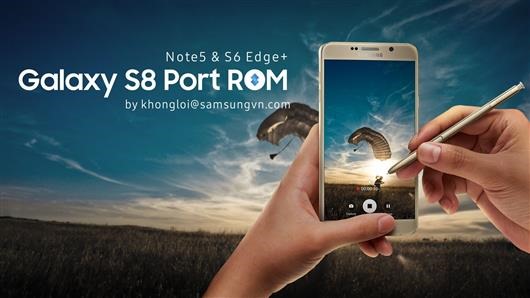
An XDA developer user has ported entire ROM of Samsung Galaxy S8+ to Note 5. Supported Note 5 models include N920T/W8, N920CIG, N920CD, N920SKL and N9208. Despite being a third party firmware, everything is working as expected. This is the latest Android Nougat firmware with all security patches. The developer has added in his own mods too that include:

* AOD brightness control (2 state)
* Show/hide Power Menu on Lockscreen
* Enable/Disable Safe Volume Notification
* Show/hide Keyboard Switching Notification Icon
* Battery options
* Some features include enable/disable fingerprint wakeup, persistent notification, notification reply directy on lockscreen
* more features will come later
* virtual button option

CSC/OMC collection has been updated and modded for XXV, ATT, TMB, INS, TEL, RWC, XID, KTC, ITV, PHN, DBT, PAK, TUR, BRI, XME, XEF, THL and BTU.

How to install the ROM:

Download ROM, Kernel, OMC-CSC
– Prepare yourself to not get lost of available aroma options.
– Know well your operator CSC/OMC code. Boot into Note 5 TWRP.
– Install ROM
– Install CSC/OMC and choose right one
– Then install Kernel (because aroma do not support file larger than 2GB).
– Full wipe required.
– If you see kernel is not seandroid enforcing, it is normal because I use new selinux stuffs. Nothing to worry.

Download Android 7 Nougat for Galaxy Note 10.1 N8000 N8013 2012

Download Android 7 Nougat for Galaxy Note 10.1 N8000 N8013 2012

Android 7 Nougat is available for the Samsung Galaxy Note 10.1 N8000 / N8013 2012 model. This is the latest version of android and it is great to see such old tablet running it just fine. This is brought to you by the Lineage OS team that designed it to increase performance and reliability over stock android. However, since the android 7 nougat is still in alpha stage, do not install it if you want a stable ROM.

So how to install this ROM on your tablet?

First make sure you have CWM recovery or N8000 TWRP installed on your Samsung Galaxy Note 10.1. Then, download the ROM from here and gapps; wipe everything; put the ROM on micro SD card and install the ROM. Make sure to flash gapps immediately after installing the ROM. Do not reboot before installing gapps.

So what is not working. The stock camera application isn’t working but if you install Google Camera from playstore, you should not have any problems. Cursor is by default shown when S-pen is in use. You can easily disable it by going into Settings > Inputs. Also, keyboard does not work: enable hardware keyboard in settings. SElinux is set to permissive.