Increase sound volume on Sony Xperia Z Ultra

Find the overall sound volume and audio clarity a bit low on on your Sony Xperia Z Ultra? Here are steps if you wish to do so. First change the value of mixed_paths as follows:

Handset Voice 94
Headphone Voice 93
Handset 93
Speaker 93
Headphones 93
Speaker and Headphones 94

Increase sound volume on Sony Xperia Z Ultra

Go to settings > apps > audio settings and clear the data. Also clear the data of walkman and now download the walkman app from here. Open the walkman app and you will find better sound volume and audio clarity. If you want to experience some bass, set the equalizer to:

400 to +3
1k to -3
2.5k to +2
6k to +6
16khz to +10
clear bass to +10

Which 2015 tablet is best for gaming?

Sometimes it is best to give a simple answer first and then to explain the reasons. The best 2015 tablet for gaming is the EVGA Tegra Note 7. It is the fastest seven inch tablet in the world, it has just about the best battery life of any tablet which means you can watch at least 10 hours of HD video between charges, and it has one of the most vivid displays out there. What’s more, and possibly the most astounding thing about this tablet, is that it costs just £140. At that price it is worth buying it even if your idea of gaming is playing a simple game like Candy Crush or Subway Surfers.

The 3DMark Ice Storm bench test on the Tegra Note 7 is an outstanding 16,000 which is the highest of any tablet currently on the market; the higher the 3DMark the faster the CPU and GPU and subsequently the better the gaming performance. By comparison the DMark of the Apple iPad mini with retina display is 14,300 and the DMark of the Apple iPad Air is 14,800. This means even if you are into heavy duty stuff is using your tablet with a projector, you can count of The Tegra Note 7 tablet. These days a lot of people have started using the tablet with a projector. There is no need to carry a laptop if all you are planning to do is project content on to a wall using a projector http://www.gearbest.com/projector/pp_3254.html. There are many different kinds of projectors – some are small and very portable. While others are big and massive and are really not very portable. You can go here for more products. When you consider that the current retail prices on these are £319 and £479 respectively, you can see that there really isn’t any other choice for a gaming tablet than the Tegra Note 7.

1383758469400-P-1254801

The Asus Transformer Pad TF701T is the second best Android tablet http://www.gearbest.com/ for gaming with a 3DMark of around 14,100 and both the Samsung galaxy Note 10.1 clocks in at 13,77. The Google Nexus 7, which is undoubtedly a great all-round tablet at a reasonable price and has a 3DMark of just 10,500. If you are curious how these bench tests compare to dedicated gaming consoles or PC’s, the 3DMark of the Alienware M17 is 60,000; four times that of the Tegra. If you want to check how fast your current device is, you can download the 3DMark Ice Storm app and check for yourself.

Moto E: Youtube not working on custom ROMs like CM12

If you are failed to play Youtube video or something like that on your Motorola Moto E while running CM12 or any other custom ROM, we might have a solution. This however will not solve the green pixel problem as it is a kernel issue.

Youtube not working on custom ROMs like CM12

To fix it, all you have to do is install this APK on your Moto E and make sure that you have allowed your phone to allowing unauthorized APK installations. Install this APK and make sure you never update it as otherwise the YouTube will again stop working. If that doesn’t work for you, try this alternative method:
* Remove YouTube.apk from /system/app (if there is any)
* Uninstall YouTube if it’s still on the drawer
* Push my APK into /system/app (be careful with permissions / ownership)

Huawei MediaPad 10 T1 specifications, on sale soon

Huawei MediaPad 10 T1 is going to hit the retail shelves soon. The tablet made its appearance on the Global Certification Forum recently which leaked some of its specs too. Huawei MediaPad 10 T1 specifications include 64-bit Qualcomm Snapragon 410 processor that is based on quad-core ARM Cortex-A53 architecture, integrated Adreno 306 graphics chip and 1GB of RAM. 

Huawei MediaPad 10 T1 specifications

Huawei MediaPad 10 T1 specifications

You also get 9.6 inch display with a resolution of 1280 x 800 pixels, 5-megapixel main camera, 2-megapixel front camera for doing video calls, 16GB of internal storage, micro SD card reader that supports cards up to 64 GB cards, battery capacity of 4800 mAh, Bluetooth 4.0, wireless LAN IEEE 802.11 b / g / n (2.4GHz) and 4G LTE cat 4 radio that supports data download speeds of up to 150 Mbps.

Nexo Kiddo+, a cheap kids tablets that is very capable too

Nexo Kiddo+ is a tablet that is meant for kids but its power, we feel an adult should not have any problem using it. Technical specifications of the Nexo Kiddo+ are adequate for browsing youtube videos, browsing internet and so on. Since the Nexo Kiddo+ features an IPS screen which is extremely rare in tablets meant for children, you and your child is able to enjoy optimum color reproduction and wide viewing angles.

Nexo Kiddo review

Nexo Kiddo+ specifications include quad core Rockchip RK3126 processor clocked at 1.2 GHz speed accompanied by one gigabyte of DDR3 RAM. For storage the user gets eight gigabytes of flash storage expandable using a microSD card reader.

Nexo Kiddo reviews

The Nexo Kiddo+ runs Android 4.4 kitkat operating system. Other Nexo Kiddo+ specifications include 7 inch display packing 1024 x 600 resolution.There is 2 mega pixel camera on the back and another 0.3 MP camera on the front. Since it runs Android, you get nifty features like USB OTG support that gives users the ability to connect input devices and storage media. It weighs 260 grams and measures 159.5 x 130.5 x 15 mm.

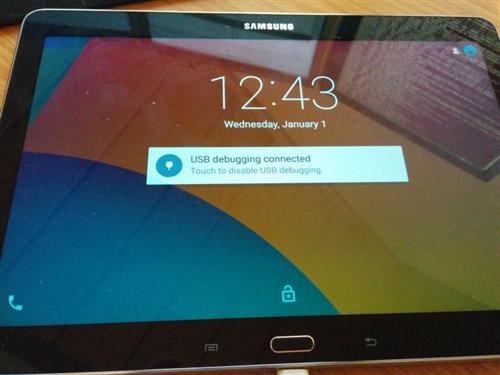
Download Android 5 lollipop for Galaxy Note 10.1 2014 LTE version

Samsung may take a while to release Android 5 Lollipop for the Galaxy Note 10.1 2014 LTE version but the folks at XDA have released a ROM that brings all the lollipop features and build to it. To install it, you must have TWRP on Note 10.1 2014 and then reboot into recovery. Go into wipe menu. Select "Advanced Wipe". Check Dalvik Cache, System, Cache and Data.

Download Android 5 lollipop for Galaxy Note 10.1 2014 LTE

Then go into install Flash aosp-2015XXXX-lt03lte.zip, followed by GAPPS.zip and then SuperSU.zip to get root. Reboot and copy SuperSu and Gapps zip to /sdcard/OpenDelta/FlashAfterUpdate so that they are automatically applied after OTA update. In case Internal Storage not shown, type the following commands in AWB:

su
restorecon -FR /data/media/0

If you are looking for plain touch wiz free experience, then we suggest trying the Cyananogen Mod 12.1 on Note 10.1 2014 which is also great for general use.

CM12 for Moto E 2015 available for download

Latest version of Cyanogen Mod a k a CM12 is now available for download courtesy of XDA. Of course to flash the cyanogenmod for Moto E 2015, you will need its custom recovery. We recommend TWRP for Moto E 2015 which is more user friendly.

cyanogenmod 12 moto e 2015 download

Here is what is working out of box:

* GPU accelerated graphics
* Camera preview (but not picture taking)
* WiFi
* RIL
* QSEECOM keystore
* GPS
* Accelerometer (and auto-rotation)
* Adaptive brightness
* Audio
* Media codecs
* Camera

The only thing that can give you some problems is wifi which is a bit slow in detecting networks and then connecting to them. You can download it from here. To flash it onto your Moto E 2015, simply put it onto the micro SD card slot or internal storage. Boot into TWRP and flash it from there.

Download Moto E Android 5.1.1 update

A new firmware has emerged on xda developers that allows Motorola Moto R users to download Lollipop android 5.1.1 update on their devices. This ROM is known as Flex OS and it boats amazingly utilities like flex control, animation control and myriad other tweaking apps to help you get the most of your device. Make sure you have Moto E custom recovery pre installed as only then you can install a custom firmware.

Download Moto E Android 5.1.1 update

Here is its feature list:

* FlexControl – All the tweaks and features at one place
* Animation Control – Toast animations, Listview animations and system transitions.
* HeadsUp Customizations just like Cm11
* Slim DSLV
* Navigation Bar Tweaks – On/Off Toggle, Dimensions
* Navigation Buttons Tint
* Slim Advanced IME Features
* Statusbar Network Speed Meter
* Screen Sound Enable/Disable Toggle
* Camera Switch Sound Enable/Disable Toggle
* OmniSwitch – Use omniswitch alongside stock android recent apps or use it as primary.
* Recents FAB Button – Positions (Top left, Top right, Top center, Bottom left, Bottom right, Bottom center)
* LCD Density Adjuster
* Volume Steps
* Hide superuser icon in statusbar
* Double tap to sleep on navigation bar and status bar
* Instant reboot from power menu
* App Circle Sidebar
* Captive Portal – If disabled, a connection to google servers is not required in order to detect data connection.
* CyanogenMod Theme Engine
* Statusbar Clock Customization
* Volume Steps
* Inbuilt File Manager from OmniROM
* Quick pulldown
* More Material
* Battery icon customization

To flash it, first download the ROM and place it in your internal / external SD card. Then boot into recovery and wipe system, cache, data. Make sure you make a backup to avoid hassle. Then flash Flex OS ROM Package and then gapps.

Huawei MediaPad M2 specifications, Powerful and stylish

Huawei MediaPad M2 is the latest masterpiece from Chinese manufacturer and its launch was quite unexpected. It is successor to the MediaPad M1 and will be made available in the month of June of this year at a suggested retail price fixed at 279 euros. Before we reveal Huawei MediaPad M2 specifications, I would like to add that Huawei will also be offering a tablet with built in 4G LTE and this model will cost you 349 euro.

Huawei MediaPad M2 review

Huawei MediaPad M2 specifications detailed

Huawei MediaPad M2 has 8 inch LTPS display with WYXGA resolution (1920 x 1200 pixels). On the communication front, you get LTE cat 4 radio providing download speeds of up to 150 Mbps, dual band wireless LAN, Bluetooth 4.0 and NFC module. Its battery has capacity of 4800 mAh.

Huawei MediaPad M2 reviews

On the rear of Huawei MediaPad M2, you will find an 8 megapixel camera with LED flash and 2MP front camera for taking selfies and doing video calls. It has thickness of about 7.8 millimeters and weighs 310 grams. Chassis is made of aluminum.

Huawei MediaPad M2 review list

It runs Android 5 lollipop with EMUI 3.0 layer on top.