Samsung Galaxy Alpha Specifications, brings metal frame to lineup

After myriad rumors and leaks Samsung has finally announced the Galaxy Alpha. Sammy wants to make a style statement with their new phone as it is the company’s first model to feature a metal frame with a soft back cover.

We also have the specifications of Galaxy Alpha and they certainly do look pretty damn good.

You get an octa core Exynos 1.8GHz or a quad core Snapdragon 2.5GHz processor, 2 gigabytes of onboard memory, 32 giga bytes of flash storage, twelve megapixel rear camera and a 2.1 MP front facing camera for shooting selfies.

You also get NFC, Bluetooth 4.0 and 802.11n Wi-Fi. The only drawback we see is lack of expandable storage which has is a common feature on Samsung Android phones.
Galaxy Note 4 Launch Date and Event details

Samsung is planning to do launch event for the Galaxy Note 4 on September 3 in Berlin just ahead of IFA event.

This was confirmed by our friends at Korea Times who also spilled its specifications.

* 5.7 inch display with 2,560 x 1,440 pixels
* Qualcomm Snapdragon 805 or Samsung Exynos 5433
* 3 GB RAM
* 16 megapixel shooter

From the size it is surely going be a big device but then we have already had monstrous devices last year, Lumia 1520 for instance.

galaxynote4

Samsung has already sent invitations to the bloggers and have asked them to book appointment for it.

Motorola Moto G2 Specifications leaked

Motorola is all set to release Moto G2 to the public and we have its specifications ahead of its release.

Motorola Moto G2 specifications

    * 720p display (4.7-inch?)
    * Qualcomm Snapdragon 400 Quad Core
    * 1 gigabyte of RAM
    * 8 gigabytes of internal storage
    * 8 megapixel rear camera
    * Dual SIM functionality

    We expect the price of Moto G2 to be below 150 euros, just like the original Moto G. Folks at Mallandaonoandroid have published its first pictures.

    Motorola Moto G2

    The only think not to like about it is the fact it comes with meager 8GB internal flash storage which might bother a few especially when you consider the fact that there is no mention of micro SD card slot.

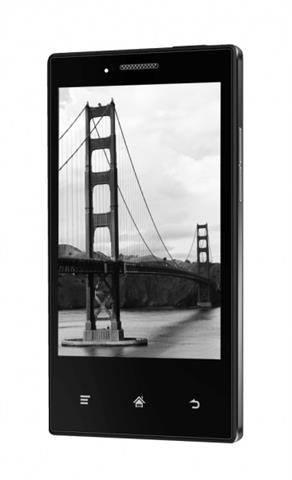
    Onyx Midia e43 Inkphone cannot make phone calls

    Imagine you bought a phone for yourself only to find out later on that you cannot make or receive phone calls on it. You would be very furious right?

    Well the people who bought the Onyx Midia e43 Inkphone are complaining that they are able tunable to make or receive calls. Some are not even able to do web surfing on it.

    The phone only attaches to network and allows to perform *xxxxx# type ussd operation.

    The Onyx Midia phone runs on a 4.3 inch E-ink display, 512MB RAM, 4 gigabytes of internal flash storage and Android 2.3.

    It is on sale for 149 euros from Onyx which is a Polish online retailer. The phone went for up sale in June last year and immediately went out of stock.

    Onyx Midia e43 Inkphone

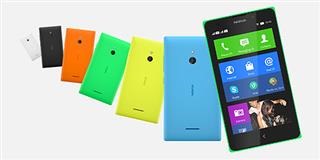
    Download and Flash Nokia XL X Stock ROM from Nokia Care Suite

    This is a tutorial for those who want to bring back their Nokia XL and X to stock firmware.

    File needs to be unpacked with 7zip to C:\ProgramData\Nokia\Packages\Products\RM-*your product* (either RM1030 or RM980). Then flashed via Nokia Care Suite.

    Nokia XL
    Product Code: 059V6S3
    Variant: RM1030
    Version: 1.1.2.2
    Download from Google Drive 454MB

    Download and Flash Nokia XL X Stock ROM from Nokia Care Suite

    Nokia X
    Product Code : 059T984 (NDT EURO RU )
    Variant : RM980
    Version 1.1.2.2
    Download from Google Drive 400MB

    Keep in mind that it will erase everything stored on your device. However this is great for those who have installed and flashed different firmwares on their device but now want to go back to stock.

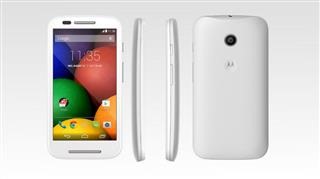
    How to take screenshot on Motorola Moto E

    Moto E is the first smartphone for many of us and most of them do not know how to take a screen grab / screenshot. Screenshots are great for saving or sharing a screen with someone.

    So here is a little tutorial on how to do it. Just hold the power button and volume down key for a second. That is it – you have successfully taken a screenshot on your Motorola Moto E. The image will be saved on your device.

    How to take screenshot on Motorola Moto E

    If it does not work for you, you need to ensure that you press both buttons at the same time and keep them pressed for a second or so until you hear a shutter sound.