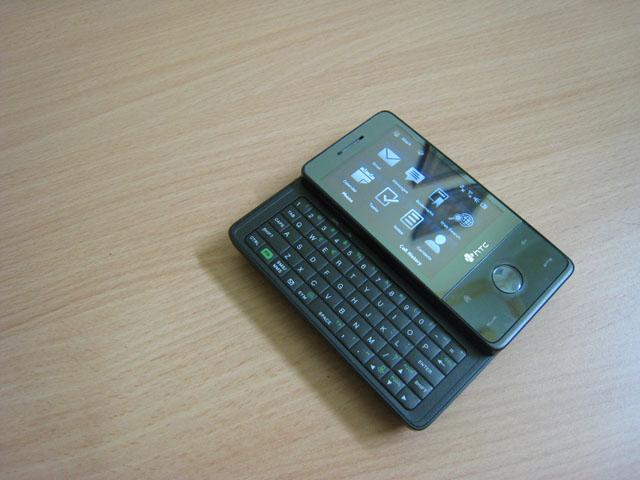
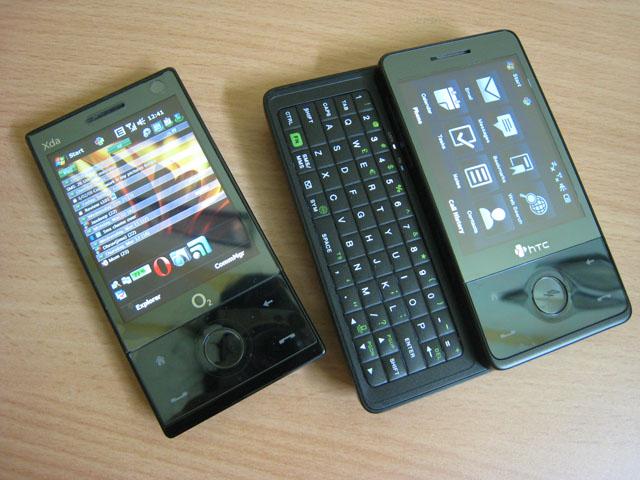
The HTC TOUCH PRO was launched by the HTC last year. Following the immense success of the HTC TYTN II, HTC came out with another groundbreaking device. This time, the scene was little different. The HTC TOUCH PRO is built on the design of the sweet and sexy HTC DIAMOND. The DIAMOND was without the keyboard and to make the proper successor of the HTC TYTN II, it needed to have a keyboard built-in. So, here we have, the HTC TOUCH PRO

Design
As mentioned above, the HTC TOUCH PRO is built along the design of the HTC TOUCH DIAMOND. No doubt, they both look very similar from the front side.

From the front, the TOUCH PRO looks exactly like the TOUCH DIAMOND except for the fact that it has curves along the sides.
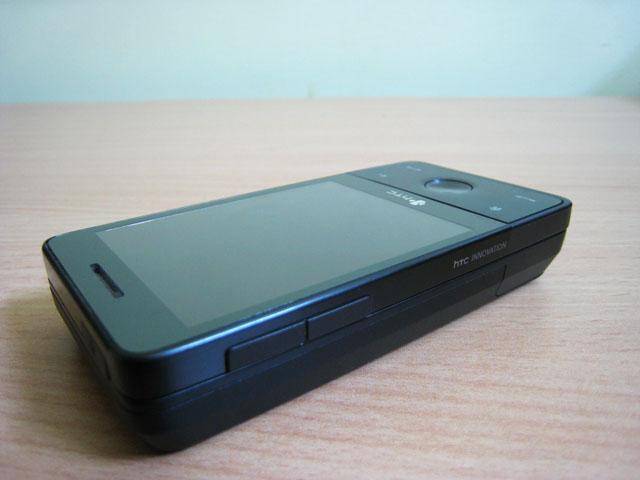
On the left side of the device, you will find the familiar volume buttons.

The right side of the device is completely naked. As it must have been clear by now, the HTC wanted to keep the device as minimalistic as possible. However, a camera button the right side of the device would have been appreciated.
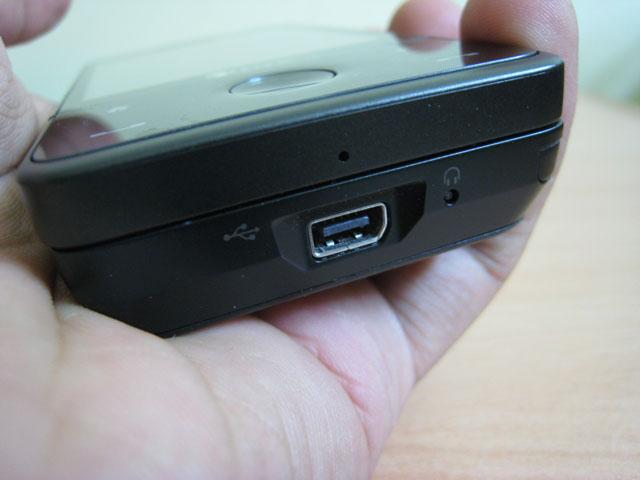
On the bottom of the device, you will find the HTC’s mini-USB hub which is used for both charging the device and for plugging in the headphones. Another nice improvement over the HTC DIAMOND is the placement of the soft reset button which is placed on the bottom of the device rather than the putting it beneath the cover, which was quite annoying as you had to remove the cover everytime you had to do soft reset the device.

Thickness of the device is considerably larger than the very slim HTC DIAMOND. The reason behind this is the incorporation of the keyboard, which we will covered in the next part.
Keyboard
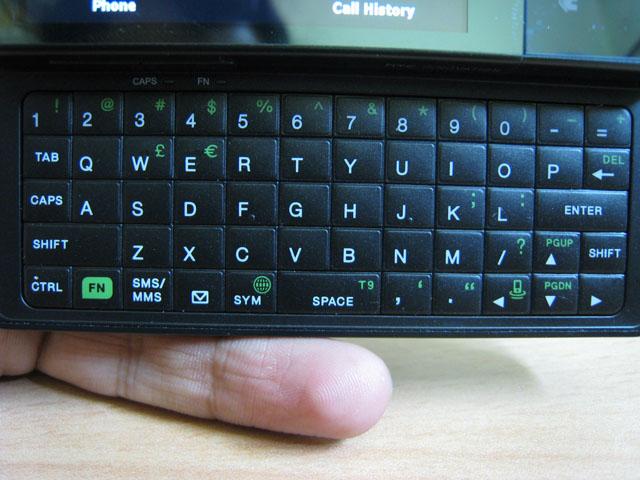
The HTC TOUCH PRO comes with a very usable keyboard. The placement of the buttons is very well defined and they give the user good tactile feedback. Although, you need to make sure that your nails have been properly cut. Otherwise, you will have a hard time pressing the right key

Camera
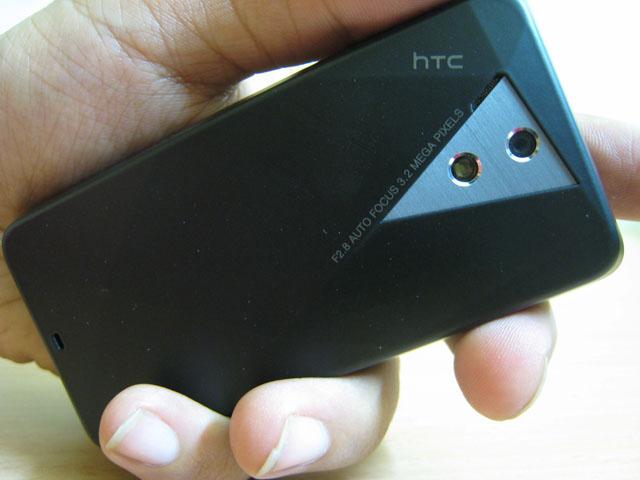
The HTC TOUCH PRO features an auto-focus 3.2MP camera. The camera is exactly the same as the TOUCH DIAMOND except for the fact that it has a small flash light too. We found it to be pretty weak.

Here is how the auto-focus works. As-soon-as you gently place you finger over the round-DPAD, it start doing auto-focus. When the auto-focus is done, simply press the D-PAD button to capture the picture. Please note that the TOUCH PRO’s camera also captures video at QVGA resolution.
Storage
The TOUCH PRO comes with a generous 288MB of RAM and 512MNB of ROM. Out of that you get 110MB free RAM and 232MB of free storage memory. This means that you will probably never run out of RAM. To expand the storage, it comes with a micro-SD slot that has full support for SDHC cards. This means that you can easily pop-in a micro-SD card upto 32GB in theory. The 16GB micro-SD card have already started to hit the market and can be found for pretty reasonable prices on some online stores.
The micro-SD card is located behind the back panel. So, every time you need to change it, you will have to remove the back panel. So, make sure that you get the biggest one that you can find (and afford).
Phone
The phone picked up strong signals and we faced no problems in using the device even in low signal areas too.
Battery Life
The Touch Pro comes with a 1350mAh battery. Fortunately, the HTC did not go for the 900mAh battery which they used in Diamond. Even then, let’s keep in mind that the TOUCH PRO comes with a VGA display; a zippy processor and tons of connectivity options. If you use the WiFi, it would drain the device within 2-3 hours. So, it is recommended to keep it off when not in use. Overall, with moderate use, you should be able to get a full day of battery life.
Software
The TOUCH PRO uses Windows Mobile 6.1. But, that is not the highlight. HTC introduced the TOUCH FLO 3D, which makes interacting with the device much simpler than before. Now, even if you’ve never used Windows Mobile, you will face (almost) no problems in using the device.
To learn more about the TOUCH FLO 3D, see the software part of review of HTC FUZE.
Conclusion
I’m glad that HTC understood that there are people who require a hardware keyboard to type upon rather than completely relaying on soft keyboard completely. Couple that with powerful processor, VGA display and TV-capability, HTC has got a winner in their hands.
VISIT HTC TOUCH PRO official webpage
Specifications:
| Processor |
Qualcomm® MSM7201A™ 528 MHz |
| Operating System |
Windows Mobile® 6.1 Professional |
| Memory |
ROM: 512 MB
RAM: 288MB |
| Dimensions |
102 mm (L) X 51 mm (W) X 18.05 mm (T) |
| Weight |
165 g (with battery) |
| Display |
2.8-inch TFT-LCD flat touch-sensitive screen with VGA resolution |
| Network |
HSPA/WCDMA:
Quad-band GSM/GPRS/EDGE:
(Band frequency and data speed are operator dependent.)
|
| Device Control |
TouchFLO™ 3D
Touch-sensitive navigation control |
| Keyboard |
Slide-out 5-row QWERTY keyboard |
| GPS |
Internal GPS antenna |
| Connectivity |
Bluetooth® 2.0 with EDR
Wi-Fi®: IEEE 802.11 b/g
HTC ExtUSB™ (11-pin mini-USB 2.0, audio jack, and TV Out* in one) |
| Camera |
Main camera: 3.2 megapixel color camera with auto focus and flash light
Second camera: VGA CMOS color camera |
| Audio |
Built-in microphone, speaker and FM radio with RDS |


 Although you are not going to see the first Windows Mobile 6.5 devices from HP any soon, but HP has made it clear that it has always supported Windows Mobile and will continue to support it in the future too.