Download Candy Crush For Windows Phone

Candy Crush is available for Android and iOS devices but it is also available for windows phone platform. Not officially though as the company decided to not to release an official WP app. This opened doors for other developers to create one for the Microsoft platform and there does exists one on the store.

candy crush windows phone

Candy Village is Windows Phone clone of Candy Crush and is free to download

It goes by the name of Candy Village and it is an exact clone of original game. The gameplay is same as its Android and iOS counter parts.

The best part is that it is free to download and reviews are great. The game is super addicting once you get the hang of it. The game is navigable without spending cash and it is great fun. Later stages are somewhat difficult and require a bit of strategy to clear.

Download Files More Than 20 MB On 3G 4G on Windows Phone

As most of us know, Microsoft has made a limit on the size of downloadable files over 3G or 4G radio. This limit is 20 mega bytes. This tutorial will show you how to bypass that limit. First here are the pre requisites that you need to have on your Windows Phone.

Download Files More Than 20 MB On 3G 4G on Windows Phone1. A WP device with micro SD card slot.
2. Download and install Pocket File Manager from here.
3. Direct links of files you wan to download. If you want to download XAP files, you will need to suffix /xap?apptype=regular
4. Now fire up Pocket File Manager and select “downloads” from the menu. Tap on the plus sign and paste the download URL. Tap and hold finger on the file and from the context menu select copy or cut. Now, paste copied file to the sd card location.
5. Exit Pocket File Manager and restart device. After that, run market store and tap SD card. The XAP file you downloaded should be there. Select it.

You can find the screenshots of it on our flickr account here.

Download and Install Windows Phone 8.1 Emulator SDK

This tutorial will teach you how to download and install latest Microsoft Windows Phone 8.1 SDK on your computer. You will also get a working emulator that will allow you to play around with the latest Windows Phone 8.1 features.

1. First download the SDK ISO from here.
2. Then get the Visual Studio 2013 express and make sure to install the English version as others would not work.
3. Then extract VS 2013 ISO and install it. If you are using windows 8, you can simple mount it by right clicking. Make sure to install the setup by using administrator privileges.
4. Grab a coffee as installation will take about 30 minutes.
5. Start cmd as administrator and run
cd C:\Program Files (x86)\Microsoft XDE\8.1
6. Then type the following

XDE.exe -vhd “C:\Program Files (x86)\Microsoft SDKs\Windows Phone\v8.1\Emulation\Images\Flash.vhd”

7. The first boot will take around 10 minutes. Also the emulator is working. To play around with the emulator, you can create a shortcut. The default location is

C:\Program Files (x86)\Microsoft XDE\8.1\XDE.exe” -vhd “C:\Program Files (x86)\Microsoft SDKs\Windows Phone\v8.1\Emulation\Images\Flash.vhd”

Download and Install Windows Phone 8.1 Emulator SDK

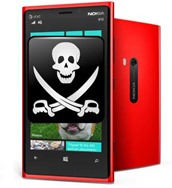
Pirated Apps Finally Make Their Appearance in Windows Phone Marketplace

Looks like Microsoft application marketplace people are not paying enough attention because myriad pirated application have made their appearance in the Windows Phone Marketplace. Here is the list of few applications along with links to stolen apps.

windows-phone-piracy[1] Original App Name: ConnectMe, Publisher: CRTVAPPS

Link to original app

Stolen App Name: Remote Pc pro, Publisher akishah786

Link to stolen app

[2] Original App Name: Flash Videos, Publisher Atef Shehata

Link to original app

Stolen App Name: Flash Videos pro, Publisher akishah786

Link to stolen app

[3] Original App Name: IM+, Publisher: SHAPE GmbH

Link to original app

Stolen App Name: All in one messenger, Publisher akishah786

Link to stolen app

[4] Original App Name: Tube Download, Publisher: Lovo Apps

Link to original app

Stolen App Name: Video Downloader pro, Publisher akishah786

Link to stolen app

This will cause a panic among the WP developers or to those who are planning to make a great app for windows phone devices. We suggest users to take note of this and contact the original app publisher to get the illegal app down as soon as possible.

A commenter on reddit says,

They are downloading and illegally modifying the XAP.

It has been said by many the reason why developers love windows phone is there is no piracy in its app store. This will definitely cause a panic among the developers.

Lumia 1520 in Green and Cyan Spotted

Right now, the Nokia Lumia 1520 is being offered in red, black, white and yellow colors but we have spotted two more colors on the company’s official Facebook page – green and cyan.

green cyan lumia 1520

The Facebook page does not unveils any information about its availability, but we we are pretty sure there would be quite a lot of takers for the Cyan color as it got very popular back when Lumia 800 was launched.

Specs of Lumia 1520 include a full HD 6 inch display, quad core Snapdragon 800 processor, 2 gigabytes of RAM, 32GB flash storage backed by micro SD card slot and a 20 mega pixel pure view camera.