The famous N270 Intel Atom processor, which is clocked at 1.6GHz is still selling like hot cakes and the netbook and nettop manufactures are still going in for the N270 processor instead of 1.86GHz processor. Ever wondered why? The reason is simple: COST. The Z540, Intel’s 1.86GHz processor costs more than twice of what N270 retails at.
The Z540 costs $135, whereas the N270 costs just $44. Clearly, OEM simply won’t want to use a processor that costs nearly $100 more than the tried-and-tested N270 processor. Intel needs to keep the costs low for the Atom processor range so that more netbook manufactures embrace the Z540 processor. After all, overall price matters a lot in the netbook field. Also, $100 price difference is huge gap when we are talking about netbooks
On the brighter side, Microsoft won’t charge a penny from the developers in the year 2009. For $99 for each application submission? Looks like we are not going to see any iFart application for Windows Mobile.
Here is Microsoft’s press release:
Microsoft Corp. announced new details about how developers can build and sell applications for Windows phones through Windows Marketplace for Mobile, the recently announced application marketplace available with the Windows Mobile 6.5 operating system. In its commitment to helping developers create new and exciting applications, Microsoft will provide developers with 70 percent of the sales revenue of their applications from Windows Marketplace for Mobile, transparency throughout the certification process, and guidance and support from the stage of development to the final sale to the consumer. Developers can get the tools to begin developing for Windows phones at http://developer.windowsmobile.com.
“Microsoft’s decades-long relationship with developers has led to some of the most exciting innovations the industry has seen. We’ll continue our successful collaboration with developers through Windows Marketplace for Mobile, which will provide a broad reach to customers,” said Andy Lees, senior vice president of the Mobile Communications Business at Microsoft Corp. “With the new Windows Marketplace for Mobile and our great development tools, Windows phones represent an incredible opportunity for developers everywhere.”
$99 to be a part of Marketplace
$99 for each application submission
Revenue split: 70% for the developer
Developers who sell applications through Windows Marketplace for Mobile will receive 70 percent of the revenue from the sales of each application. In addition, they will be able to set the price for their applications in each market, maximizing their revenues based on targeted pricing strategies. Developers can also choose to distribute their applications at no cost. Up to five application submissions to Windows Marketplace for Mobile is included in the introductory annual registration fee of $99 (U.S.). Each additional submission within the annual period will cost $99 (U.S.). The registration fee is waived for student developers who want to reach Windows phones customers, through enrolment in the Microsoft DreamSpark program. With Windows Marketplace for Mobile available in 29 countries, developers will be able to tap into a broad international customer base. At the same time, Microsoft will continue working with developers to ensure that their applications run optimally on Windows® phones by running a rigorous certification and testing process before applications go to market. Developers will be able to see detailed feedback during and after the certification process of their application on the Windows Marketplace for Mobile developer portal. Ultimately this enables developers to devote more time to writing innovative applications, and less time trying to navigate the approval process. Developers will have access to all details once the registration doors open in the spring, and will be able to start submitting their applications later this summer. Developers can utilize familiar tools and technologies to build unique experiences for the Windows Mobile platform through Windows Marketplace for Mobile, including the Windows Mobile 6 SDK and .NET Compact Framework 3.5.
With more than 20,000 applications already in market, Windows Mobile is among the most popular platforms for developers. Windows Mobile 6.5, the next generation of the Windows Mobile operating system, will allow developers to build innovative mobile applications without having to learn new skills or programming languages, by leveraging familiar desktop and server development tools such as Win32, Active Template Library and Microsoft Foundation Classes (Visual C++), Visual C#, Visual Basic .NET, ASP.NET and asynchronous JavaScript and XML (AJAX).
Sascha from netbooknews.de found a netbook with no-name-so-far running Linpus Linux OS. It is based on Atom-platform and includes 3G radio for portability. The netbook is made by Quanta, a popular notebook maker, which has also made Windows Mobile phones for the O2 Asia (now MWG).
It is not an unknown fact that the Microsoft won’t be making an Windows OS having ARM processor support. XO-2, which is targeted to be launched after 18 months from now is likely going to have ARM processor instead of Intel Atom processor.
ARM processors consume much much less power than any power-frugal Intel Processor processor. But since the the ARM processors can run full blown version of Linux, who is complaining?
Looks like, folks at Lenovo are very busy working on a new netbook, which looks a lot like SONY VAIO P netbook. The screen seems to carry some extra wide resolution, which looks much wider than the VAIO P. Just like VAIO P, it supports a nice keyboard to type upon.
I just don’t understand the utility of the extra-wide screens possessed by the VAIO P and this Lenovo netbook. The main use of the netbooks is web-surfing and most of the websites are optimized for 1024 x 600(or 768) resolution. The extra resolution just results in blank space around the webpage.
No information about the specifications is known at this point.
ASUS is planning to merge the EEE PC and Notebook departments in order to increase the efficiency and decrease the management costs of the two departments. Although, ASUS has declined to comment on this claim.
Packard Bell ‘dot’ netbook was launched in September, 2008 and should have gone for sale by January, 2009, but sadly, that did not happen. Packard Bell’s spokesperson has confirmed that the ‘dot’ netbook has reached the end of its life. Instead Packard Bell will move on and will launch a new model in the future, which is likely going to be the Acer Aspire One AOD150.
For those who don’t know, Packard Bell ‘dot’ netbook is basically a rebranded version of an Acer Aspire One.
What would you get if ASUS EEE S101 and EEE 1000H go to bed? An EEE 1002HA! The EEE 1002HA share the many of the hardware specifications of the EEE 1000H and sleek and svelte looks of the admiring EEE S101. Are we happy with what we get? Read the review to find out!
Design
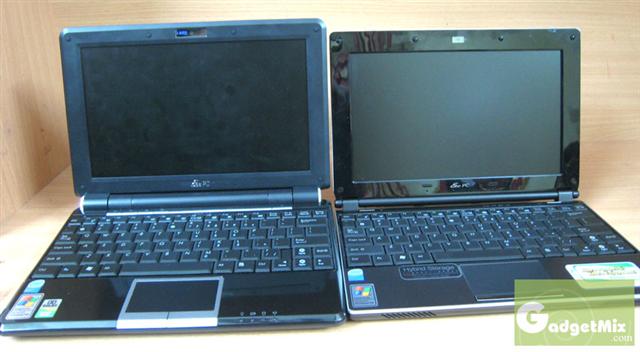
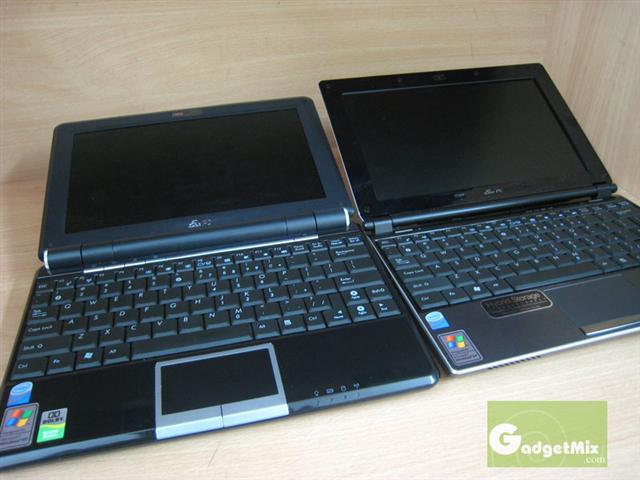
The EEE 1002HA looks very much like the S101. Infact, if you put both of them together, it would be very hard for someone to actually differentiate between of them unless you observe them closely. That said, we will cover the differences between S101 and 1002HA later this review.
The EEE 1002HA is made from brushed plastic which gives it a ‘expensive’ look as compared to other netbooks in the market. On the right, you will find a USB 2.0 port, microphone and earphone jack.
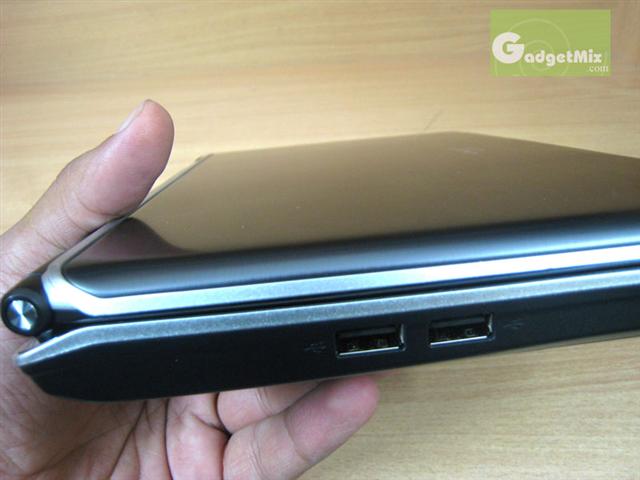
On the left, you will find two USB 2.0 ports.
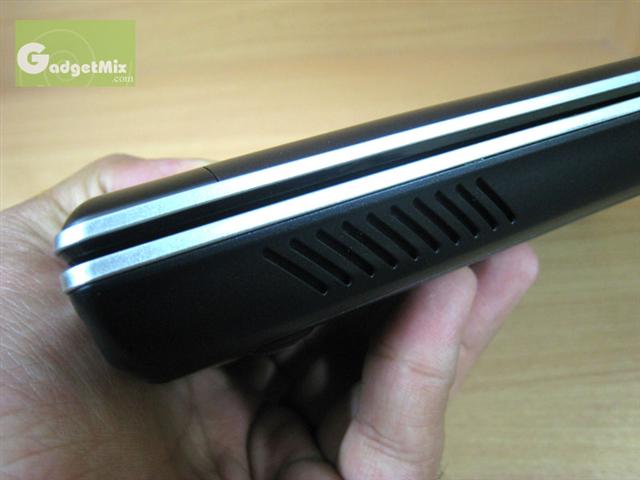
On the front of the device, you will find speaker grills.
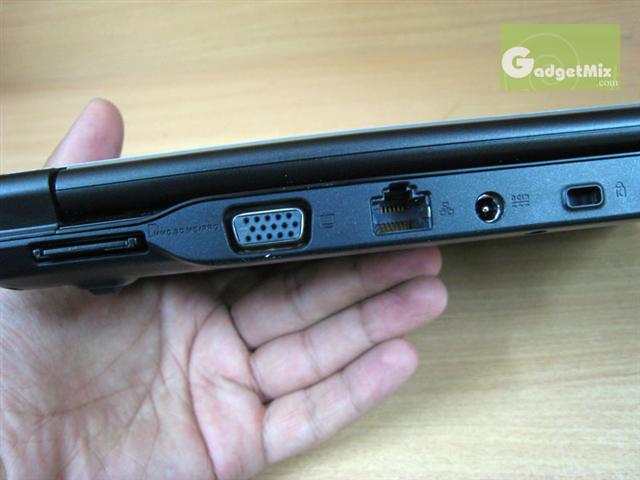
On the back of the device, you will find Kensington lock, power in, LAN port, VGA out port and multi-card reader.
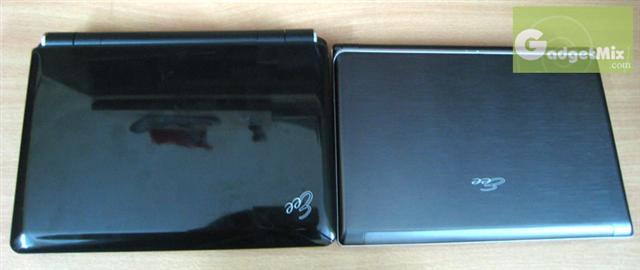
The cover holds two LEDs which show the charging status and power status. The power LED lights up when the EEE is on and blinks when the netbook is in standby mode. The charging LED is orange on AC power and green on battery power. The cover needs a special mention. It is glossy and looks very stylish and certainly makes it look different from the rest of the netbooks.
The pictures just do not do full justice to the looks of the 1002HA. It looks much more professional than the 1000H as it is not as curvy. Even the area around the trackpad gives you a feel of expensive device. Personally, I found it more attractive the S101.
I know, I know! I need to clean 1000H’s screen a little bit
Display
The display is 10-inch (not 10.2-inch) as compared to other EEEs. Does that make any difference? Well, I did not know about the fact the display in 1002HA is 0.2-inch smaller than the other 10+inch netbooks, until I saw the specification sheet.
So, how is the display? Display is adequately sharp and colorful. It has the usual netbook resolution (1024 x 600).The display is non-glossy just like other EEE PCs. Two microphones also sit just beneath the display.
Keyboard
The keyboard forms the most important aspect of any netbook. When it comes to any 10-inch+ netbooks, people expect great keyboards so that they are able to type-on long documents on-the-go. The keyboard in 1002HA is excellent. While typing, you don’t have to press the keys much. Infact, I had to use even less force as compared to my 1000H, which also has great keyboard.
Again, just like S101 and 1000H, it comes with a small right shift key. Although, this problem is rectified in the newer EEEs (like 1000HE), this so-called problem has never bothered me. I’m happy with the keys arrangement and can live with the small right shift key.
Trackpad
The trackpad is 100% identical to the one found in EEE S101. It is big and easy to use. I faced no problems using it. It supports the usual multi-touch gestures like two finger scroll, zoom-in and zoom-out functions. Unlike 1000H, which has separate left and right click buttons, it has a single bar just like old EEE 700-series.
Speakers
It has two speakers, both located on the front. They are not as strong as the ones found on the 1000H, but they do their job nicely. They are fine for skype and for casual listening to music that does not has too much of bass.
Memory
It comes with 160GB HDD and a gig of RAM. It also comes with 10GB of EEE storage (link)
Upgradability
Just like other HDD-based EEE PCs, ASUS has provided access to the HDD and RAM. Although, replacing the RAM is quite easy, but replacing the HDD can be a quite tricky. Here is the tutorial on how to swap HDD and RAM of the EEE 1002HA
Battery Life
The EEE 1002HA is equipped with 4200mAh lithium-polymer battery. The ASUS claims that it should provide around 5 hours of battery life. I do not think you are ever going to achieve those numbers, but since it is a lithium-polymer battery, its performance as compared to the standard lithium-ion battery is better (as expected). However, we were able to get a little more than 3 hours under heavy wifi use. Without wifi, you may be able to stretch those numbers to somewhere between 3-3.5 hours, but not more than that.
Also, since the battery is located beneath the unit, it would be very difficult for ASUS or for the third party companies to come up with extended battery. On the brighter side, the battery’s weight is not too much. So, it is more sensible to get another battery instead of waiting for some company to come up with extended battery.
Comparison with 1000H
Firstly, the screen of 1000H can be tilted way farther as compared to the 1002HA
Secondly, the 1002HA feels much smaller than 1000H. While the EEE 1000H feels a little bit on the bulky side, this is not the case with the EEE 1002HA. The reason is that the width of the 1000H is little bigger than the 1002HA. This is due to the fact that the battery is located beneath the hinge of the 1000H, whereas the battery of 1002HA is located on the bottom of the device.
How is it different from EEE S101?
The keys in S101 had a unique crystal coating. This type of coating is missing in 1002HA
The S101 is slimmer than the 1002HA. The reason is the use of SSD in S101 which is considerably slimmer than the regular laptop HDD found in 1002HA
How about some benchmarks?
First, CrystalDiskMark benchmark on the 1002HA:
Results of Crystaldiskmark on S101. S101’s SSD completely nails the HDD of 1002HA
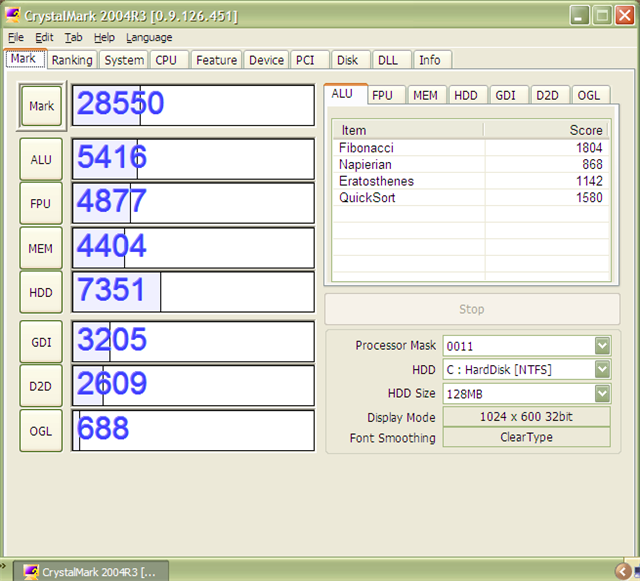
Now, here are the results of Crystalmark on 1002HA:
..and of S101’s. As you can see, the scores are nearly identical except in the HDD department.
Final Thoughts
The EEE 1002HA is a great machine which takes the all the positives of the EEE S101 and EEE 1000H. The ASUS took the challenge to produce a regular HDD-based EEE with the slim looks of S101. Are we happy with the final outcome? Yes! The 1002HA is great in performance and brings seriously professional looks. On the battery life front, it may not break and records, but with careful usage, you should easily get 3.5 hours+ of battery life.
Since the ASUS EEE 1002HA is a HDD based EEE PC, ASUS has given panels at the back of the unit to let the user upgrade them when required. However, upgrading the HDD is not that easy in 1002HA. I’ve written this tutorial to let the users easily upgrade the HDD and RAM.
First take the battery out. Now, first we will upgrade the RAM. Unscrew the screws of the RAM panel.
Carefully take the tape apart from the RAM module. Now, a little pull towards left will take the RAM module out. You will have to move the holders in opposite direction to take the RAM out. You can now slide in new RAM. Note that only upto 2GB RAM module is supported on the EEE 1002HA.
Now, lets us swap the HDD with new one.
Starting from the right edge, pull the HDD up.
You will find that the HDD is tied to a ribbon
Carefully, remove the connectors from the ribbon as shown in the following figure.
Now, you can swap it with a new 2.5-inch HDD. Just make sure you take off the rubber enclosure from the OEM HDD and put it on the new HDD. It will help it to reduce the impact of the bumps.
Note: you will have to go into BIOS first to make the unit recognize the newly installed RAM. To go into BIOS, keep pressing F2 as-soon-as the unit boots.