Download Galaxy S6 Lockscreen, UI, Calculator for Galaxy Note 3 Neo

Samsung Galaxy Note 3 Neo is a kin of Galaxy Note 3 and it packs more than enough power to run latest goodies that are packed in to the new Galaxy S6 such as Lockscreen, system user interface and calculator. To use this on your Samsung Galaxy Note 3 Neo, you will have to install the Note 4 Mini v10 ROM from here and then install this.

Download Galaxy S6 Lockscreen, UI, Calculator for Galaxy Note 3 Neo

And for doing that, you will have to root your Note 3 Neo and have TWRP custom recovery installed as well. After that, reboot into TWRP recovery on your Note 3 Neo by pressing and holding down power + volume up + home button and flash the zip file from there.

Download links are given below.

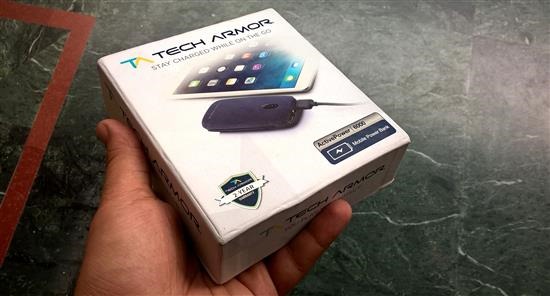
Tech Armor Active Power 6000 Review, Excellent Accessory for mobile and tablets

Mobile power banks have been around from quite some time but seldom do you find a quality mobile power bank that works reliably and packs adequate amount of charge. Also if it offers fast charging feature, that is even better. Today we are reviewing Tech Armor Active Power 6000 which ticks all of the requirements and more.

Tech Armor Active Power 6000 Review

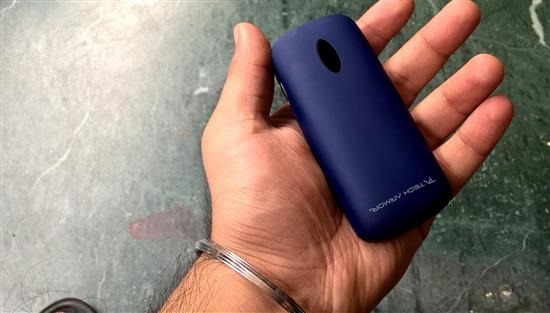
The body of Tech Armor Active Power 6000 is covered mostly with soft rubbery material that is great to touch. It is non-slippery and bears a matte finish. On the front of this mobile power bank, you’ll find two USB ports and a flashlight LED.

Tech Armor Active Power 6000 Review

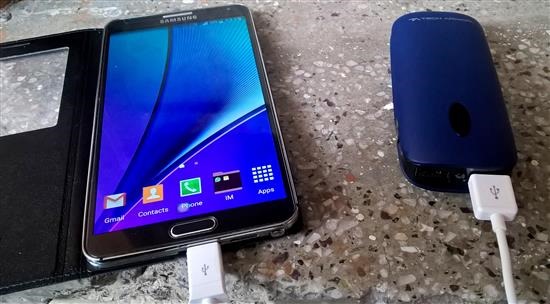
The two ports allows one to charge two devices at same time. One offers fast recharge feature that is offered by many phones and tablets. So I used the fast charging port to check if my Galaxy Note 3 was indeed charging at faster rate and yes, it was – I double checked it using a free app from play store which shows the charging speed.

On the right side, you’ll find a micro USB port which is used for charging the Tech Armor Active Power 6000 mobile power bank. You can use the included cable or any micro USB charger to top it up.

Tech Armor Active Power 6000 Review

On the left side is a power button which shows you the amount of juice remaining on the small LED present on top. It is handy as you can plan when to charge it.

Tech Armor Active Power 6000 Review

The Tech Armor Active Power 6000 has 6000mAh which means you can charge your Galaxy Note phone or any phone at least twice. If you a tablet user, you would still be able to charge it fully at least once.

Tech Armor Active Power 6000 is not very heavy. Infact, it is light enough to be carried around. Its manufacture offers whopping two years of warranty on it and it comes with excellent packaging. The customer support is excellent as it is an American company.

Tech Armor Active Power 6000 Review

Verdict – whether your phone has good battery life or not, you will want to have Tech Armor Active Power 6000 in your bag. It will top off your phone’s or tablet’s battery in no time and you’ll be able to work / play more on your devices.  Visit Techarmor.com for more information.

Shuttle DH170 Specs, comes with Intel Skylake and only 43 mm thick

Shuttle DH170 is a mini PC from popular German computer manufacture. Powered by the new Intel Skylake platform, it is only measures 43 mm in thickness, thus ideal to be placed in small spaces and even the VESA attachment of a monitor.

Shuttle DH170 Specs

Has said Tom Seiffert, head of marketing and public relations Shuttle,  “This type of box is ideal for all situations, including those where environmental or space are not the best conditions for a PC, but still needed have a team that provides good computing power.”

Shuttle-DH1701

Shuttle DH170 is barebones which means that the user must install the hard disk and RAM on your own. So you will not be able to use it straight out of the box. For processors, you get to choose between Intel Celeron, Pentium and Core i-series processor that go up to 65W TDP. It offers active cooling system with two built-in fans.

Shuttle-DH1702

The system supports configurations up to 16GB of DDR3L RAM and M.2 SSDs with PCI-Express interface of any capacity so that users could integrate a fairly powerful and fast inside this little device system. Shuttle DH170 incorporates Intel Gigabit network card with two RJ-45 inputs, four USB 3.0, four USB 2.0 and two Display Port outputs and a HDMI video. It also has two RS-232 ports to integrate relatively old industrial devices or those who still use this interface.

The recommended retail price for these new DH170 Shuttle is 224 euros and remember that you have to buy SSD and RAM memory separately.

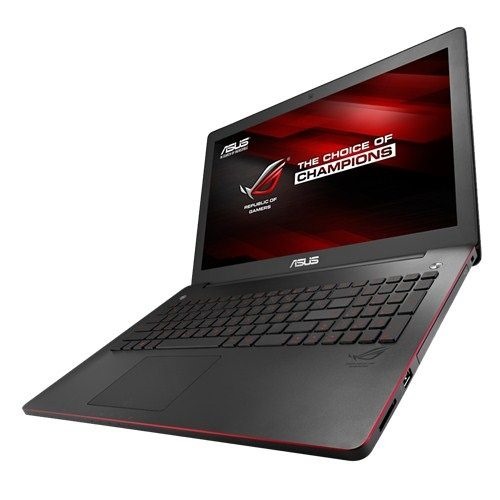
Why I still prefer my laptop for gaming

Gaming is excellent on android platform but is it as good as laptops? These days, tablets are one of the new devices to become popular. These are essentially smaller versions of computer measuring 7 inches or larger. They are much easier to transport which makes them ideal for use on the go. Many casual gamers prefer this type of device for gaming over smartphones and laptops.
Why I still prefer my laptop for gaming

By casual gamers, we mean the ones that would prefer playing angry birds, flappy bird or other simple games from miniclip. Real, hardcore gamers always prefer gaming on their desktops, laptops or gaming consoles like Xbox and Play station. Reason behind this is simple – any tablet or phone, including Samsung Galaxy Note devices is incapable of handling the load that a desktop game requires. While mobile processors have come a long way, they do not pack adequate power.

One the chief reason is heat dissipation. When one runs a game on their desktop, laptop or gaming console, a lot of heat is generated. Those devices come with advanced cooling systems that make use of liquid chemicals and powerful fans to keep the temperature as low as possible. The tablet and phone manufacture cannot even think of equipping their devices with fans or other technologies as they want to keep the device profile thin, something which is not a top priority in case of desktops and laptops – unless you have eyes set on those super-sleep ultrabooks, which are not meant for gaming.

Second reason is battery life. Heavy mobile gaming requires a lot of battery juice. Unless you’re a wall hugger who is charging his phone all day, it does not make sense to play heavy games on mobile device. Keep in mind that phone is a multi-function device and is good only for few minutes of simple, casual gaming. Otherwise, you will have a hard time squeezing a full day out of it.

One of the best gaming laptops are the ones from Acer and Asus. Alienware also used to be good, but their quality has gone downright spiral ever since the company was taken over by Dell. Any laptop or desktop in Acer Predator series and Asus ROG republic of gamer series is best gaming laptop under 50000 in India. Infact, it good enough to play modern games. If you are into consoles, then you can go with either Xbox One or PlayStation.

If you still prefer mobile gaming, then Samsung offers some amazing tablets. You can go for the latest Galaxy Note 10.1 2014 model or if you prefer iOS over Android, then iPad Air 2 is the obvious choice. Keep in mind that those two tablets pack 10 inch displays and if you prefer something compact, then it might be better to go for iPad Mini or Galaxy Tab S tablet. Both pack enough power to run the latest mobile games with ease. They both have brilliant battery life and you will easily be able to get more than a day of gaming.

Download Note 3 Neo Philz Recovery for installing new custom ROMs

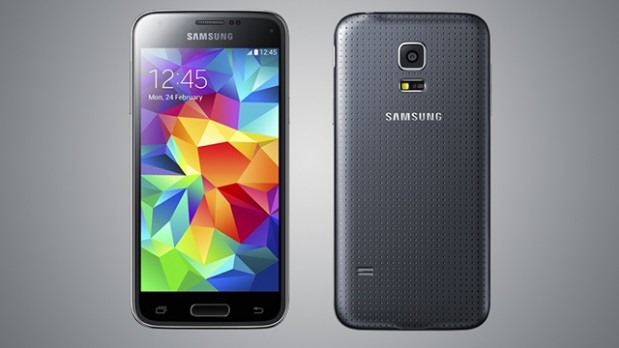
The Samsung Galaxy Note 3 Neo is yet to get Android 5 lollipop officially but you can get it via downloading custom ROMs from XDA developers. The only way at the time of this writing is by using Philz recovery for Note 3 Neo. This was developed as an alternative to CWM and TWRP custom recoveries for the Samsung Galaxy Note 3 Neo which you can download from here.

Download Samsung Galaxy Note 3 Neo Philz Recovery

Here are the installation instructions.

– Download and setup ADB drivers for your Note 3 Neo from here.
– Download the recovery from —> Link
– Download odin 3 Link
– Turn of your device and go to odin mode [ Vol down + power + home button (all at the same time) ] release it when you see Note Neo logo.

– Now that you are in odin mode connect your device via USB cable.
– Now open Odin3 3.09 that you have downloaded.
– If there is a pop-up like Installing ADB drivers let it get finished it is usually updates. Make sure you untick the auto reboot button.
– Click Start.

Light, Battery Friendly ROM for Samsung Galaxy Note 5

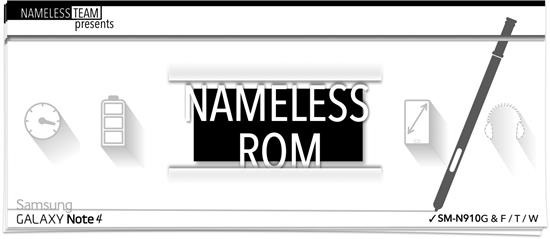
Nameless ROM is now available for the Note 5, thanks to amazing fellas at XDA developers. Nameless ROMs for popular for being super light and battery friendly. This ROM is deodexed, zipaligned, knox free, debloated and pre rooted.

Light, Battery Friendly ROM for Samsung Galaxy Note 5

Here are its list of features

* Init.d Support
* Busybox
* KNOX Free
* Debloated
* 300 Fonts
* 5 Way Reboot
* init.d support
* languages enabled
* All toggles unlocked
* No call End delay
* Data/App Support
* CSC Feature Tweaks
* Build.Prop Tweaks
* Enabled call button in Call log
* Enabled Call and Message block in Settings
* Enabled Scheduled SMS
* Enabled Multi User
* Removed sms from call log
* Add Unlimited Favorites Contacts
* Performance And Battery Enhancements

How to install it

Download ROM from here and save it on your desktop. Go to setting-about and unlock developer option.
and from there enable OEM unlock option
Reboot to download mode
Now you need custom kernel + recovery that is recovery by philz and kernel by Arter97
Recovery is to be flashed via ODIN and make sure to un-tick Auto reboot option
Flash the recovery and then reboot manually into recovery by volume up + home + power button

1. Reboot to recovery
2. wipe system/ dalvik /cache or philz option to wipe to flash new rom
3. Select Rom zip file
4. Once rom finishes to install (Do not reboot)
5. Flash the custom kernel
6. Wipe Cache/dalvik (optional)
7. Reboot