Download Note 3 Neo Philz Recovery for installing new custom ROMs

The Samsung Galaxy Note 3 Neo is yet to get Android 5 lollipop officially but you can get it via downloading custom ROMs from XDA developers. The only way at the time of this writing is by using Philz recovery for Note 3 Neo. This was developed as an alternative to CWM and TWRP custom recoveries for the Samsung Galaxy Note 3 Neo which you can download from here.

Download Samsung Galaxy Note 3 Neo Philz Recovery

Here are the installation instructions.

– Download and setup ADB drivers for your Note 3 Neo from here.
– Download the recovery from —> Link
– Download odin 3 Link
– Turn of your device and go to odin mode [ Vol down + power + home button (all at the same time) ] release it when you see Note Neo logo.

– Now that you are in odin mode connect your device via USB cable.
– Now open Odin3 3.09 that you have downloaded.
– If there is a pop-up like Installing ADB drivers let it get finished it is usually updates. Make sure you untick the auto reboot button.
– Click Start.

Light, Battery Friendly ROM for Samsung Galaxy Note 5

Nameless ROM is now available for the Note 5, thanks to amazing fellas at XDA developers. Nameless ROMs for popular for being super light and battery friendly. This ROM is deodexed, zipaligned, knox free, debloated and pre rooted.

Light, Battery Friendly ROM for Samsung Galaxy Note 5

Here are its list of features

* Init.d Support
* Busybox
* KNOX Free
* Debloated
* 300 Fonts
* 5 Way Reboot
* init.d support
* languages enabled
* All toggles unlocked
* No call End delay
* Data/App Support
* CSC Feature Tweaks
* Build.Prop Tweaks
* Enabled call button in Call log
* Enabled Call and Message block in Settings
* Enabled Scheduled SMS
* Enabled Multi User
* Removed sms from call log
* Add Unlimited Favorites Contacts
* Performance And Battery Enhancements

How to install it

Download ROM from here and save it on your desktop. Go to setting-about and unlock developer option.
and from there enable OEM unlock option
Reboot to download mode
Now you need custom kernel + recovery that is recovery by philz and kernel by Arter97
Recovery is to be flashed via ODIN and make sure to un-tick Auto reboot option
Flash the recovery and then reboot manually into recovery by volume up + home + power button

1. Reboot to recovery
2. wipe system/ dalvik /cache or philz option to wipe to flash new rom
3. Select Rom zip file
4. Once rom finishes to install (Do not reboot)
5. Flash the custom kernel
6. Wipe Cache/dalvik (optional)
7. Reboot

Download Philz for Galaxy note 5 and Arter97 Custom Kernel

Both Philz custom recovery and Arter97 custom kernel are now available for download. Supported models include SM-N920C, SM-N920I, SM-N920G, SM-N920S, SM-N920K, SM-N920L, SM-N920T and SM-N920W8.

Download Philz for Galaxy note 5

It is highly recommended that you use Philz Note 5 recovery with this Arter97 kernel. Also do not use TWRP for Note 5 with this ROM as it might lead to myriad errors. Installation instructions are given below.

1. Download kernel from here and put the downloaded kernel on your internal storage. You will find Philz touch custom recovery for Note 5 as well in the same folder.
2. Enter CWM (or PhilZ) recovery by pressing and holding volume up and power button at the same time.
3. Flash kernel and reboot. That is it, you now have Philz custom recovery on your Samsung Galaxy Note 5.

The Arter97 kernel is required by plethora of custom ROMs that add some extra functionality. Interestingly SM-N920T and SM-N920W8 use the same kernel.

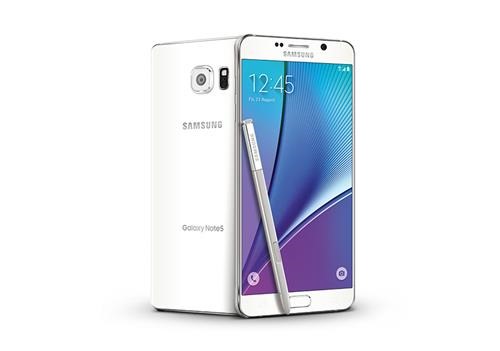
Download Stock ROM for SM N920C N920I N920G N920S N920L N920K N920T N920P N920R4 N920W8 SM-N9200

If you have done lot of modifications on the Samsung Galaxy Note 5, you might want to start afresh and the best way to do that is by flashing the stock ROM on to.
Download Stock ROM for SM N920C N920I N920G N920S N920L N920K N920T N920P N920R4 N920W8 SM-N9200

What we have with are PAC firmware which includes 4-5 firmware files and standard PIT file which repairs bad sectors as well. After flashing it, your device will be completely cleaned. We have stock ROM download links for all Galaxy Note 5 models out there including SM N920C N920I N920G N920S N920L N920K N920T N920P N920R4 N920W8 SM-N9200.

N920C Official stock ROM firmware download

Model name: Galaxy Note 5
Model: SM-N920C
Country: Vietnam
Version Android: 5.1.1
Changelist: 5943515
Region code: XXV
PDA: N920CXXU2AOJ5
CSC: N920COLB2AOJ3
MODEM: N920CXXU2AOJ3

Note 5 – N920I | N920IDVU1AOH6/XSP | 5.1.1

Model name: Galaxy Note 5
Model: SM-N920I
Country: Singapore
Version Android: 5.1.1
Changelist: 5471438
Region code: XSP
PDA: N920IDVU1AOH6
CSC: N920IOLC1AOH2
MODEM: N920IDVU1AOH3

Note 5 – N920G | N920GUBU1AOH6/ZTO | 5.1.1

Model name: Galaxy Note 5
Model: SM-N920G
Country: Brazil
Version Android: 5.1.1
Changelist: 5692246
Region code: ZTO
PDA: N920GUBU1AOH6
CSC: N920GZTO1AOH3
MODEM: N920GUBU1AOH6

Note 5 – N920S | N920SKSU1AOHB/SKC | 5.1.1

Model name: Galaxy Note 5
Model: SM-N920S
Country: Korea (SK Telecom)
Version Android: 5.1.1
Changelist: 5614152
Region code: SKC
PDA: N920SKSU1AOHB
CSC: N920SSKC1AOHB
MODEM: N920SKSU1AOH4

Note 5 – N920L | N920LKLU1AOHB | 5.1.1

Model name: Galaxy Note 5
Model: SM-N920L
Country: Korea (LG Uplus)
Version Android: 5.1.1
Changelist: 5614152
Region code: LUC
PDA: N920LKLU1AOHB
CSC: N920LLUC1AOHB
MODEM: N920LKLU1AOH9

Note 5 – N920K | N920KKKU1AOI6/KTC | 5.1.1

Model name: Galaxy Note 5
Model: SM-N920K
Country: Korea (KT Corporation)
Version Android: 5.1.1
Changelist: 5747227
Region code: KTC
PDA: N920KKKU1AOI6
CSC: N920KKTC1AOI6
MODEM: N920KKKU1AOI3

Note 5 – N920T | N920TUVU1BOH6/TMB | 5.1.1

Model name: Galaxy Note 5
Model: SM-N920T
Country: USA (T-Mobile)
Version Android: 5.1.1
Changelist: 5556672
Region code: TMB
PDA: N920TUVU1BOH6
CSC: N920TTMB1BOH6
MODEM: N920TUVU1BOH6

Note 5 – N920P | N920PVPU1AOGD/SPR

Model name: Galaxy Note 5
Model: SM-N920P
Country: Spint (cdma)
Version Android: 5.1.1
Changelist: 5614152
Region code: SPR
PDA: N920PVPU1AOGD
CSC: N920PSPT1AOGD
MODEM: N920PVPU1AOGD

Note 5 – N920R4 | N920R4TYU1AOGE/USC

Model name: Galaxy Note 5
Model: SM-N920R4
Country: USA
Version Android: 5.1.1
Changelist: 5377588
Region code: USC
PDA: N920R4TYU1AOGE
CSC: N920R4USC1AOGE
MODEM: N920R4TYU1AOGE

Note 5 – N920W8 | N920W8VLU1AOI1/XAC

Model name: Galaxy Note 5
Model: SM-N920W8
Country: Canada
Version Android: 5.1.1
Changelist: 5388899
Region code: XAC
PDA: N920W8VLU1AOI1
CSC: N920W8OYA1AOI1
MODEM: N920W8VLU1AOI1

Note 5 – N9200 | N9200ZCU1AOH3/CHC

Model name: Galaxy Note 5
Model: SM-N9200
Country: China (Open China)
Version Android: 5.1.1
Changelist: 5412543
Region code: TMB
PDA: N9200ZCU1AOH3
CSC: N9200CHC1AOH3
MODEM: N9200ZCU1AOH3

Pipo K1 Specifications, keyboard PC with Windows 10, Photo and Review

Pipo has launched its first keyboard PC and it is called the Pipo K1. Our friends have done Pipo k1 review and they are very impressed with the official package.

Pipo K1 review

Pipo K1 brings back memories of the original Asus Eee Keyboard PC which also packed an entire computer (sans display) into a keyboard.

Continue reading “Pipo K1 Specifications, keyboard PC with Windows 10, Photo and Review”

Yoga Home 900 is a 27 inch tablet PC that doubles as desktop

Lenovo has launched Yoga Home 900 tablet PC that dons a massive 27 inch display. The display packs touch panel allowing the user to use it as massive slate tablet.

Lenovo Yoga Home 900 review

This is very similar to the Lenovo Horizon 27 inch that the company launched back in 2013 but is much slimmer and user friendly thanks to latest Windows 10 operating system.

Continue reading “Yoga Home 900 is a 27 inch tablet PC that doubles as desktop”

Download Xperia Z5 UI, Apps for Grand 2

An XDA user has ported almost all the Sony Xperia Z5 content for the Samsung Galaxy Grand 2 android phone. This includes Xperia Z5 system user interface, home UI, setup wizard, album, music app, video app, clock widgets, semc clock, calendar, keyboard, backup + restore app, clock, photo editor, weather app, care, media sounds, live wallpaper, calculator, Xperia Z5 wallpaper, movie creator and so on.

Xperia Z5 system user interface, home UI, setup wizard, album, music app, video app

However, in order to install all that, you will need to install CM12.1 on to your Samsung Galaxy Grand 2 which, fortunately, is not that difficult.

Download Xperia Z5 UI grand 2

How to install CM12.1 on Samsung Galaxy Grand 2

* Once you are booted in Recovery Select Mount and Storage and format Data, Cache, Dalvik,System and Boot.
* Use the Volume keys and power button to navigate.
* Install the Cm12.1, Gapps. If you want single SIM then flash AOI.zip immediately after flashing Gapps AND install ApeXPeria mod.

Download links

HP dv6 dv7 Overheating Problem in 7100, 7039tx, 7040tx, 7010tx, 7011tx, 7138us, 7134nr, 7135nr, 7180, 7137nr, dv7 7000, 7212nr, 7338ea, 7008tx, 7047cl

A lot of HP dv6 and dv7 700XX and 71XX series users that includes 7100, 7039tx, 7040tx, 7010tx, 7011tx, 7138us, 7134nr, 7135nr, 7180, 7137nr, dv7 7000, 7212nr, 7338ea, 7008tx and 7047cl are facing over heating problem. The HP dv6 and dv7 are so poor at cooling because they come with powerful i7 or i5 processor and Nvidia discrete graphics that generate a lot of heat.

HP dv6 dv7 Overheating Problem in 7100, 7039tx, 7040tx, 7010tx, 7011tx, 7138us, 7134nr, 7135nr, 7180, 7137nr, dv7 7000, 7212nr, 7338ea, 7008tx, 7047cl

1) Buy a cheap laptop cooling pad or mat from amazon or some other shop to place underneath your HP dv6 or dv7. The is right under the Esc key so to get the most out of the laptop cooling pad, place one of its fans directly underneath it.

2) On Window’s battery settings, do the following: go to more power options > change plan settings > advanced power settings > processor power management > change the maximum processor state to “99%”. This will prevent the HP’s processor from using turboboost and keep the CPU running at base clock. This will keep the system run cool and prevent overheating problem.

3) Clean laptop’s fans or reapply thermal paste. For this, you will have to disassemble the laptop and reply the thermal paste on to the laptop. You can also reapply the thermal paste on the CPU and/or GPU to make them run cooler. Here is its disassembly video.

The quick but less effective solution to clean your fans is to blow compressed air into the intake and ex-take vents of the fan.

HP Envy 15-3200 Windows 10 Brightness Toggle Problem and Solution

HP Envy 15-3200 is an excellent laptop but if you have installed Windows 10 update, you will be facing the brightness issue. There is a fix for this brightness toggle problem in Windows 7 and Windows 8 but that would not work in Windows 10. Fortunately, there is a solution.

HP Envy 15-3200 Windows 10 Brightness

Download this reg file from here and double click on it to install it on your HP Envy 15-3200 running Windows 10 operating system. You can also do it manually by following these steps.

Press win + R
enter regedit
press ctrl + F
enter FeatureTestControl

In following directories, find “FeatureTestControl” and change his value to “0000ffff”

HKEY_LOCAL_MACHINE\SYSTEM\CurrentControlSet\Control\Class\{4d36e968-e325-11ce-bfc1-08002be10318}\0000
HKEY_LOCAL_MACHINE\SYSTEM\CurrentControlSet\Services\intelkmd

And now reboot. Of course, you can just install the registry key mentioned earlier to fix it.