Gigabyte Gaming 3 H170 D3 Specifications, Gaming Motherboard for budget

Gigabyte has announced Gaming 3 H170 D3 motherboard for users who were looking for a board that supported the new Intel Skylake platform and at the same time, have limited budget. Gigabyte is the first manufacturer that launched Intel LGA1151 socket with DDR3 controller. The Skylake platform supports DDR3 and DDR4 interchangeably, allowing the motherboard manufacture to decide the type of memory controller. Gigabyte Gaming 3 H170 D3 Specifications say that it has DDR3 controller in order to keep the overall costs low.

Gigabyte Gaming 3 H170 D3 review

This means that the people buying the Gigabyte Gaming 3 H170 D3 should not go for the DDR4 RAMs as they simply would not work with it. It requires a 24-pin connector and 8-pin EPS power supply to operate. It employs a VRM power phases to provide to the processor, which is linked to four DDR3 memory sockets and PCI-Express 3.0 x16 socket.

Gigabyte Gaming 3 H170 D3 reviews

Speaking of expansion slots, Gigabyte Gaming 3 H170 D3 Specifications include one PCI-Express 3.0 x16 x4 that is electrically linked to PCH, two PCI-Express 3.0 x1 and two PCI “legacy”. With regard to storage, Gigabyte has integrated two M.2 32 Gb / s, two SATA-Express 16 Gb / s and six SATA June 3 Gb / s slots. USB connectivity is included as well in form of eight USB 3.0 ports (four on the back of the plate).

Gigabyte Gaming 3 H170 D3 review test

The Gigabyte H170 Gaming 3 D3 has HDMI, DVI and D-Sub video, including sound AMP-UP high quality network card Killer E2200 which as you know is able to prioritize P2P packets to improve latency in online games, and as always, all other features Gigabyte Gaming, including dual BIOS. It is expected to hit the market soon at a price around 100 euros.

Zotac ZBOX Magnus EN970 Specifications, Mini PC for Gaming

Zotac has announced the latest addition to its catalog of complete systems, the Zbox Magnus EN970. It comes equipped with everything necessary to provide users an immersive gaming experience in full HD resolution with a desktop PC that occupies very little space. The ZBOX Magnus EN970 specifications include Intel Core i5 fifth generation processor,

Continue reading “Zotac ZBOX Magnus EN970 Specifications, Mini PC for Gaming”

Creative Sound Blaster Blaze Headphone specifications

Creative has launched a new set of headphones called Sound Blaster Blaze. Made specifically for PC gamers, it provides great sound quality, accurate sound, comfortable experience at an affordable price. Creative Sound Blaster Blaze specifications include Speakers: 40mm Neodymium Magnets; Frequency Response: 20Hz ~ 20kHz; Impedance: 32 ohms; Sensitivity: 105dB / mW. Its microphone specs include Microphone Type: Noise Canceling Condenser; Frequency Response: 100Hz ~ 18kHz; Impedance: <2.2 ohm and Sensitivity: -40dBV / Pa.

Creative Sound Blaster Blaze

Creative is very confident about its launch as the Creative Sound Blaster Blaze is the evolution of Creative Fatal1ty which is currently the world’s best selling headphone. The new one will establish same standard for sound quality and design as Creative has used neodymium speakers of 40 mm in diameter on each earmuff, ensuring the best sound with high fidelity.

Sound Blaster Blaze will cost 39.99 euros but you will probably find it cheaper online.

Basis Peak Smartwatch is a fitness freak dream

Basis Peak is a fitness and sleek tracker that look very stylish and is equipped with advanced monitoring and smartphone notification system. It includes 24 hour heart rate monitoring that works all seven days in a week.

Basis Peak Review

Basis Peak supports automatic monitoring of activities, advanced analysis of sleep and can fetch smartphone notifications such as SMS, calls and e-mails. Basis Peak constantly monitors the movement , the perspiration and skin temperature. This multi-sensor, combined with the Body IQ Basis technology lets the smartwatch automatically detect the distance, running, pedaling, the phases and the quality of sleep.

Basis Peak watch Review

Continue reading “Basis Peak Smartwatch is a fitness freak dream”

Download Sony Xperia T Android Lollipop 5.1.1

While Sony abandoned development of Xperia T long time back, but that has not stopped XDA developers to continue churning out quality ROMs for it. You can download Sony Xperia T android lollipop from our site. This ROM is made by the cyanogen mod team that is already available for thousands of android devices.

Download Sony Xperia T Android Lollipop 5.1.1

Here is how to flash Sony Xperia T Android Lollipop 5.1.1

– Download the latest build from here
– Download Gapps
– Unlock your Bootloader
– Flash Boot.img using this command in ADB fastboot flash boot boot.img
– Reboot to CWM Recovery
– Recommended – Full wipe and factory reset
– Flash Rom
– Flash Gapps
– Reboot

Features of this Sony Xperia T Android Lollipop 5.1.1 ROM

* Sources updated to 5.1.1_r6 * SlimPIE * Slim Recents * Floating Windows * Breathing notifications * Dynamic tiles * Music tile * Return of Silent mode * Force Expanded Notifications * Signal cluster updates * Statusbarheader items: CAF TaskManager, HeadsUp, PowerMenu * RestartSystemUI to dev settings, as Tile, as part of Reboot menu * Ambient Display brightness setting * Call recording format * Notification Ticker is back * App Sidebar * Over Scroll Effects * Snooze option to HEADSUP * Torch to PowerMenu * TaskManager, HeadsUp and PowerMenu on Notification Drawer * Notification Ticker * AICP_OTA fixes and improvements * Smart Mute. Flip phone to mute * Smart Call * Proximity Speaker. Speakerphone starts automatically whey you remove phone away from your ear. * Clear All Icon color added to Custom Colors * Battery Light: 100% Charged Level * Gesture Lockscreen * Reorder items under Notification Drawer settings * Storage notification enhancements. Now we have Mount/Unmount in statusbar. * Battery saver color selection is back * Linked volume implementation changed * Membar added to recents options * LS Shortcuts increased from 5 to 7 * InCallUI fixes and enhancements * Whole bunch of fixes and enhancements for all included packages

Note 5 Stock Recovery for Download

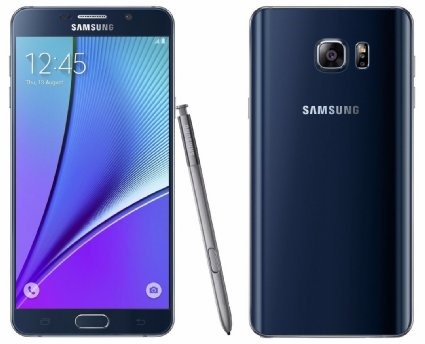
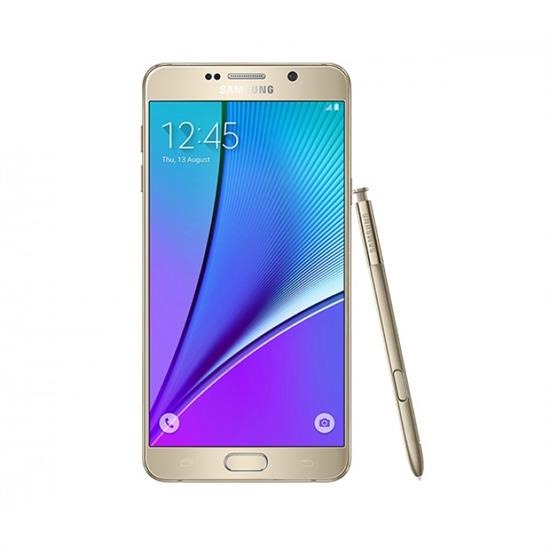
Stock recovery of the Samsung Galaxy Note 5 model, specifically SM-N920C is available. This is great for those who want to replace the custom recovery such as TWRP on Note 5 with the original factory recovery.

Download Samsung Galaxy Note 5 Stock Recovery

To flash it, download it from following link and then flash it using desktop flashing app called ODIN.

It is great for those who want to sell their device to someone else or just want to get rid of all the customizations they have done so far. This is only applicable if and only if all you have done is installing TWRP recovery. If you have done some other modifications, consider downloading and flashing stock Note 5 firmware.

Download Note 5 TWRP to flash custom firmware and hacks

TWRP is now available for download for the Samsung Galaxy Note 5 that allows users to download and flash custom firmware and various kinds of hacks onto the phone. TWRP is a custom recovery that replaces the stock recovery on Note 5. Stock recovery does not allow user to flash any modifications or custom firmware.

Download Note 5 TWRP

TWRP is made by developers at XDA and is free to download. You can download it from following link and flash it using ODIN.

Only after successful install of TWRP on the Note 5, any kind of third party installation is possible. Keep in mind that this will not give you root on the phone.

Download Galaxy Note 5 Deodexed ROM

Deodexed ROM for the Samsung Galaxy Note 5 is available for download. This ROM is based on the system dump that was released few days back. This Galaxy Note 5 Deodexed ROM is said to work with Xposed just fine. Xposed finally running great on N920I and 920C with a stock rom.

Download Galaxy Note 5 Deodexed ROM

Developer says that you can flash it with CWM recovery and wipe cache / dalvik after flashing. To obtain root, you need to flash a Note 5 custom kernel.

A lot of people have been waiting for deodexed firmware that was based on the stock ROM and it is finally here. It is pretty much a bug less ROM but developer notes that tuiService crashes after boot which is just a minor issue and should not interface with normal usage.

Android 5 Available for Download for Xperia ZL

AOSPA which is a clean and basic ROM is now available for Sony Xperia ZL android phone. This android ROM is based on Android 5 lollipop firmware. Before you flash it, you must bootloader unlock your Xperia ZL. Android 5 brings many new features to this aging Sony android phone. It is pity that this phone, which was once considered Sony’s flagship is not being supported anymore.

Download Sony Xperia ZL Android 5 firmware

Download Sony Xperia ZL Android 5 firmware: Installation Procedure

1. Extract the boot.img from the zip file.
2. Reboot device into bootloader, then flash the boot.img: “fastboot flash boot boot.img”.
3. Boot into recovery.
4. Make a backup just in case, then wipe the device (factory reset and wipe system).
5. Flash the ROM zip.
6. Flash GAPPS (5.1 remember!).
7. Flash SuperSU to attain root, no need to follow separate root instructions.

HTC Desire S gets Android Jellybean 5, at least un officially, courtesy of XDA

It is hard to believe but it is true. XDA developers has released cyanogen mod 12.1 ROM for the HTC Desire S which is basically Android Jelly bean 5 for. Installation instructions are as follows. Just make sure you have custom recovery for HTC Desire S onboard and have unlocked it through HTC Dev page.

Download HTC Desire S Android Jellybean 5

Download the latest version of ROM from here and gapps from here. Put the files on SD card; Reboot to recovery; Do factory reset (ie. format /system, /data, /cache, /sd-ext and /sdcard/.android_secure); Flash cm-12.1-YYYYMMDD-UNOFFICIAL-saga.zip; Flash gapps zip; Remember to flash boot.img via fastboot if you have S-ON; Reboot and enjoy android 5 on your HTC Desire S.

In case your phone does not boot, then you can install using ADB. You can get it by installing android SDK platform tools. Reboot into booatloader, open CMD and navigate to the location you extracted your boot.img and type:

fastboot flash boot boot.img