Huawei W1-100 disassembly procedure and service manual

We have got our hands on the service manual of the Huawei W1-100 that explains the entire disassembly procedure step by step including how to replace the display and digitizer. Other important features of the manual include the ability to restore the phone by flashing official firmware.

Huawei W1-100 disassembly

Here is its feature list.

* Product Overview
* Applicable Scope and Precautions
* Exploded View
* PCBA Components
* Software Upgrade
* Maintenance Tools
* Disassembly Procedure
* Assembly Procedure
* Principles and Failure Analysis

The Huawei W1 used to be the cheapest windows phone 8 smartphone and was sold for mere 100 pounds at O2. It came with 4 inch display, WVGA resolution and Snapdragon 1GHz processor. For storage you got meager 4GB flash which was fortunately expandable via micro SD card slot. 

Zotac releases under $300 pocket size desktop PC that runs Windows

Zotac has released a very small desktop PC called ZBox P that runs Windows 8.1 with Bing OS and measures 115.5 (width) x 66 (length) x 19.2mm (height).

zbox-pi320

Processing is handled by the quad core Intel Atom Z3735F 1.33GHz processor with onboard graphics. Everything you need to get your office or web browsing done is onboard including 802.11n Wi-Fi, Bluetooth 4.0 and even Ethernet!

There are two models: PI320 and PI321

1. ZBOX PI320: This one comes with 32GB eMMC storage and it will hit the market shelves in November in Japan for 30000 Yen (~ $278).

2. ZBOX PI321: This has exactly the same specifications as the 32GB model but comes with 64GB eMMC storage. It will cost you 40000 yen (~ $370).

Port selection includes 3x USB 2.0 ports, HDMI, micro SD card slot and audio input and output jack.

Zbox PI320 and PI321

You can mount it behind your PC monitor as a VESA mount is included in the box.

Zotac Zbox P specifications

Product name ZBOX PI320
OS Windows 8.1 with Bing(32bit)
CPU Intel Atom Z3735F (1.33GHz / up to 1.83GHz, quad-core)
GPU Intel HD Graphics
Memory 2GB DDR3L-1333
Storage 32GB eMMC
Connectivity 802.11n Wi-Fi、Bluetooth 4.0
Ports USB 2.0 × 2, Ethernet port × 1 (10 / 100BASE-T), headphone output
Ports in front 3 in 1 (microSD / SDHC / SDXC) card reader
Ports on sides HDMI × 1, USB 2.0 × 1, AC adapter port, power button
Dimensions 66(L)×115.5(W)×19.2(H) mm
In the box VESA mount, AC adapter, user manual, quick installation guide, OS recovery DVD

Onda V891W specifications, price and release date, Windows 8.1 with full HD display and bay trail processor

The Onda V891W is one of the cheapest tablet with Windows 8.1 and quad-core Intel Bay Trail processor. It has 8.9 inch full HD display packing 1920 x 1080 pixel resolution.

Onda V891W price and release date

The Onda V891W is on sale for mere 130 dollars or 150 euro and comes preloaded with Microsoft Windows 8.1 with Bing. Slowly and gradually Windows 8 tablets are getting cheaper and more affordable every day. This is how it looks like.

Onda V891W specifications, price and release date

Onda V891W specifications

The Onda V891W specifications include 8.9 inch display with full HD 1920 x 1200 pixel resolution. Powered by Intel Atom Z3735F bay trail quad core processor and 2 gigabytes of memory. It has thin frames and central home button which makes it easy to hold and operate in both horizontal and vertical manner.

And since this Onda V891W has less than 10 inch display size, you get Windows 8.1 and Office 365 one year subscription. For storage you get 32 gigabytes of onboard storage. There is a 2MP front webcam and 5 mega pixel rear camera with auto focus capabilities. Connectivity options include WiFi, WiDi and Bluetooth 4.0. Battery size is 7800 mAh.

Operating System: Windows 8.1
Display: 8.9 inch IPS (16:10) to 1920 x 1200, 225 PPI, 10 touch points of contact
Intel Atom Bay Trail Z3735F quad-core processor
Graphics: Intel HD Graphics Gen7 from 646MHz
RAM: 2 GB DDR3
Storage: 32GB EMMC
Networking: 802.11n WiFi, WiDi, Bluetooth 4.0, USB 3.0 host
Webcam: 2MP / 5MP with auto-focus
Battery: 7800 mAh
Weight: 521 g
Dimensions: 241 x 169 x 7.9 mm

MSI AG270 2QC 2QE specifications, all in one computer with Nvidia 980M and 970 GPU

MSI has announced two all-in-one computers AG270 2QC and 2QE with Nvidia GeForce GTX 970M and 980M dedicated video cards respectively. The two MSI computers can be configured with up to 16 GB of RAM and several Intel Core processors and storage solutions including Super RAID configuration. Prices start from $1800.

msi ag270 review specifications

MSI has updates its all in one computer AG270 which includes Nvidia GeForce GTX 970M (2QC) and 980M (2QE) dedicated video cards.

All make use of an Intel Core i7-4710HQ 2.5 GHz processor, 12 gigabytes of memory (optional 16GB RAM), 128GB mSATA SSD or traditional 1TB / 2TB 7200 RPM hard disk drive.

msi ag270 specs

Other MSI AG270 specifications include an optical drive (DVD Super Multi drive), 4 USB 3.0 ports, 2 USB 2.0, HDMI and VGA video outputs, HDMI video input, line in and out audio jacks, 3 in 1 SDXC reader, 2 megapixel webcam, Gigabit Ethernet, 2 speakers with Yamaha amplifier.

All models are already up for sale in the US with prices starting at 1799 dollars.

Dosupara DG-08IW tablet weighs 330 grams and runs Windows 8.1

Dosupara is a popular Japanese electronic company and today it has rolled out DG-08IW tablet that runs Windows 8.1 with Bing operating system. The highlight of this tablet is its weight which is just 330 grams which makes it the lightest in its class.

This low cost Dosupara DG-08IW specifications include 8 inch display, 2 gigabytes of memory, Intel Atom Z3735F 1.33 GHz processor with onboard integrated GPU, 16GB of flash storage and 1280 x 800 pixel resolution with multi touch capability.

Its connectivity and port selection includes micro USB port, micro SD card reader, mini HDMI, 802.11n Wi-Fi, Bluetooth 4.0, 2 megapixel front and rear camera along with audio input and output jack.

Dosupara DG-08IW

Battery capacity of Dosupara DG-08IW is 4400mAh which is good enough to give you 4-5 hours in real world use.

Asus ME103K memo pad 10 specifications, release date and comparison with ME102A

Asus has made the Memo pad 10 tablet ME103K official. Priced at just 199 euro, the Asus ME103K features a 10 inch display packing 1280 x 800 pixel resolution and Qualcomm Snapdragon S4 Pro processor. We have been told that the Asus ME103K memo pad 10 will have over nine hours of battery runtime and Android 4.4 kitkat operating system. It will make its debut in November in Europe and will first launch in Netherlands and Belgium.

Asus ME103K memo pad 10 release date

The Asus ME103K memo pad 10 replaces the ME102A. The ME102A came with Rockchip RK3188 processor which was not very accepted or enjoyed by the consumers. But since the new Asus ME103K memo pad 10 makes use of Qualcomm APQ8064 snapdragon S4 pro CPU, the company is finally able to offer a rock solid tablet at a very low price tag. The Snapdragon S4 Pro processor consists of a quad-core ARM Cortex A9 1.5 GHz and an Adreno 320 GPU.

Asus ME103K memo pad 10 specifications

The Asus claims 9.5 hours of runtime on a single charge which is not bad for a 10 inch tablet. The tablet measures 174 x 256 x 9.9 mm and has a traditional design with rounded corners. The screen packs IPS technology and 1280 x 800 pixel resolution. Other components include 1 gigabyte of RAM and 16 gigabytes of internal flash storage that is expandable via micro SD storage.

As expected this Asus tablet runs Android 4.4 kitkat with Zen UI on top. It will hit the stores in November with a price tag of 199 euro.

Download Moto E official stock firmware images

We finally have official factory fimrwares for the Motorola Moto E android smartphone. These firmware images are provided by the Firmware team.

Each is of around 430 mega bytes in download size.

To install the stock firmware make sure you have these things set up.

a) Download and install Motorola Moto E drivers.
b) Download and extract the stock firmware of your choosing from the link given at the top of this post.
c) If the firmware file you downloaded is a .xml.zip file then download Motorola Fastboot from here and extract the .exe into the same folder as the stock firmware files (the same folder as the .bin and .img files). If your firmware is a .tar.gz file then skip this step.
d) Get ADB (if you don’t already have this, I suggest downloading and installing Minimal ADB and Fastboot).

To restore the firmware follow these instructions:

1) Reboot the phone into boot loader mode. For that unplug the USB cable and power off the phone. Then press and hold ‘Volume down’ then power on the phone. Then connect USB cable to your computer. You should now see the Moto E boot loader screen with the following options:

Normal Powerup
Recovery
Factory
Switch Console [NULL: null]
Barcodes
BP Tools

2) Open a command prompt / terminal (Start -> cmd.exe in Win7) and browse to the folder with the extracted firmware. For me it is:

cd c:\falcon_retgb_user_4.3_14.10.0Q3.X-76-LGG-8_54_release-keys-cid7-Retail_GB

3) Flash each of the partitions in sequence using mfastboot, you need to enter the following commands one-by-one checking that each one returns an [OKAY]

mfastboot flash partition gpt.bin
mfastboot flash motoboot motoboot.img
mfastboot flash logo logo.bin
mfastboot flash boot boot.img
mfastboot flash recovery recovery.img
mfastboot.exe flash system system.img_sparsechunk1
mfastboot.exe flash system system.img_sparsechunk2
mfastboot.exe flash system system.img_sparsechunk3
mfastboot flash modem NON-HLOS.bin
mfastboot erase modemst1 
mfastboot erase modemst2 
mfastboot flash fsg fsg.mbn
mfastboot erase cache 
mfastboot erase userdata 
mfastboot reboot

moto e official stock firmware download

In case you are using the Indian variant of Motorola Moto E, use these commands.

mfastboot.exe flash system system.img_sparsechunk.0
mfastboot.exe flash system system.img_sparsechunk.1
mfastboot.exe flash system system.img_sparsechunk.2

Wait for some time and you will now reboot into fully stock Moto E firmware.

Moto E Custom kernel for cyanogen mod firmwares

An XDA user has churned out a custom kernel for the Motorola Moto E. The kernel offers superior performance and manages the memory and background processes better. Here are its full list of features:

* Compiled with Linaro Toolchain 4.7
* Flags -04
* Tweaked all governos
* Tweaked all I/O
* FastFPE optimize Float point emulator
* Increase VM min/max
* Hardcode Enable Quantum more larger and read queues more larger too * VFP Optimizations

To install it you must have a Moto E with unlocked boot loader and of course a CM based ROM to begin with. To install this kernel, follow these instructions:

* Download current version
* Reboot to FastBoot
* Flash Boot.img
* Reboot

cyanogenmod-app

Update: XDA has pulled the firmware so keep an eye on the source.

Fujitsu Lifebook E554 and E544 Review and hands on

The Fujitsu launched Lifebook E554 and E544 back in June but back then it was exclusive to only Japanese market. Today it has made its way to Europe and our friends at notebook Italia were able to do a live review of it in Milan. They mention that the two laptops are distinguishable by only the size of their displays with Fujitsu Lifebook E554 featuring a display size of 15.6 inches and Fujitsu Lifebook E544 having a screen size of 14 inches.

Fujitsu Lifebook E554 and E544 Review

Fujitsu Lifebook E554 specifications and price

The E554 comes with a Intel Core i3-4000M 2.4 GHz, 2.5 GHz Core i3-4100M, i5-4210M 2.6 GHz, 2.7 GHz i5-4310M or Core i7-4712MQ 2.3 GHz processor, up to 16 gigabytes of memory, 320GB 5400rpm, 500GB 7200rpm of hard disk storage or 128 / 256 GB solid state drive storage. For connectivity you get 3x USB 3.0 ports, VGA, display port, headphone and microphone jacks. You also get RJ-45 for Ethernet, serial port which is very useful in the field jobs, an SD card reader and a Kensington lock for security.

It measures 374 x 250 x 24.2 / 31.4 mm, weighs 2.2 pounds and has a screen size of 15.6 inches with contrast ratio of 350: 1 and brightness of 200 cd / m2. The optional full HD panel has contract ratio of 700: 1 and brightness 220 cd / m2.

Fujitsu Lifebook E554 and E544  test

The Fujitsu Lifebook E554 is now on sale for 900 euro.

E544 specs and pricing details

As mentioned earlier the Fujitsu Lifebook E544 has slightly smaller 14 inch display that is offered with either HD panel packing 1366 x 768 resolution or HD+ panel that has 1600 x 900 pixels. The contrast ratio and brightness levels of both are 350: 1 / 200 cd / m2 and 400: 1 / 250 cd / m2 respectively. Rest of the specifications are identical to the E554. It will go on sale for 700 euro in Europe.

Fujitsu Lifebook E554 and E544 hard disk memory ram battery

The RAM, hard disk and battery packs are easily user replaceable on both Fujitsu Lifebook E554 and E544 laptops.

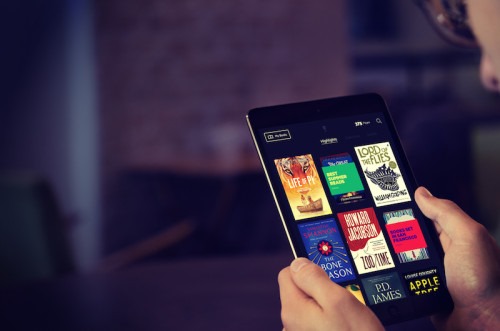
Blloon eBook service live in UK, pricing and credit details

Ebook service by Blloon is now live in UK and we now its pricing details in hand. The credit is in form of 1000 pages and you can get additional pages by either promoting Blloon or you can sign up for monthly subscription of £3.99 for 500 pages.

While that may sound enough for many, I personally think the Kindle Unlimited is a better service that gives you unlimited reading for mere £7.99 per month. This might be because they are targeting people who do not read a lot – you know the young people that read around 10-12 books in a year.

Blloon eBook

It will be interesting to see how the market reacts to their pricing. Blloon service is currently available only for the iPad and iPhone but we have been told that there is an Android application in the making.

Blloon windows phone

We asked Blloon if they were working on a windows phone and the answer is no. They are currently only focused on iOS. Here is the screenshot of the email.

Blloon’s publisher list includes Allen & Unwin, Diversion Books, Faber Factory, Guardian Books, Houghton Mifflin Harcourt, Lonely Planet, Open Road Media, Profile, RosettaBooks and Workman Publishing and publisher titles from Ingram Content Group’s CoreSource Plus solution offered through Lightning Source Inc. The company is also said to be working with Gardners to bring titles from even more publishers.