Dell Venue 10 7000 specifications, costs 400 dollars

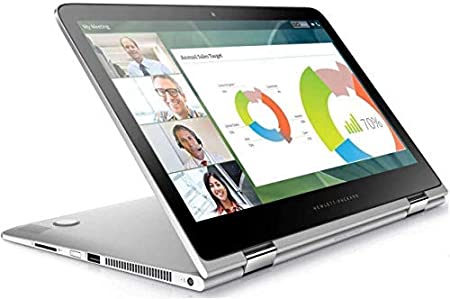
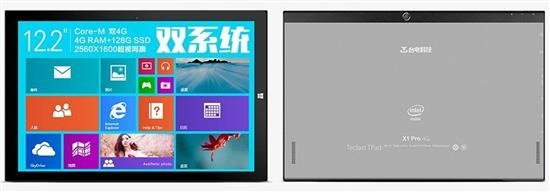
Dell Venue 10 7000 is a 10 inch android tablet that has same design and specifications like the Dell Venue 8 7000 – all at a starting price of 400 dollars. The Dell Venue 10 7000 is a business tablet featuring Intel RealSense 3D depth sensing camera.

Dell Venue 10 7000 specifications

Dell Venue 10 7000 specifications

The tablet is powered by Intel Atom Z3580 processor backed by 2 gigabytes of memory and 10 inch display packing 2560 x 1600 OLED pixel resolution. It packs 7000 mAh battery that offers up to 15 hours of runtime.

Dell Venue 10 7000’s unique cylinder on one end includes stereo speakers and battery. This allowed the manufacture to make the tablet extremely thin, measuring just 0.24 inches.

Dell offers an optional 130 dollar keyboard dock that allows the user to use the Dell Venue 10 7000 like a mini laptop bringing total cost of tablet and keyboard dock to 629 dollars.

It runs Android and support Android for Work platform that allows users create work profiles on single device – much like multi user functionality on windows.

Increase Moto E 2015 battery life by flashing this custom kernel

Moto E 2015 battery life is pretty good but it is not enough for power users. Phone experts say that one of the best ways to increase Moto E 2015 battery life is by flashing a custom kernel. The one that we recommend flashing is Squid Kernel and it is  based on original stock kernel. Features of Moto E 2015 custom kernel:

[ ] Moderately under volted
[ ] Permissive SE Linux
[ ] Updated to Kernel 3.10.73
[ ] Synced with latest Code Aurora changes
[ ] Simplified build process
[ ] Compiled with Linaro GCC 4.9.3 and optimized for Cortex A53

increase moto e 2015 battery life

To install it, download it from here and flash it using Moto E 2015 TWRP custom recovery for which we posted about earlier.

And in case you would like to revert back to stock kernel, all you have to do is download and flash stock kernel from here. This file is a TWRP flash able zip of the stock kernel for the Moto E LTE. You should have bootloader unlocked on Moto E 2015 before you flash any kernel, including stock kernel.

Keep in mind that this kernel is only meant to be flashed on Moto E 2015 LTE version that is on sale only in selected countries. Another known issue is that this custom kernel would not work with CDMA networks. A test kernel has been released which makes it work with Boost Mobile though. Also this kernel sometimes hangs or reboots during the boot process.

This is probably due to a race condition. Be patient, and give it up to 2 minutes to boot before giving up. If it fails to boot the first time, it should work after the first or second reboot.

Moto E 2015 rooting tool and instructions

A beautiful XDA software now allows you to easily root Moto E 2015 phone. But before you root you must unlock Moto E 2015 and flash a custom recovery. Fortunately this tool also lets you do both. So if you did not unlock Moto E 2015 before, you can do it with this all in one software.

moto e 2015 rooting tool download

Here is Moto E 2015 rooting tool feature list:

* Beautiful Metro UI Theme
* Full Boot loader Unlock
* Automatic Motorola Unlock String Retrieval
* Gain Permanent Root
* Flash Custom Recovery
* Flash Custom Kernel
* Flash Custom ROMs
* Side load Zips
* Push Files
* Install Apps
* Relock Boot loader

Download the Moto E 2015 rooting tool from below:

Download Moto E 2015 Boot unlocker, custom recovery

Folks at XDA have released Moto E 2015 book unlocker and relocker tool that easily allows you to unlock Moto E 2015 by pressing few buttons. The very same tool allows you to install custom recovery into the Moto E 2015, allowing you to install various custom firmwares and hacks.

moto e 2015 boot unlocker download

To install, you must have NET 4.0 installed in your system. If you do not have it, you can install it from here.

download moto e 2015 custom recovery

How to use boot unlocker Moto 2015 tool

Turn ON USB Debugging Mode under Setting>>Developer options
Select Allow OEM Unlock
Open Moto E Toolkit
Click Download Drivers button and then install it.
Click on Check Devices button, your device will be listed

Unlocking Bootloader

Warning: Unlocking Bootloader Will wipe User data take Backup of your contacts, msgs, apps etc
Click on Generate String Button,
Device will reboot into Fastboot mode and website will be open.
Login into site,
Copy String from application and paste it into website text field and clicking “Can my device be unlocked?”
If your device is unlockable, a "REQUEST UNLOCK KEY" button will appear at the bottom of this page
Select I agree, and click on REQUEST UNLOCK KEY,
Copy Unlock Key you got in your mail and paste it into Application text field "Enter Unlock Code" and click on Unlock
Done

System76 Lemur features Broadwell-U and Ubuntu Linux

System76 Lemur is the latest Linux laptop in the market, packing a 14.1 inch display and Intel Broadwell processor. The cheapest model retails  for 599 dollars for which you get 4GB RAM and 500GB HDD. If you spend $89 extra, you get 120GB mSATA SSD that will give tremendous boost to performance. Its 6 cell battery promises 4-5 hour of runtime on a single charge.

System76 Lemur review

Continue reading “System76 Lemur features Broadwell-U and Ubuntu Linux”

OnePlus DR-1 Mini Drone review

OnePlus is a fast growing Android manufacture and it has extended its product portfolio by introducing a new product. The surprising thing here is that it is not a phone. The OnePlus DR-1 while was shown off on April 1 this year, it is actually a real product that will be made in small numbers. The OnePlus DR-1 is a cheaper alternative to all the expensive models on sale right now. OnePlus DR-1 price is just €19.99 / $21.

OnePlus DR-1 reviews

Continue reading “OnePlus DR-1 Mini Drone review”

RooCase Exec Tough Review for iPhone 6 Plus

RooCase Exec Tough is a TPU case made of hard polycarbonate molded into rear shell. All the buttons are given protection as well. The corners are slightly raised for better drop protection.

RooCase Exec Tough iPhone 6 Plus review

RooCase Exec Tough feels very solid the very first time you pick it up. It fits very nicely and adds good protection to the Apple iPhone 6 Plus without adding a lot of bulk.The RooCase Exec Tough is priced at 30 dollars.

RooCase Exec Tough Review for iPhone 6 Plus

Also with every RooCase product sold, $1 goes towards free tablets and laptops for schools in need.

Official description

Apple iPhone 6 Exec Tough for drop protection
This roocase Exec tough is a serious case, designed with hybrid dual layers for superior protection. The flexible TPU handles impacts and the tough polycarbonate provides amazing stability and scratch resistance. It is built with Reinforced TPU corners for drop protection, providing added security where it’s most needed. The precise engineering of the Exec allows access to all ports, controls and shielding for the volume and power buttons. The smooth matte feel of PC allows you to enjoy the design of this case while keeping your iPhone 6 completely protected.

Hybrid dual layer superior protection
The Exec tough case is designed with two layers. The 1st layer secures the iPhone 6 providing stability, while the 2nd layer protects your phone from drops and sudden impacts with the reinforced TPU. This case has a very secure fit and a rubberized soft to the touch feel, due to the polycarbonate backing.

Scratch resistant with raised back ridges
The Exec Tough case is scratch resistant both inside and out, providing a clean presentation of your device. The raised back ridge provides additional scratch protection, assuring a pristine look and feel.

TPU and Polycarbonate material
The strong hard Polycarbonate plastic and soft TPU silicone combine for great stability and scratch resistance with drop protection and accessibility to all ports and controls.