Note 5 ROM for Samsung Galaxy Note 4

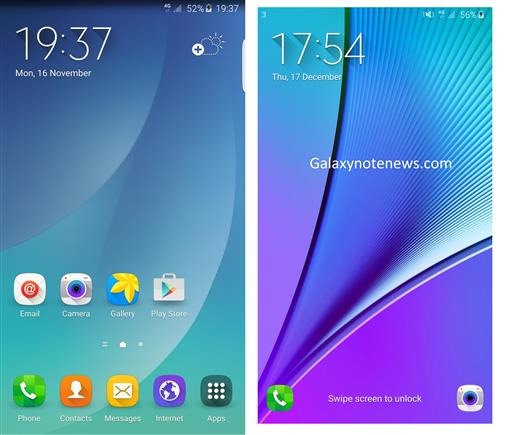
Samsung Galaxy Note 5 is an amazing android phone but most of the Note 4 users might stick onto their devices for couple of more years before they upgrade. But at the same time, you would not want to miss features that Note 5 folks are enjoying on their devices and to counter that problem, xda developers has ported Note 5 ROM for Samsung Galaxy Note 4. This is made for the N910F model of Note 4 snapdragon variant but you can use it on N910G, N910W8, N910T and N910T3 if you flash their bootloader and modem. . There are two version of the ported Note 5 ROM for Note 4: light and heavy. Light one is debloated. Here are the installation instructions:

download Note 5 ROM for Samsung Galaxy Note 4

* Make sure your bootloader and modem match the ROM base (N910F). So we suggest updating the bootloader and modem. For other snapdragon variant download them from here.

* You must also have a Note 4 custom recovery (TWRP is advised).
* Download the ROM (Light or Heavy)
* Download any bloat-ware you require
* Make a back-up (nandroid)
* Perform a factory reset
* Flash the ROM.zip then the bloatware.zip
* Reboot, this can take a while after a clean install.

Download Android 6 un official ROM for Galaxy Note 4

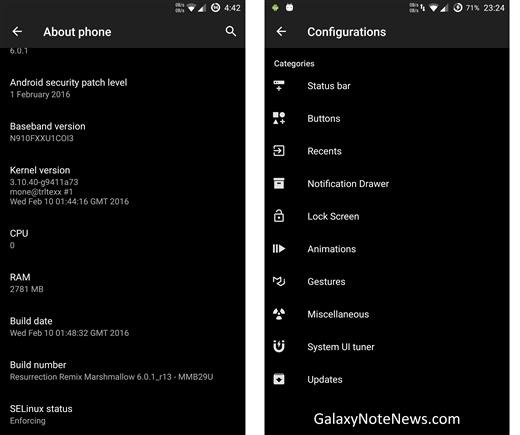
Folks at XDA have released android 6 un official ROM for the Samsung Galaxy Note 4 snapdragon aka US variant and it is called the resurrection remix offering amazing combination of performance, customization, power and new features. The features of this android 6 firmware for Note 4 include:
Download Android 6 galaxy note 4

* Navigation Bar
* Enable/Disable Navbar
* Navbar Ring Switch
* Navbar Ring Targets
* Navbar Button Customization
* Navbar Dimensions(Portrait & Landscape)

* Status bar
* Brightness Slider
* Enable/Disable Show Notification Count
* Super User Indicator Switch
* Carrier Label   
* Carrier Label Switch
* Carrier label Color
* Quick Pull-down Switch
* Smart Pull down Switch
* Clock Customizations
* Time & date
* Clock Color
* Day & date Toggle
* Center Clock/Right Clock Choice
* Battery
* Battery Bar customization
* Battery Icon Customization(circle/landscape/Portrait and more)
* Battery % Text
* Network Traffic Indicator

* Theme Chooser
* RR exclusive PITCH BLACK THEME
* Animations
* Toast Animations
* List View Animations
* System Animations

* Gestures
* Gestures Anywhere Feature

* App Circle Bar
* Choose apps in App circle
* Trigger Width
* Trigger Height
* Trigger Position

* Recent Panel
* Clear All button Switch
* Clear All Tasks Switch
* Clear All Button Location(Top right,Top Left,Top Center,Bottom Left,Bottom Right,Bottom Center)

* Clock Widget
* Clock And Alarm Customizations
* Weather Panel Customizations
* Calendar Events

* Lock Screen
* Lock screen Shortcuts
* Choose up to 5 Shortcuts
* 100+ Icons for Shortcuts

* Quick Slider Shortcuts

* Notification Drawer
* Weather Display Switch
* Quick Settings
* Choice to Add 20+ Tiles
* Enable 2/3/4 Tiles per Row
* Enable Disable Brightness Slider in Notification Panel
* Advanced Location Settings Switch(Choose Battery saving/Device Only/High Accuracy Directly in Notification Panel)
* Long Press Toggles to Enter Settings

* Buttons
* Backlight Timer
* Backlight Strength
* Navigation Bar left/Right handed mode Switch
* Power Menu
* Power Menu End Calls Switch

* Home Button(For devices with HW keys Only)
* Home Button Wake Up
* Home Button answer call
* Long Press Actions
* Double Tap Actions

* Back Button(For devices with HW keys Only)
* Wake Up device Switch

* Menu Button(For devices with HW keys Only)
* Wake Up Device Switch
* Short Press Actions
* Long Press Actions

* Search Button(For devices with HW keys Only)
* Wake Up Device
* Short Press Action
* Long Press Action

* Volume Buttons
* Wake Up Device
* Playback Control
* Keyboard Cursor Control
* Swap Buttons on Landscape mode

* Performance Profiles
* LCD Density
* Expanded Desktop Mode
* All New CM Audio FX App
* Heads Up Customizations
* Overall Smoothness Improvements
* Quick Unlock
* Optimizations to Improve Battery
* All cm12 Features

And here is how you can install it on Snapdragon Galaxy Note 4:

* Download the latest build from here
* Download Gapps from hre
* Take a nandroid backup
* Recommended – Full wipe and factory reset
* Flash ROM using latest Note 5 twrp recovery
* Flash Gapps
* Reboot
* Enjoy.

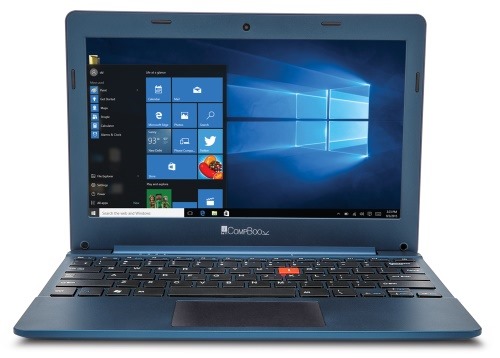
iBall Excelance CompBook Review: iBall Excelance CompBook specifications and best price

iBall Excelance CompBook is a netbook that is currently being sold in India. While this netbook has identical specs that are being used in almost all cheap netbooks in India, what makes it different is its price tag but before we talk about that in this iBall Excelance CompBook review, let us take a look at its specs.

iBall Excelance CompBook Review

Continue reading “iBall Excelance CompBook Review: iBall Excelance CompBook specifications and best price”

Download Windows 10 USB Tool for netbooks, PCs and Laptops

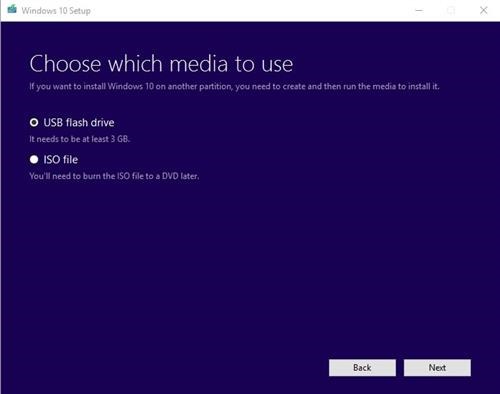
If you own a netbook, PC or laptop without DVD drive, you will have to install windows 10 using USB flash drive. You can install Windows 10 without using the DVD. We tell you how to perform these operations with Windows 10 USB Tool. You can download the Download Windows 10 USB Tool for netbooks, PCs and laptops from the bottom of this article.

Download Windows 10 USB Tool

Continue reading “Download Windows 10 USB Tool for netbooks, PCs and Laptops”

Root LG G5 Tmobile H830 with tot file

We finally have a method of rooting the T-Mobile variant of LG G5 with TOT file. By rooting the LG G5 Tmobile, you will be able to install apps that require super user permission. This will also open doors to all sorts of hacks and messing around with file system and so on. Here are the instructions on how to Root LG G5 Tmobile H830 with tot file.

Root LG G5 Tmobile H830

1. Install LGUP + DLL H830. Enable USB debugging + check OEM unlock> adb reboot bootloader > fastboot oem unlock.
2. Put phone download mode ( turn off phone > hold volume up button and connect cable)
3. Open LGUP > Choose UPGRADE > choose file tot extract h830 > Start
4. Fire up LG G5 in twrp recovery mode > flash super su + dm-verify> reboot > Done

– File TOT full add twrp H830: Download
– File TOT stock full h830: https://docs.google.com/uc?id=0Bw8q3…xport=download

If you get into bootloop after flashing in twrp, use these commands in ADB to fix everything.

adb shell
su
dd if=/dev/zero of=/dev/block/platform/624000.ufshc/by-name/misc
dd if=/dev/zero of=/dev/block/platform/624000.ufshc/by-name/fota
reboot