New COWON S9 Firmware V2.06

COWON has upgraded the firmware of their flagship media player, COWON S9. The new firmware now adds the support for the Bluetooth speakers and other minor improvements.

Improved Feature & Fixed Bugs

  • Added to display album arts by changing image file name to .jpg.
  • Support Bluetooth speakers.
  • Fixed to not appear ‘Invalid Resource’, which was appeared rarely, when reboot the device after safely remove hardware from PC.

Make sure to back up your data in case something wrong happens. Happy upgrading!

Download from here

No EeePC Logo showed while booting?

So your EEE PC 1000H or 904HA does not show the EEE PC logo while booting. Well, the reason is that the boot booster has been enabled which reduces the boot time. If you want the splash screen saying EEE PC back, here is how to do it.

As-soon-as you start the device, keep pressing F2 until you enter BIOS. Then go into Boot–>Boot Booster [Disable]. That is it.

Keep in mind that it will take a while before you see your operating system booting up. This is because aforementioned steps disable quick+quite boot which makes system check every single component of 1000h.

So we do not recommend to it checked all the time. To enable Boot Booster again, go to BIOS again by pressing F2 key when your computer boots and turn boot booster on.

SBSH Christmas Special – Free Icon Store Extension Packages

For this Christmas SBSH Mobile Software released today three new icon store packages available as free download to all SBSH users. The new icon store packages released include: SBSH Medical, SBSH Personal and SBSH Sports Icon Store packages. The new icon store packages extend the category icons store selection with the recently released SBSH Calendar Touch (WM Pocket PC) and SBSH Calendar (WM Smartphone).

SBSH IconStore packages are available as free download for both Windows Mobile Pro/Classic (touch devices) and Standard (non-touch) devices at the following links:

SBSH Medical IconStore: Windows Mobile Pro/Classic or Windows Mobile Standard
SBSH Personal IconStore: Windows Mobile Pro/Classic or Windows Mobile Standard
SBSH Sports IconStore: Windows Mobile Pro/Classic or Windows Mobile Standard

Is this the T-Mobile Dash 2?


Remember the extremely popular T-Mobile Dash that made it’s debut a couple of years back? Well, here it comes again, but in new clothes. This new revised T-Mobile Dash is in all-black clothes and it is now looking good than the previous model. Changes include:

  • Removal of aluminum front piece
  • Windows Mobile 6.1 replacing the old Windows Mobile 5.0(which was later replaced by Windows Mobile 6.0 by a ROM upgrade)
  • Spaced-out keys

The bad part is that the RAM is same as before. They have not beefed up the RAM (still 64MB). Processor is same old horse (200MHz OMAP) and the same outdated 1.3MP camera.

via

LG plans to introduce Solar Illuminated LCD screens in notebooks

LG is implementing a concept never used or heard before. LG has developed a type of LCD panel, which uses the sunlight to power the monitor, while it is used outside. It uses reflective plates in the backlight panels to reflect the sunlight so that you are able to use your device outdoors. Interesting point to note is that it consumes 1/4 th of energy compared to what is consumes when used indoors. This is due to the fact that it has to use backlight to light up the screen, which consumes a lot of energy.

There is no words when will be release for officially. However, LG has plans to debut it at CES 2009, which is going to be held next month.

Windows 7 on EEE 900

The Windows 7 worked fine on the EEE 1000H and EEE 904HA. They both sport Intel Atom 1.6GHz processor which made the Windows 7 as-well-as vista run fine. But, how would it perform on a Intel Celeron 900MHz CPU? People have speculated that Windows 7 will be designed with keeping netbooks in mind. Sadly, that does not look when we look at the Video below, which shows an EEE PC 900 running Windows 7.

It also takes nearly 9GB to install. While this may not be a problem on netbooks with big HDDs, but it is certainly is a big problem on the ones with smaller SSDs

MSI VR705 – for Big Vision and Great Performance

MSI VR705 features in 17″ ACV widescreen display, which can display multiple windows, so you can work and watch movie with your family at the same time. Featuring slim appearance, along with a weight of at most 3.2kg (including battery), MSI VR705 is much more portable than other 17″ notebooks in the market. Not only provides top Operation Performance with Intel® Core™2 Duo processor, but also provides multimedia functions, VR705 is ideal for any environment, whether home, office, or school. With MSI exclusive ECO Engine, the outstanding and unique power saving management function, VR705 could extends the battery running time while performing different tasks. VR705 applied the exterior with an Aerodynamic and Elementary design, also concealing all the openings at the connecting edges.

With 1440×900 High-Resolution for the 17 inch LCD monitor, VR705 enables you to open many windows applets at once. Furthermore, the high accuracy board materials to go along with 1440× 900 High-Resolution can perfectly portraying a picture’s detail, letting you pleasantly enjoy at all times. Besides, built-in with a 1.3 mega pixel webcam and an internal mic, the VR705 enables you to engage in real-time sharing and live-video. Additionally, VR705 has a 4-in-1 card reader, and 3 well distributed USB 2.0 ports, facilitating connection with various types of computer peripherals.

We will post about it more as we come to know more about it

ASUS P552W Review – I am fast baby!

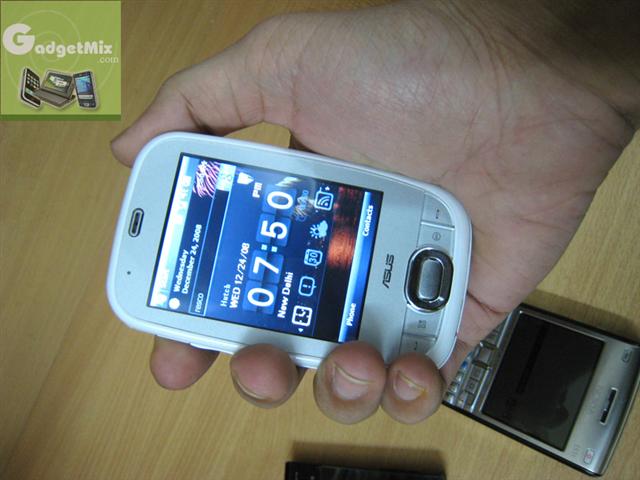
When was the last time you used a fast device? Let me say, a really fast device! If you have been an old Windows Mobile user, your memories may roll back to the Windows Mobile 2003 days. Well, ASUS has come up with the ASUS P552W, a device equipped with a very powerful Marvell Tavor 624MHz CPU promising super fast performance and with sleek and slim design, looks like ASUS has product that promises to be a winner among people.

Unboxing

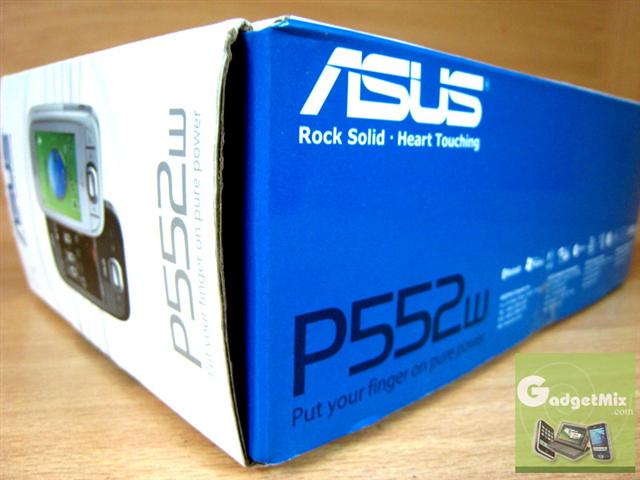
All the usual stuff came into box. The box is simple and packaging is not similar to the ones of HTC. No HTC Diamond style box. Nothing flashy.

ASUS follows plain Jane approach: giving user simple experience while unboxing.

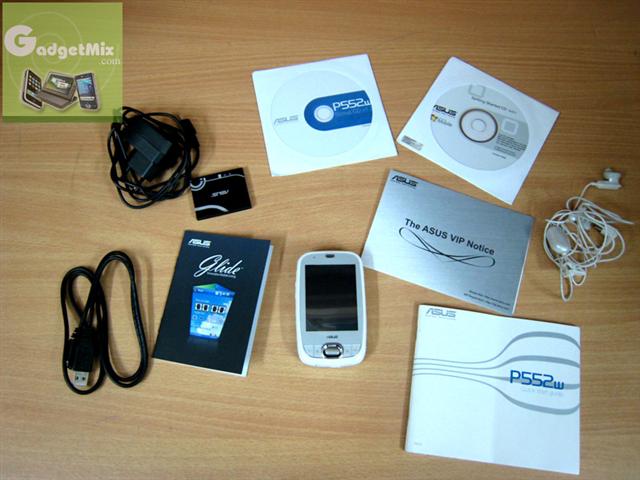
Following are the contents of the box:

  • ASUS P552W
  • mini-USB earphones
  • Charger
  • mini-USB cable (not ext-USB that the HTC uses)
  • 2 CDs: application CD and Activesync CD
  • 1100mAh battery
  • Glide user-interface guide
  • and some more papers

Design

The ASUS has followed the latest trend. The ASUS P552W follows the minimalistic design approach of not crowding the device with tonnes of buttons. It comes in black or white color. The unit I got was white in color. The body of it is shiny. So, it picks up fingerprints pretty easily. But, since the color is white, they are barely noticable. This may not be the case with the black unit.

On the left side, you can find the volume button, GPS antenna. On the top, you can find the power button. Continue reading “ASUS P552W Review – I am fast baby!”

REVIEW: Streaming Media Players for Windows Mobile – Let the battle begin!

What is the first thing that comes to your mind when you hear the word “Streaming video clients”? No, it is not an application that allow you stream video to your phone, but applications that let you stream your video to the world. Kind of like you would see on a news channel live for the most part and anybody can watch it or you can have it private.

QIK

The first application i will review is probably the most popular of the three. It’s called QIK you can find it at www.qik.com. QIK has just started supporting windows mobile operating systems. It has so far supported Symbian S60 platform.

As you can see in the picture it has a very appealing user interface compared to the others. The application gives you the ability to set your video stream to either public meaning everyone can see it or private, meaning only those that you allow to see it. In the settings, you can adjust the quality and bit rate you want to send out.

You can’t adjust the stream like you can in the other applications. QIK gives you two options “min delay” and “max quality”, the benefit of min delay is that its stream it out live with min amount of buffering. Max sends out the best stream and if you don’t have the enough bandwidth if will store it locally and upload when you have better bandwidth. One think to remember that although the cell networks boast the download speed in the 800kbps and up range they don’t tell you the upload speed usually hovers around 150kbps up give or take the networks. but this is changing fast with networks like rev a (Sprint and Verizon) and HSUPA (AT&T) Continue reading “REVIEW: Streaming Media Players for Windows Mobile – Let the battle begin!”

Slingplayer for Windows Mobile updated

Slingplayer now supports WVGA (800×480), VGA (800×480), 400 x 240 and 320 x 320. This means that the owners of HTC TOUCH HD, SE XPERIA X1, Samsung Omnia and Treos(with 320×320 display) can now use Slingplayer.

Trying to keep up with the ever changing landscape of mobile devices, Sling Media has let loose an updated version of SlingPlayer Mobile for Pocket PC and Smartphone. This isn’t the major re-write of the app that Sling Media has been hinting about in certain discussions here in the community, but instead an interim update to bring some Sling goodness to the swarm of new handsets that have recently hit the market sporting never-before-seen screen resolutions like 800×480, 640×480, 400×240, and 320×320.

Download here