Download I9505 Galaxy S4 TWRP and Stock Recovery

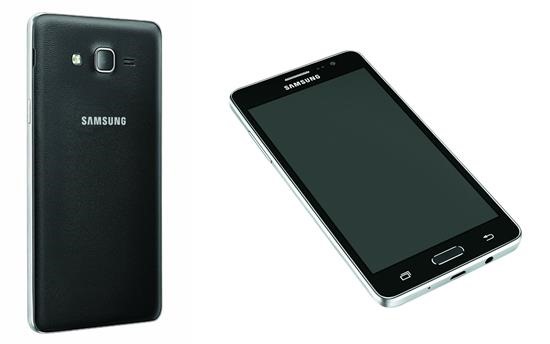
TWRP for the Samsung Galaxy S4 i9505 has been released. After flashing TWRP, you will be able to flash your favorite custom ROM, kernels and what not. Just keep in mind that this recovery is for i9505 S4 only and shall not be used on i9500, which is the international version, the one that has 8 cores.

Download I9505 Galaxy S4 TWRP and Stock Recovery

First, download the TWRP from here and flash it using ROM manager. If you wish to get the stock recovery (for obvious purposes), you can also do that. Download it from here.

Make sure to make a backup of your phone before you proceed as you could end up with a brick device if you do not know what you are doing.

Download Galaxy S2 Plus KitKat Android 4.4.2 ROM

Resurrection Remix PHGPSHYPXQAD ROM has been released for the Samsung Galaxy S2 Plus which means you can now enjoy Android 4.4.2 KitKat on your phone. Almost everything except video recording and camera unable to save pics to SD card is working just fine. However, you can use a third party video recording app to get video recording on it.

Download Galaxy S2 Plus KitKat Android 4.4.2 ROM

The Resurrection Remix ROM is based on AOKP so you get pure Android experience. Here are the installation instructions.

– Make sure you are either on any KitKat ROM (CM11, SlimKat, etc) or on 4.2.2 TW based ROM and NOT on 4.1.2 TW based ROM
– Download the latest build link
– Download Gapps link
– Take a nandroid backup (optional)
– Recommended – Full wipe and factory reset
– Flash ROM using latest ClockworkMod recovery
– Flash Gapps
– Reboot.

Download Deodexed Nexus 5 ROM And Improve Battery Life

An XDA developer user has churned out a ROM that is deodexed and claims to improve battery life of the Nexus 5 smartphone. It uses stock kernel with init.d support and is pre rooted, which means you get utilities like super user and busy box pre installed. Here are the mod included in this ROM.

Download Deodexed Nexus 5 ROM And Improve Battery Life

Tweaked system that makes it very fast
Raised contact sync resolution (requires re syncing of contacts if you don’t factory reset before installing)
Battery % Percent on status bar
Exchange security bypass
Relaxed MMS compression ratio (Hangouts & Messaging)
Enabled access to App Ops in Settings / Security
Enabled debug settings in Play Store
Blocked annoying ads in programs
Enabled NFC while on lockscreen
APN settings for a lot of carriers
Colored notification icons

So, how does it improves battery life? It comes with three CPU speed profiles that underclock the CPU. Here are the profiles included.

2.26GHz – 100-85 percent
1.95GHz – 84-36 percent
1.72GHz – 35-0 percent

Download the ROM from here and flash it. Before you do so, make sure to do a full wipe before install to avoid any problems.

Root LG G Flex Easily using Vroot

Development for the LG G Flex is on fire. Few days back, we got hold of CWM and TWRP. Now, we have the root instructions for it. First get vroot from here and install it on your computer.

Root LG G Flex Easily using Vroot

Connect your G Flex phone to your computer. Make sure you have activated USB debug on your phone. Start vroot and click ROOT, wait phone to reboot itself. It will now disconnect from computer. Download clockworkmod superuser from playstore on your phone. Launch it, and update binary.

Now, download Titanium backup (full version) from playstore. Stat it. Kill all open apps. Now, launch Titanium backup and freeze Vroot. It is at the end of the list. Relaunch clockworkmod superuser and re-update binary and reboot the device. Now you can uninstall Vroot using Titanium Backup.

That is it. You have successfully rooted your LG G Flex.

LG G Flex TWRP Recovery Download

We have a great news for the LG G Flex owners. TWRP recovery is now available for it – F340K model to be exact. Everything works on it. To flash it, first get the img file from here.

LG G Flex TWRP Recovery Download

Then, download Flashify and boot into recovery. For that, power off the device and use Volume up + power button simultaneously. You will get a scrolling effect and then you will enter recovery. Everything should work like a charm.

For those who do not know about TWRP, it is basically a touch optimized version of CWM (clock work mod).

Download AOKP KitKat Nexus 5 ROM

Nexus 5 is an amazing phone, and you get regular updates on it, but you can have so much more fun with it. For instance, you can download and install the latest AOKP KitKat ROM on it. Installation is straight forward and simple.

Download AOKP KitKat Nexus 5 ROM

1. If coming from another ROM or another major AOKP version, wipe data in recovery
2. Make sure you’re using the latest CWM or TWRP (recommended).
3. Download the ROM from here and flash ROM by placing it in root folder and then going into recovery.
4. Flash Google Apps (GAPPS). Download it from here and flash it in recovery. 
5. Reboot

That is it. You can successfully downloaded and install AOKP on your Nexus 5 Android phone.

Download TWRP For Nexus 5

TWRP touch recovery is available for download for the Nexus 5 phone. TWRP provides same functionality as CWM, but lets user interact with the phone using touchscreen (no more volume rocker or power buttons to press).

Download TWRP For Nexus 5

To download TWRP to your Nexus 5, follow these steps.

1) Install GooManager from the Play Store
2) Open GooManager and provide root permissions
3) Hit Menu (or the button with the 3 dots on your screen) and then Install OpenRecovery

HTC One Max: Download Unlock Root, S Off, TWRP, CWM, Lock, Super-CID

An XDA user has released an all in one tool that can Unlock, Root, S Off, TWRP, CWM, Lock and even Super-CID your HTC One Max – it is indeed the super tool. Just keep in mind that rooting void your phone’s warranty. The super tool works with all editions of HTC Max (including sprint and verizon variants).

HTC One Max Download Unlock Root, S Off, TWRP, CWM, Lock, Super-CID

Continue reading “HTC One Max: Download Unlock Root, S Off, TWRP, CWM, Lock, Super-CID”