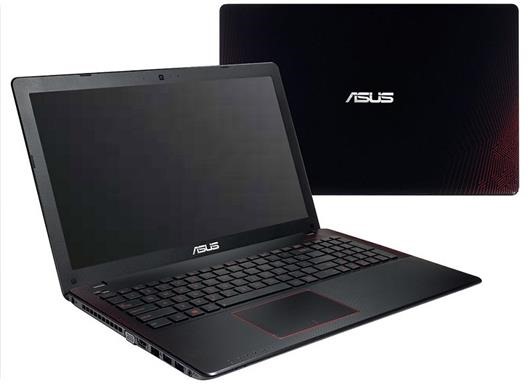
Asus X580 budget gaming laptop with Intel kabylake and Nvidia 1050 Pascal launched: Asus X580 specifications and price

asus x580 review specifications

Asus X580 is a budget gaming laptop from the Korean electronic giant that will come with latest Intel i5 or i7 kabylake processor and Nvidia GeForce 1050 GPU which is the company’s cheapest Pascal graphics card. It will go on sale for about 800 dollars or 870 euros.

Continue reading “Asus X580 budget gaming laptop with Intel kabylake and Nvidia 1050 Pascal launched: Asus X580 specifications and price”

Samsung Galaxy J5 2016 TWRP: Download J510H J510F J510FN J510GN J510MN TWRP Custom Recovery

TWRP 3.1.0 for the Samsung Galaxy J5 2016 TWRP is available for download. It works for all variants of the J5 2016 android phone including J510H, J510F, J510FN, J510GN and J510MN. This version supports Aroma installer and ADB Backup. You can also Wipe Persist, Wipe Preload, Mount Efs / Preload / Firmware-modem / firmware / Persist and more features.

Download Galaxy J5 2016 TWRP

How to install .tar Samsung Galaxy J5 2016 TWRP Custom Recovery

1. Install device usb drivers and Odin
In Phone Developer options – On OEM unlock
2. Power off the device.
3. Boot to download mode (VOLUME DOWN/HOME/POWER).
4. Volume UP once.
5. Open Odin  as an administrator, connect the device to a usb port,
and make sure a blue button appears and says “Added” in description on the left.
6. Select AP or PDA for older Odin and search for the downloaded tar file.
7. Uncheck auto reboot from the second tab.
8. Start flash and you should see the succeeded command.
9. Unplug the device and remove the battery.
10. Reboot to TWRP and enjoy! (VOLUME UP/HOME/POWER).

How to install .img Samsung Galaxy J5 2016 TWRP Custom Recovery

1.Download the latest TWRP image file (.img)
2.Boot into the TWRP recovery.(VOLUME UP/HOME/POWER)
3.Go to install and find and select the Images button.(At right-bottom)
4.Browse to the image that you downloaded and select it.
5.Choose recovery and swipe to flash. You are done

KS-Pro Specifications: KS-Pro laptop launched with Snapdragon 835

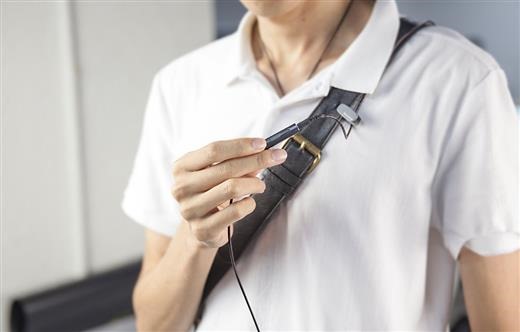
KS-Pro UMPC with Snapdragon 835 looks like the successor to the now-outdated Sony Vaio P that made massive splashes back in 2009. This very product, like the Vaio P will also run Windows 10. KS-Pro specifications include 8.2 inch AMOLED display that packs a whopping WQHD 2560×1440 resolution. It will support touch input as well and we all know how well windows 10 works with touchscreens.

KS-Pro Specifications (2)

Continue reading “KS-Pro Specifications: KS-Pro laptop launched with Snapdragon 835”

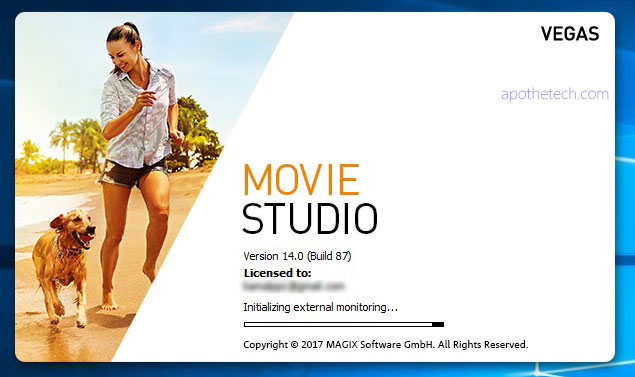
Vegas Movie Studio 14 Review: Is it any good?

This is the review of Magix Vegas Movie Studio, an is an excellent video editing app that is great for both amateur and professionals. Installation was simple and straightforward. Just make sure you have a gig of space free on your computer. While I have some video editing experience, I never had used a professional video editing app like Vegas Movie studio, Adobe Premier Pro etc. But the app has pretty amazing built in tutorial which guides you like a little kid.

Magix Vegas Movie Studio 14 Review

Continue reading “Vegas Movie Studio 14 Review: Is it any good?”

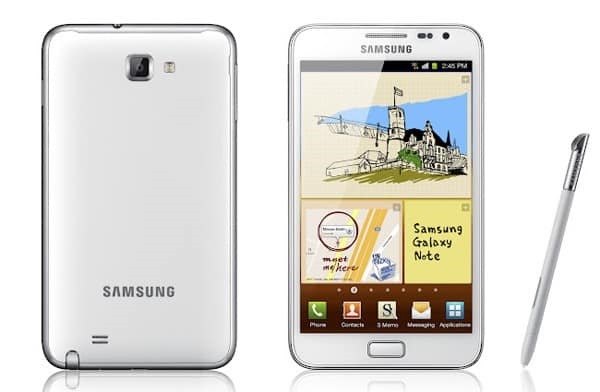
Galaxy Note 1 N7000 gets Android 7 Nougat: Download Android 7 for Galaxy Note 1

Samsung released the Galaxy note 1 back in 2011 and it is interesting to note that there is still a plenty of development going for it. Infact, you can download the latest android 7 nougat for it thanks to folks behind Lineage OS that was launched a firmware for it. If you running stock Samsung ROM, follow these steps.

Download Android 7 for Galaxy Note 1

1.flash N7000ZSLR1_N7000OZSLR1_BRI (or any other other 4.1.2) stock rom using odin
2.Copy Rom + Google Apps to your sdcard.
3.flash PhilZ-cwm6-XXLT6-XSA-5.06.1.tar.md5 to get cwm recovery by using odin or mobile odin
4. boot into recovery
5. flash this kernel to get an updated recovery
(this step will make your old rom unbootable stuck in the n7000 screen but you can boot into recovery with press and hold "home" and "volume+" buttons and power on your phone)
6. you need to reboot! your device now to recovery
7. you are now in the updated recovery and you need to do a factory reset + format the /system partition
8. you can now install the rom and gapps and reboot your device.

If you are having problem installing application, we suggest doing a repartition your phone and make more space. Just replace the files used in step 16 with the one we used for cm14/android7.

To enable root on N7000 in this ROM, follow these steps.

1. Go to Settings-About phone and tip 7 times on Build number to enable the Developer options
2. Go to Settings-Developer options-Root access and set it to Apps and ADB